TL;DR
Use congressional trades when their reports become public, with an explicit member, instrument and trailing window. The example buys AAPL with 10% of available buying power while a disclosed equity purchase exists within ninety days, and sells when none remains. This is a research recipe rather than a measured winning strategy. Inspect earlier experiments, compare bounded variants with fixed costs, explain actual signals and freeze the selected rules before testing unseen dates.
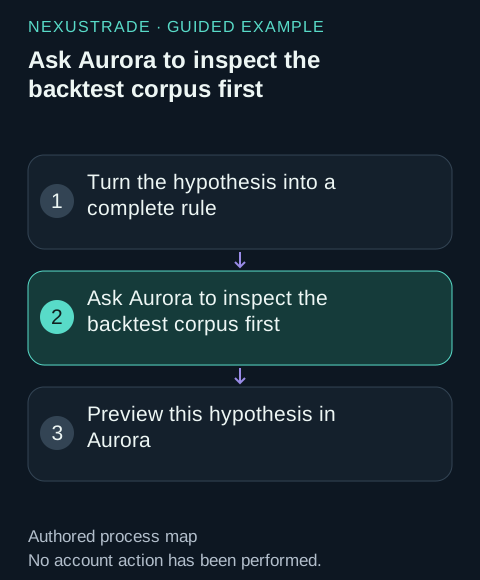
Ask Aurora to inspect the backtest corpus first
Optional: Ask Aurora to inspect the backtest corpus first
Start with existing experiments. Compare the whole rule and its test inputs, including weaker examples, before choosing a signal. Save the dates you inspected in your research notes so you can reserve a later test.
Before creating a congressional trading disclosures strategy, inspect the existing backtest corpus. Search for completed prior examples using these indicator types: PoliticalTrades, with comparable tickers, cadence and asset class. Examine both stronger and weaker completed examples and their actual rules, dates, capital, fees, turnover and benchmark. Screen the corpus for a more specific cohort or named strategy when needed. Show the returned records and any filters you widened. Explain which ideas recur and which trades account for the results. Record the historical periods you inspected. Propose three bounded variants and a development period; keep a later unseen test outside the selection. Stop at the research plan.Turn the hypothesis into a complete rule
Show the table · 5 rows, 2 columns
| Decision | Example rule |
|---|---|
| Enter | PoliticalTrades(AAPL, empty filer, BuyCount, 90) > 0 and AAPL position value = 0. |
| Exit | The trailing BuyCount is <= 0 and AAPL position value > 0. |
| Size | Buy 10% of available buying power; sell 100% of the current AAPL position. |
| Test inputs | $10,000, Day interval, SPY comparison, 0.1% stock fee per fill, cash dividends. |
| Draft | Create with Aurora or the SDK, then backtest and save the result. |
No matching rows. Clear the filter to see all records.
Recent publicly disclosed purchases can select an asset to hold. The example uses AAPL equity purchase counts across members in a trailing 90-day window.
Choose a small set of variants
Keep the asset, allocation, dates and costs fixed while comparing these changes. Record each trial, including the weaker outcomes. Choose your selection objective before looking at the results.
Show the table · 3 rows, 2 columns
| Candidate | Change |
|---|---|
| 30-day window | Follow more recent public purchase activity |
| 90-day window | Keep the baseline activity window |
| Named member | Use a fixed member rather than the broad cohort |
No matching rows. Clear the filter to see all records.
1. Create the strategy in Aurora
Open Aurora in NexusTrade and send this request. Expect a saved undeployed research draft with complete entry, exit and allocation rules. You can use every step here directly in the app.
Create an undeployed research draft named "congressional indicator research" with $10,000 initial value and cash dividends. Use AAPL as Stock in every asset-targeted indicator and action. Evaluate daily. Enter when PoliticalTrades(AAPL, empty filer, BuyCount, 90) > 0 and AAPL position value = 0. Exit when The trailing BuyCount is <= 0 and AAPL position value > 0. Buy 10% of buying power on entry and sell 100% of the current position on exit, using Market execution. Save the valid draft and show its exact saved rules, name and returned draft identifier. Keep automated trading off.2. Run the development backtest
Expect a completed result with its curve, SPY comparison, return, drawdown and costs. The dates below are an example development choice. Detailed events cost 5 times the usual research tokens and remain available for 3 days; review the displayed cost before submitting.
Backtest my saved "congressional indicator research" draft from 2022-01-01 through 2023-12-31 as the development period, with $10,000 initial value, Day interval, SPY benchmark, 0.1% Stock fee per fill and cash dividends. Capture detailed events. Show the cost before submitting. When complete, show the curve, return, drawdown, fees and the saved test identifier. Preserve this result as the baseline candidate.3. Explain one recorded signal
Expect the indicator values, condition results, position check, submitted order and recorded fill that explain one decision.
For that completed development test, choose one recorded entry and one exit. Explain the indicator values and each condition result at those timestamps, positions before the decision, allocation, submitted order and Filled event. Then explain the positions and signals during a drawdown period. Use the returned records and ask for the next relevant event if a value is absent. Keep the original rules and result.4. Compare one changed variant
Expect a separately named draft and its development result, compared with the original using the same dates and assumptions. Write down your selection objective before making the choice.
Create a separate variant of "congressional indicator research": change the trailing purchase-count window from 90 days to 30 days in both rules. Keep AAPL, position checks, allocation, Market execution, capital, interval, fees, benchmark and dividend policy unchanged. Test only the same development period, 2022-01-01 through 2023-12-31. Compare its return, drawdown, fees, turnover and trades with the original. Save both results in the trial ledger. Ask me to choose the selection objective and candidate before opening any later test period.5. Freeze and test unseen dates
Expect a saved selected configuration and a later-period result using unchanged rules. Choose dates your own research left untouched, including earlier corpus searches and chart reviews. A final lockbox is optional.
Read back the candidate I selected and freeze its exact rules, universe, allocation, capital, costs, benchmark, interval and objective. Ask me for a later date range I kept outside all selection and record any earlier exposure to it. Test the frozen candidate there unchanged and explain the outcome against the same objective and benchmark. Preserve the result before any revision. Include a final lockbox only if I request one, then prepare a paper observation plan.Install the Python SDK and set your key
Optional python SDK instructions
Python SDK 1.42.0. Save the function below as congressional.py. These shell commands prompt for your API key without displaying it.
python3 -m pip install nexustrade==1.42.0
printf 'NexusTrade API key: '
read -rs NEXUSTRADE_API_KEY
export NEXUSTRADE_API_KEY
printf '\n'
Create and test with Python
Optional python SDK instructions
# NexusTrade Python SDK 1.42.0
import nexustrade as nt


def create_strategy():
    asset = nt.stock_asset("AAPL")
    entry = nt.PoliticalTrades(asset, "", "BuyCount", 90) > nt.Value(0)
    exit_signal = nt.PoliticalTrades(asset, "", "BuyCount", 90) <= nt.Value(0)
    return nt.portfolio("Congressional indicator research", [
        nt.strategy("Enter", entry & (nt.PositionValue(asset) == nt.Value(0)),
                    nt.buy(asset, 10, "percent of buying power")),
        nt.strategy("Exit", exit_signal & (nt.PositionValue(asset) > nt.Value(0)),
                    nt.sell(asset, 100, "percent of current positions")),
    ], initial_value=10000, alerts_enabled=False, dividend_policy="cash")


def test_period(start_date, end_date, request_key, client=None):
    client = client or nt.NexusTradeClient()
    operation = client.create_backtest(nt.backtest(
        create_strategy(), start_date=start_date, end_date=end_date,
        interval="Day", baseline_symbol="SPY", initial_value=10000,
        dividend_policy="cash", generate_events=True,
        fee_config={"Stock": {"type": "percent", "amount": 0.1}},
    ), idempotency_key=request_key)
    return client.wait_for_backtest(operation["id"])

# create_strategy() builds locally. test_period(...) submits a test.
# Use a different request key for each changed period or candidate.
Run one development test with Python
Optional python SDK instructions
Save this as run_strategy.py beside the downloaded functions. Creating the draft is local. Calling test_period submits a backtest and waits for its result. Use your planned dates and keep the same request key when retrying that exact test. Detailed event capture uses 5 times the usual research tokens; the event trace remains available for 3 days.
from congressional import create_strategy, test_period

draft = create_strategy()
result = test_period("2022-01-01", "2023-12-31",
                     "congressional-development-v1")
print(result)
Execute the Python runner
Optional python SDK instructions
python3 run_strategy.pyInstall the TypeScript SDK and set your key
Optional typescript SDK instructions
TypeScript SDK 1.42.0. Save the functions as congressional.ts.
npm install nexustrade@1.42.0
printf 'NexusTrade API key: '
read -rs NEXUSTRADE_API_KEY
export NEXUSTRADE_API_KEY
printf '\n'
Create and test with TypeScript
Optional typescript SDK instructions
// NexusTrade TypeScript SDK 1.42.0
import * as nt from "nexustrade";

export function createStrategy() {
  const asset = nt.stockAsset("AAPL");
  const entry = nt.gt(nt.PoliticalTrades(asset, "", "BuyCount", 90), nt.Value(0));
  const exitSignal = nt.lte(nt.PoliticalTrades(asset, "", "BuyCount", 90), nt.Value(0));
  return nt.portfolio("Congressional indicator research", [
    nt.strategy("Enter", nt.and(entry, nt.eq(nt.PositionValue(asset), nt.Value(0))),
      nt.buy(asset, 10, "percent of buying power")),
    nt.strategy("Exit", nt.and(exitSignal, nt.gt(nt.PositionValue(asset), nt.Value(0))),
      nt.sell(asset, 100, "percent of current positions")),
  ], { initialValue: 10000, alertsEnabled: false, dividendPolicy: "cash" });
}

export async function testPeriod(startDate: string, endDate: string,
  requestKey: string, client = new nt.NexusTradeClient()) {
  const operation = await client.createBacktest(nt.backtest(createStrategy(), {
    startDate, endDate, interval: "Day", baselineSymbol: "SPY", initialValue: 10000,
    dividendPolicy: "cash", generateEvents: true,
    feeConfig: { Stock: { type: "percent", amount: 0.1 } },
  }), { idempotencyKey: requestKey });
  if (typeof operation.id !== "string") throw new Error("Missing backtest ID");
  return client.waitForBacktest(operation.id);
}

// createStrategy() builds locally. testPeriod(...) submits a test.
// Use a different request key for each changed period or candidate.
Run one development test with TypeScript
Optional typescript SDK instructions
Save this as run-strategy.ts beside the downloaded functions. A changed rule or date range gets a new request key.
import { createStrategy, testPeriod } from "./congressional";

async function main() {
  const draft = createStrategy();
  const result = await testPeriod("2022-01-01", "2023-12-31",
    "congressional-development-v1");
  console.log(result);
}

main().catch((error: unknown) => {
  console.error(error);
  process.exitCode = 1;
});
Execute the TypeScript runner
Optional typescript SDK instructions
npm install --save-dev tsx
npx tsx run-strategy.ts
Inspect what the indicator means
The empty filer selects the broad member cohort. Equity and all chambers are the defaults. Choose a named filer, chamber or exact member ID when your hypothesis concerns a specific cohort.
Inspect the public disclosure timestamp and the underlying transaction separately. The signal counts a trade when its report becomes public. An amendment changes the known record from its public time. BuyCount counts purchases; amount metrics use a disclosed range basis such as LowerBound.
Use an LLM to understand the signal
Give Aurora the completed backtest and a timestamp. Ask it to connect the indicator values to the rule, then follow the resulting order and holdings. This makes an entry, exit or drawdown easier to understand than reading a long event object.
Explain one recorded congressional strategy signal from my completed backtest. Read its saved rules and recorded events around the signal timestamp. Show the available indicator values, each comparison result, the entry or exit decision, holdings before the decision, allocation, submitted order and Filled event. Explain the market hypothesis in plain language. Then inspect one drawdown period: which positions remained, which signals fired and what changed the portfolio value? Quote values only when they appear in the returned records; request the next relevant event when a value is absent. Use the results to propose a separate candidate, while preserving the original research.Freeze the candidate and test a later period
Iterate on the development period. Save the selected rules and testing assumptions, then run them unchanged on a later period that was excluded from selection. Keep an optional final lockbox separate if you want one more untouched assessment before paper trading.
No comments yet.