
Follow one worked path
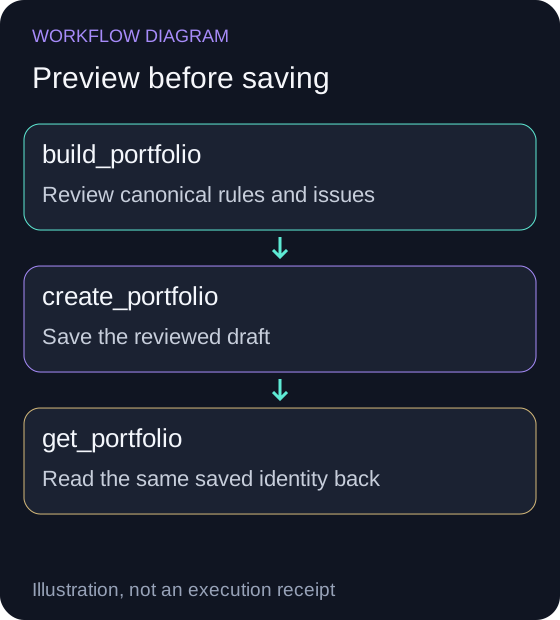
Review this task's exact candidate
Open Public account connection below. Select Connect Public, then Connect my existing account. Complete two-factor authentication if prompted. In Important Disclosures, select I understand and agree, then Connect Public and finish authorization on the broker's site. Return to NexusTrade and let Checking connection finish.
Open Public account connectionThe request prepares a saved artifact; it does not authorize an immediate live deployment.
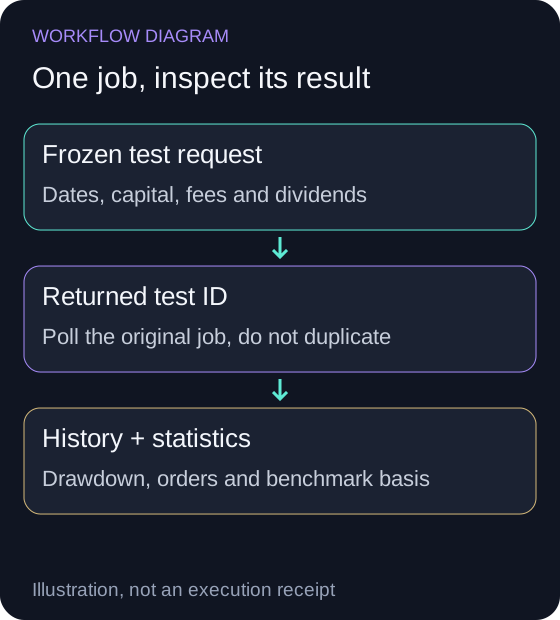
Read historical and paper evidence separately
Follow creation, historical testing and paper observation in the same conversation. Retain the returned saved draft, test and running paper identities.
Each stage has a separate artifact to inspect. A simulation curve is not broker account activity.
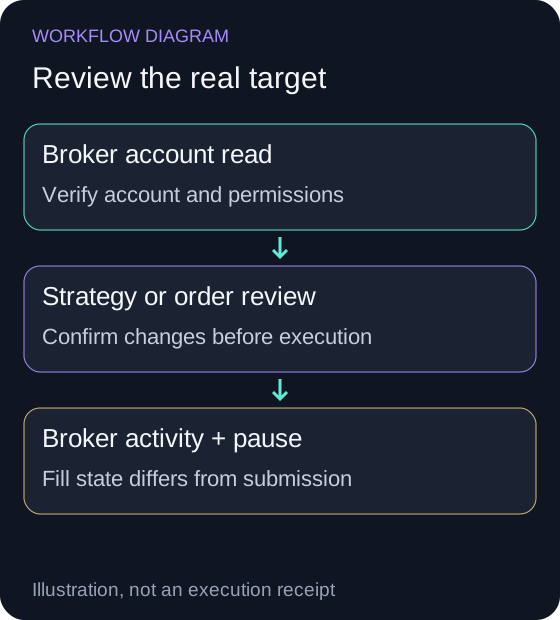
Connect and review the broker target
Open this broker's native connection. From the tested paper portfolio's Deployment Center choose Port to Live and review the added/disabled strategies before confirming.
Open Public connection- Buy
- Submitted (UTC): 2024-11-29T15:07:00.000Z · Filled (UTC): 2024-11-29T15:08:00.000Z · Shares: 1 · Fill price: $242.19 · Fee: $0.2423
- Sell
- Submitted (UTC): 2024-11-29T17:50:00.000Z · Filled (UTC): 2024-11-29T17:51:00.000Z · Shares: 1 · Fill price: $242.28 · Fee: $0.2427
Confirm & Port can activate the live target. Inspect its account identity, trading policy, orders and active state.
Verify execution and the pause control
Match portfolio events with broker activity. To pause strategy evaluation switch Automated Trading off and Save Changes in the live Deployment Center.
Outstanding broker orders and holdings require their own review; pausing does not automatically sell or cancel them.
Create and test this example in Aurora
Show create and test this example in aurora
Open the filled-in request, review the rules and send it in Aurora when ready. Continue in the same conversation through creation, backtesting and paper observation. Each step returns an artifact you can inspect before continuing.
Understand the worked rules
Show understand the worked rules
Scroll sideways to compare all columns. Select a heading to sort.
| Enter | 30 to less than 60 minutes after the session opens; IWM price above its 20-minute SMA; no IWM holding. |
| Size | Buy exactly one whole IWM share. |
| Exit | At or after 200 minutes after open, submit a sell for the whole IWM position, normally from 12:50 Eastern. Follow its Filled event. |
| Evaluate | Constant, every 60 seconds; Minute historical observations. The midday exit precedes the usual 13:00 shortened-session close. |
| Inspect | One entry and one midday exit per qualifying session in the recorded test; a session without a qualifying entry stays in cash. |
No matching rows. Clear the filter to see all records.
Follow the actual intraday test and filled orders
Show follow the actual intraday test and filled orders
From 2024-11-01 through 2024-11-29, this one-share example completed 18 round trips and ended at $10002.86 from $10,000. It returned 0.03%, with 0.06% maximum drawdown and $8.42 in recorded fees.
The test used Minute observations, Constant evaluation every 60 seconds and a 0.1% stock fee per fill. The stored IWM buy-and-hold line returned 11.27%. This example holds only one share while the baseline invests the starting capital; compare exposure alongside return. The chart uses the exported hourly snapshots.
Start with the November 29 entries below. The buy was submitted at 10:07 Eastern and filled at 10:08. The exit was submitted at 12:50 and filled at 12:51, before that day's 13:00 close. Follow the separate submission and fill timestamps, then check the holding returned to zero.
Scroll sideways to compare all columns. Select a heading to sort.
| Buy | 2024-11-29T15:07:00.000Z | 2024-11-29T15:08:00.000Z | 1 | $242.19 | $0.2423 |
| Sell | 2024-11-29T17:50:00.000Z | 2024-11-29T17:51:00.000Z | 1 | $242.28 | $0.2427 |
No matching rows. Clear the filter to see all records.
Explain the recorded opening signal with Aurora
Show explain the recorded opening signal with aurora
At 2024-11-29T15:07:00.000Z, IWM was $242.30 and all four entry conditions were true. Read the values below, then ask Aurora to connect the time window, trend comparison and empty-position guard to the one-share order.
Scroll sideways to compare all columns. Select a heading to sort.
| Minutes after open | 37 | ≥ | 30 | Pass |
| Minutes after open | 37 | < | 60 | Pass |
| IWM price versus SMA20 Minute | 242.3 | > | 242.1161 | Pass |
| IWM position value | 0 | = | 0 | Pass |
No matching rows. Clear the filter to see all records.
Observe it in paper trading
Show observe it in paper trading
After testing your frozen version, ask Aurora to prepare a new paper deployment from the saved draft. Read back the new simulated portfolio identity and open it in Portfolios. Log the expected signal, actual order status, holdings, fees and any rule revision. Keep the historical backtest, paper history and live account history labeled separately.
Connect and select your Public account
Show connect and select your public account
Open Public account connection below. Select Connect Public, then Connect my existing account. Complete two-factor authentication if prompted. In Important Disclosures, select I understand and agree, then Connect Public and finish authorization on the broker's site. Return to NexusTrade and let Checking connection finish.
Complete Public's account requirements shown in Connection health, then compare the imported account, buying power and holdings with Public. Select the live Public portfolio as the target for the saved paper strategy.
This example trades whole stock shares. The current NexusTrade adapter also supports fractional stock shares. Keep the chosen account ID with your deployment notes.
Move the paper rules into the live portfolio
Show move the paper rules into the live portfolio
Open the paper portfolio
Use the separate paper portfolio created from your saved draft. Open its Deployment Center and select Port to Live.
Select Public and inspect the changes
Read the incoming rules and existing active strategies. The confirmation shows which existing rules will be disabled. Keep the paper source so you can compare later observations.
Confirm the intended deployment
Select Confirm & Port when the comparison is correct. If active strategies already exist, the button reads Disable existing & Port. This confirmation can activate the live target.
Open the returned live portfolio
Select Open live portfolio. Verify Public, the intended account and the imported rules. Select Constant Deployment on the live target, set Evaluation interval (seconds) to 60 and choose Save Changes. Keep the paper test at the same cadence. OpenClose would skip the 30 to 60 minute entry window. Port to Live copies strategies; it does not copy the source portfolio's timing settings.
Follow the first signal and know how to pause
Show follow the first signal and know how to pause
Review the live portfolio's trading policy and daily limit in the app. Only you can enable automated order approval through the account application or portfolio settings. Aurora can help inspect the rules and events; it does not enable that policy.
Follow a session from the opening-window signal to the final Filled sell. Read the event timestamps, one-share quantity, fees and resulting position. Check that the close rule left no IWM holding at session end, including a shortened session. Keep the entry window and midday exit together when creating variants.
To pause strategy evaluation, open Deployment Center, switch Automated Trading off and choose Save Changes. Check that the same live portfolio is paused. Inspect open broker orders and current holdings separately. For a recurring Aurora review, also pause its schedule in Agents.