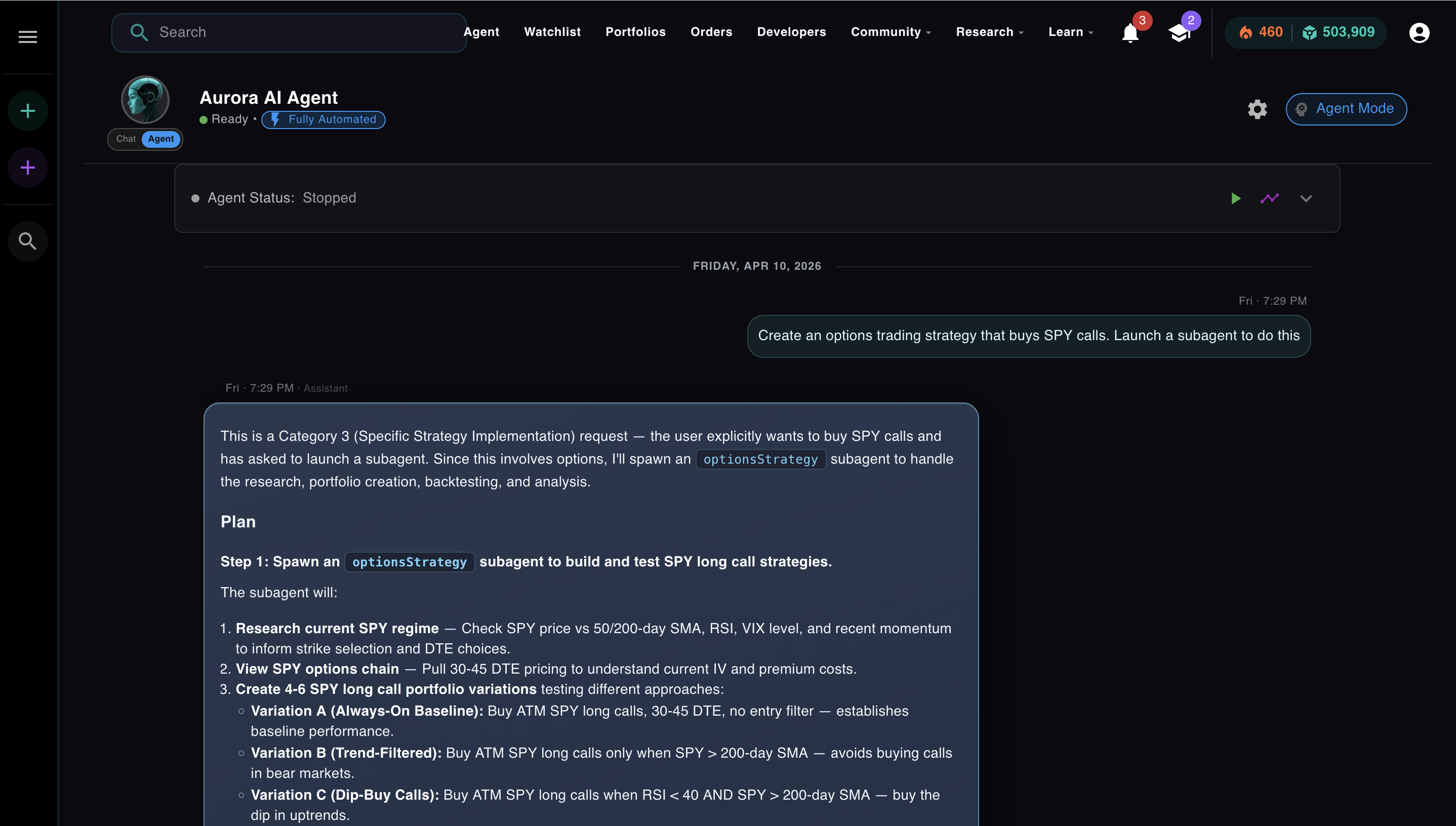
Coinbase fired me for building something they couldn't.
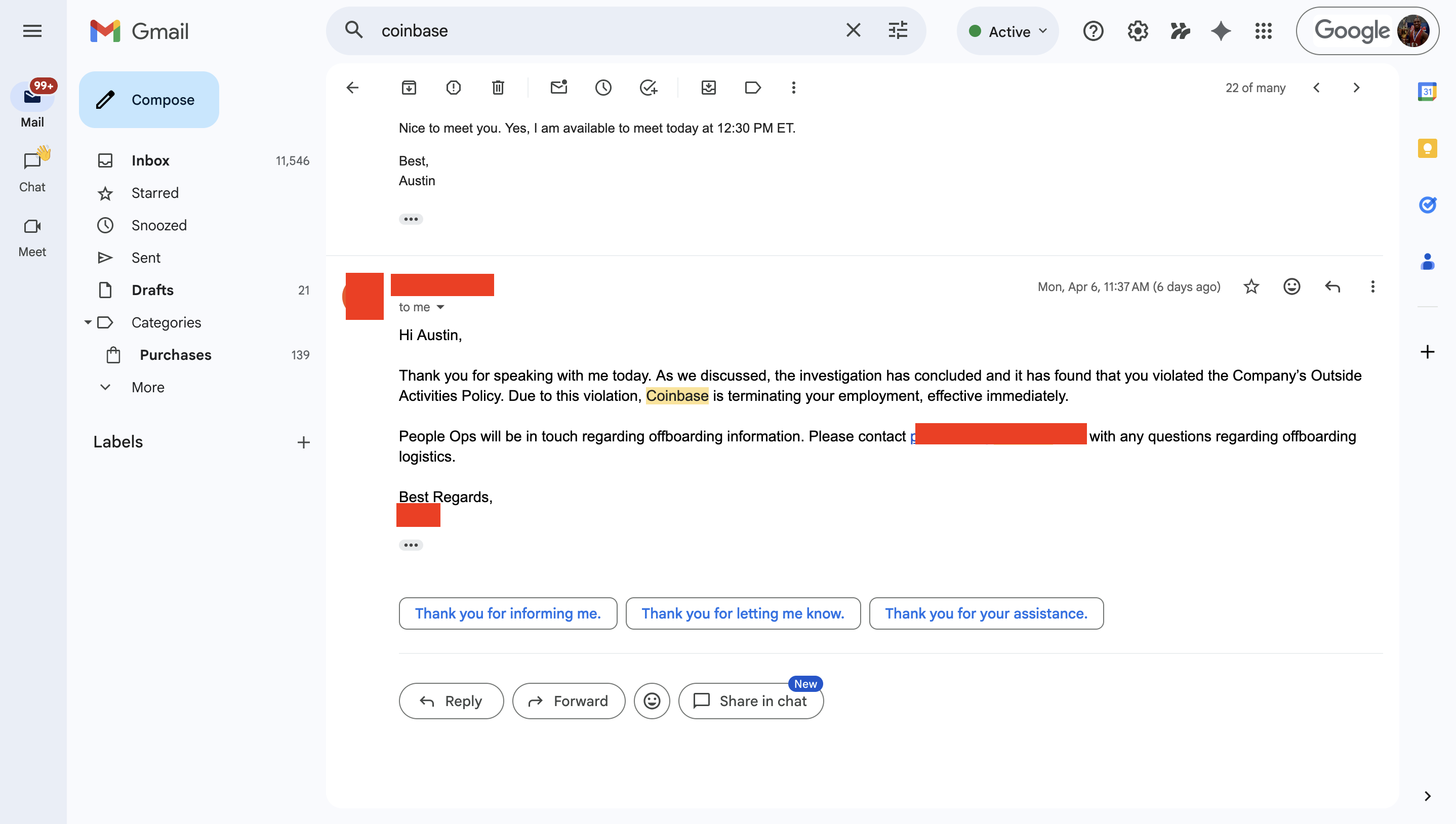
Coinbase is terminating your employment, effective immediately.
Coinbase Advisor's own FAQ asks it directly: "Does the AI make trades on my behalf?" The answer: No. It answers your questions. It suggests a portfolio. Then it waits for you to click. That's the architecture of a chatbot: one question, one answer, you do the rest.

From their own FAQ page.
NexusTrade is fundamentally different.
It runs a loop. You send one message. Aurora figures out what it needs to know, calls tools, reads the results, and keeps going until the task is done. No clicking through each step. No waiting for your approval on every action unless you want it.
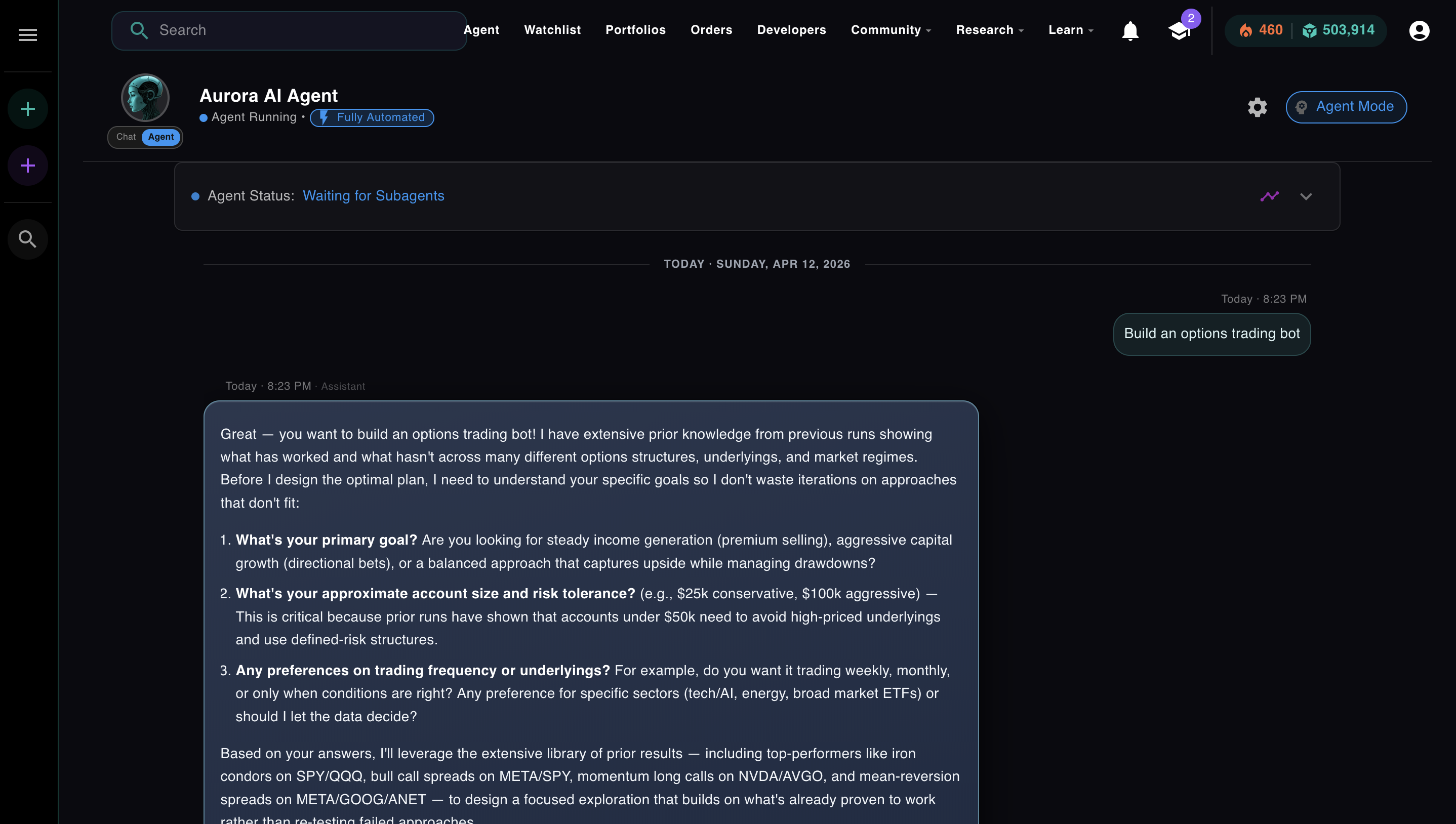
One message. Aurora reasons about what it needs to know before touching a single tool.
Tell Aurora to research a stock, build a strategy, backtest it across three market regimes, and stage it for live trading. It chains all of that together on its own. Whether trades execute automatically or require your sign-off is up to you.
Module 3 of the AI Agents from Scratch course is about that loop. This article walks through it in full.
The Actual Difference
Coinbase built a 24/7 AI advisor. I built an autonomous agent. Here's the gap.
Coinbase's marketing for Advisor is well-written. "Elite financial advice, democratized." "Turn your questions into actionable financial plans." "Master the markets with instant advice and execution." Strong copy. The product behind it is a chatbot that generates recommendations you then manually execute.
A team of engineers and millions of dollars, and they built a chatbot that waits for you to click. Here's what that buys you versus an actual agent:
| Capability | Coinbase Advisor | NexusTrade (Aurora) |
|---|---|---|
| Answers financial questions | Yes | Yes |
| Executes trades autonomously | No, requires explicit approval | Yes, fully automated mode |
| Multi-step task chaining | No | Yes, up to 50 iterations |
| Builds and backtests a strategy | No | Yes, in a single agent run |
| Spawns subagents for parallel work | No | Yes |
| Human-in-the-loop approval controls | Required for all actions | Optional, per-action toggle |
The bottom row is the one that matters. Coinbase Advisor requires approval for everything because it has no loop. It answers, then stops. NexusTrade makes approval optional because Aurora has a loop. It can keep going on its own, and the approval controls let you decide how much of that autonomy you want.
The loop is the product. Everything else is a feature.
The Problem
A chatbot answers once. That's not enough.
You ask a chatbot: "Build me a momentum strategy and backtest it." It generates a paragraph describing what a momentum strategy should look like. Then it stops. If you want the backtest, you take what it said and do the work yourself.
That's the one-shot problem. A language model answers the question it's given. It doesn't ask the next question, run the next tool, or check if the answer it gave was actually correct. It responds and waits.
For a lot of tasks, that's fine. Answering a question is useful. But there's a whole class of work that requires chaining actions together: research a stock, pull its indicators, build a strategy based on what you find, backtest it, check if it survived 2022, adjust the parameters, backtest again. No single response handles that. You need something that runs until the task is done.
You need a loop.
Check your understanding
What is the difference between a chatbot and an AI agent?
The Loop
Thought. Action. Observation. Repeat.
Module 3, Lesson 1 · Orchestration · the ReAct loop, how it runs, and why a chatbot can't do what an agent does
In 2022, a research team at Google published a paper called ReAct: Synergizing Reasoning and Acting in Language Models. The core idea was simple: instead of asking a model to produce a final answer, ask it to produce a thought, then an action, then read the result, then think again. Repeat until done.
Thought → Action → Observation is the pattern every agent today runs on. Cursor uses it when you ask it to refactor a file and it reads the file, makes an edit, checks the diff, and continues. Claude Code uses it when it plans a multi-step task, runs each step, observes the output, and adjusts. Aurora uses it every time you send it a complex request.
Here's what one iteration of the loop looks like with real Aurora content. Click through the steps:
User sends task
Aurora receives the task and moves to INITIALIZING state. It generates a plan before taking any action.
💬 Thought (Iteration 1)
The model isn't generating an answer. It's reasoning about what information it needs and why. Then it decides which tool to call.
⚡ Action
The model outputs a structured JSON object. Aurora's infrastructure parses it and calls the stock screener. Nothing executes until that infrastructure acts on the output.
👁 Observation
50-day SMA: $549.12 ↑ bullish
200-day SMA: $521.88 ↑ bullish
14-day RSI: 68.2
VIX: 14.8 low volatility
The screener result is fed back into the conversation. Now the model can see what actually happened, not what it predicted, and decide what to do next.
💬 Thought (Iteration 2)
The loop continues. Each iteration uses what was learned from the last observation. Aurora doesn't ask you what to do next. It decides, acts, reads the result, and keeps going.
That loop is not a metaphor. It's a while loop in production code. Aurora runs it on a background worker that polls every 500ms. Each iteration increments a counter, calls the model, executes the tool, saves the result, and goes again until the model sets finalAnswer or the iteration limit is hit.
Aurora implements the same loop directly, without LangChain, on a TypeScript background worker with a state machine that handles summarization, parallel subagents, and iteration limits. The pattern is identical. The infrastructure is purpose-built for trading. LangChain abstracts the loop, but hides the cost controls — per-iteration token metering, configurable summarization thresholds, and circuit breakers that halt a runaway agent are not concerns it was designed to handle.
Production Reality
What it actually looks like when Aurora runs.
The screenshots below are from a real Aurora session. The task: build a fully autonomous 0DTE SPY options bot on a $25,000 account.
Before the ReAct loop starts, a separate step runs first: the planner. This is a specialized prompt, distinct from the main loop, that takes the user's request, reasons about what it needs to know, and generates a structured plan. It's not iteration 1. It's the step before iteration 1. Aurora asks clarifying questions here, not because the loop told it to, but because the planner is designed to gather everything the loop will need before the first tool call fires:
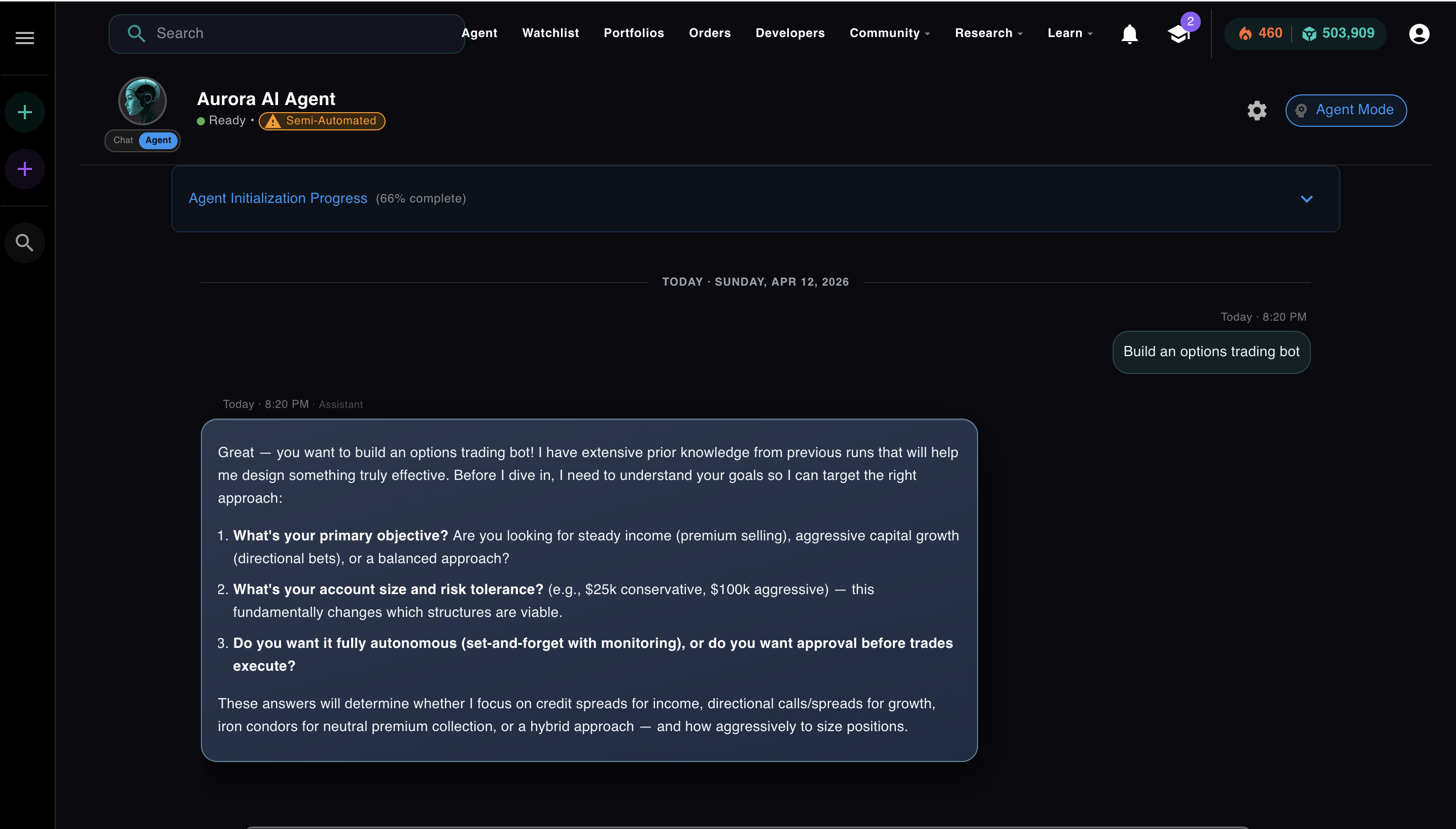
The planner, a separate specialized prompt, running before the main loop. Aurora is asking what it needs to know so the loop doesn't waste iterations figuring it out.
Once the planner has what it needs, it produces a structured plan and hands it to the main agent. The ReAct loop starts. This is the Thought + Action visible in the approval modal, the loop rendered in the UI:
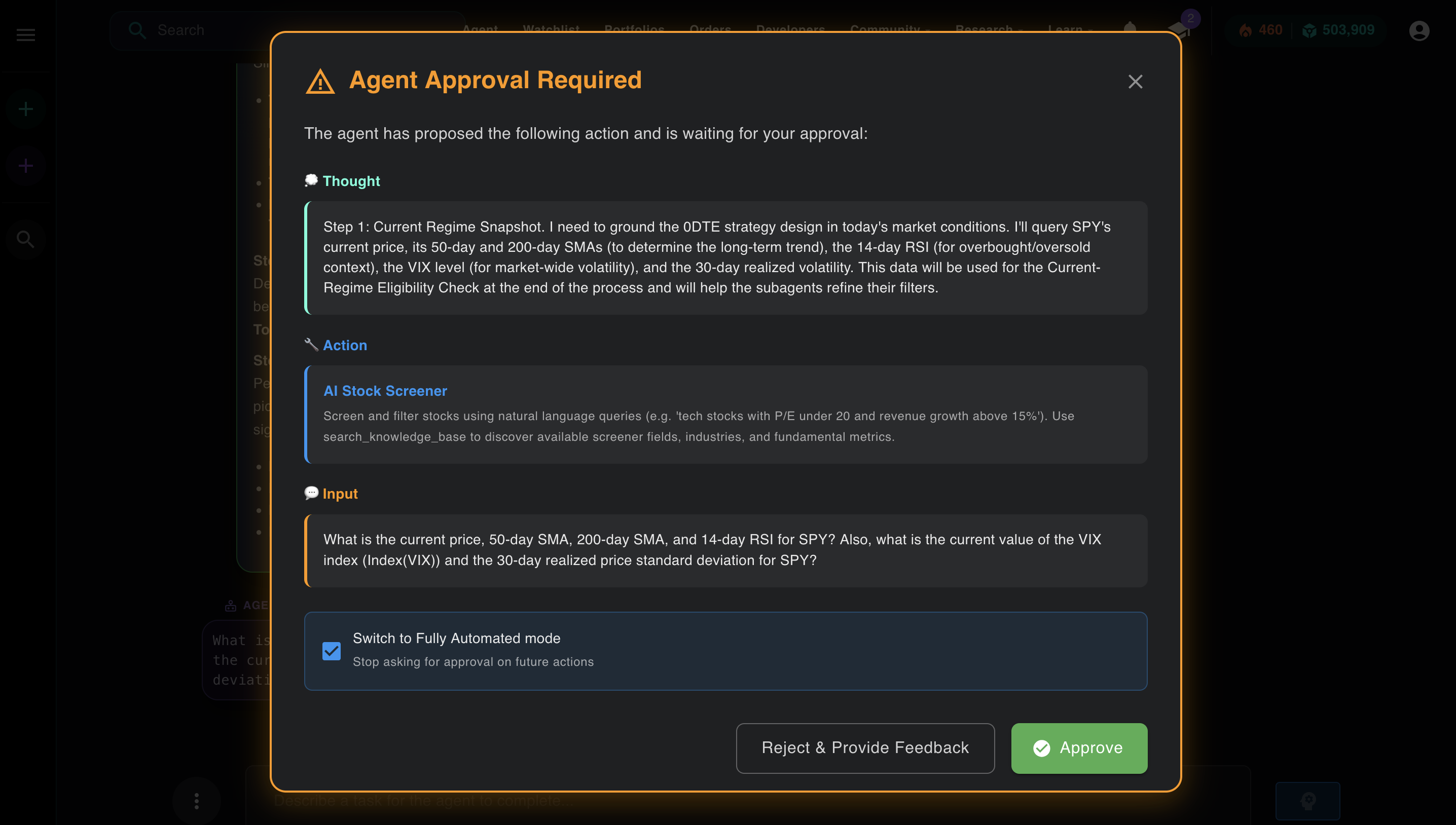
The Thought section explains the reasoning. The Action section shows which tool Aurora selected and what input it's passing. This is the loop made visible.
After that action runs, the result comes back as an observation. The agent reads it, generates the next Thought, and continues. Here's what the observation looks like. This is the SPY regime data Aurora used to decide which options hypothesis to test first:
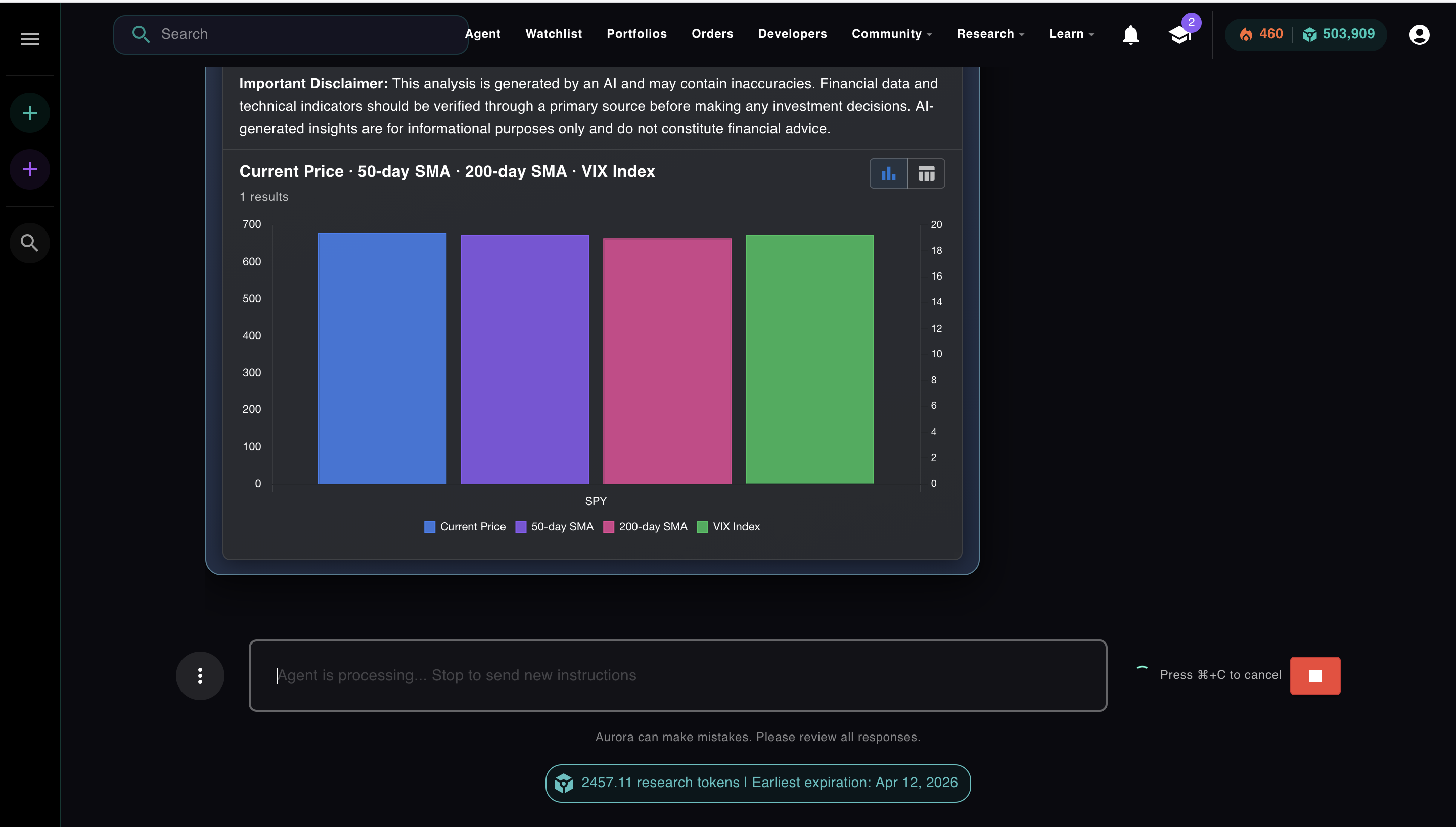
The observation. SPY current price, 50-day SMA, 200-day SMA, VIX. Aurora reads this and decides the market is in a bullish regime before choosing its strategy hypothesis.
Autonomy Controls
Fully automated or semi-automated. You choose how much to trust it.
Module 3, Lesson 2 · Autonomy · whitelists, approval gates, and how to decide which tools your agent can run on its own
Every agent system has to answer one question: how much should the agent do on its own before checking in with a human? The naive answer is "let it run." The production answer is: every tool your agent can call should be explicitly approved for autonomous execution, or it should require human sign-off first.
Think of it as a whitelist. Some tools are cheap, fast, and reversible: reading market data, running a screener, generating a plan. Those can run without asking. Others are expensive, slow, or irreversible: submitting a live trade, deploying a strategy, deleting something. Those should pause and wait. The toggle in Aurora's UI is the implementation of that concept: fully automated means the entire whitelist is open, semi-automated means every action requires your explicit approval before it runs.
Aurora has two modes. The badge in the top left of the agent UI tells you which one is active.
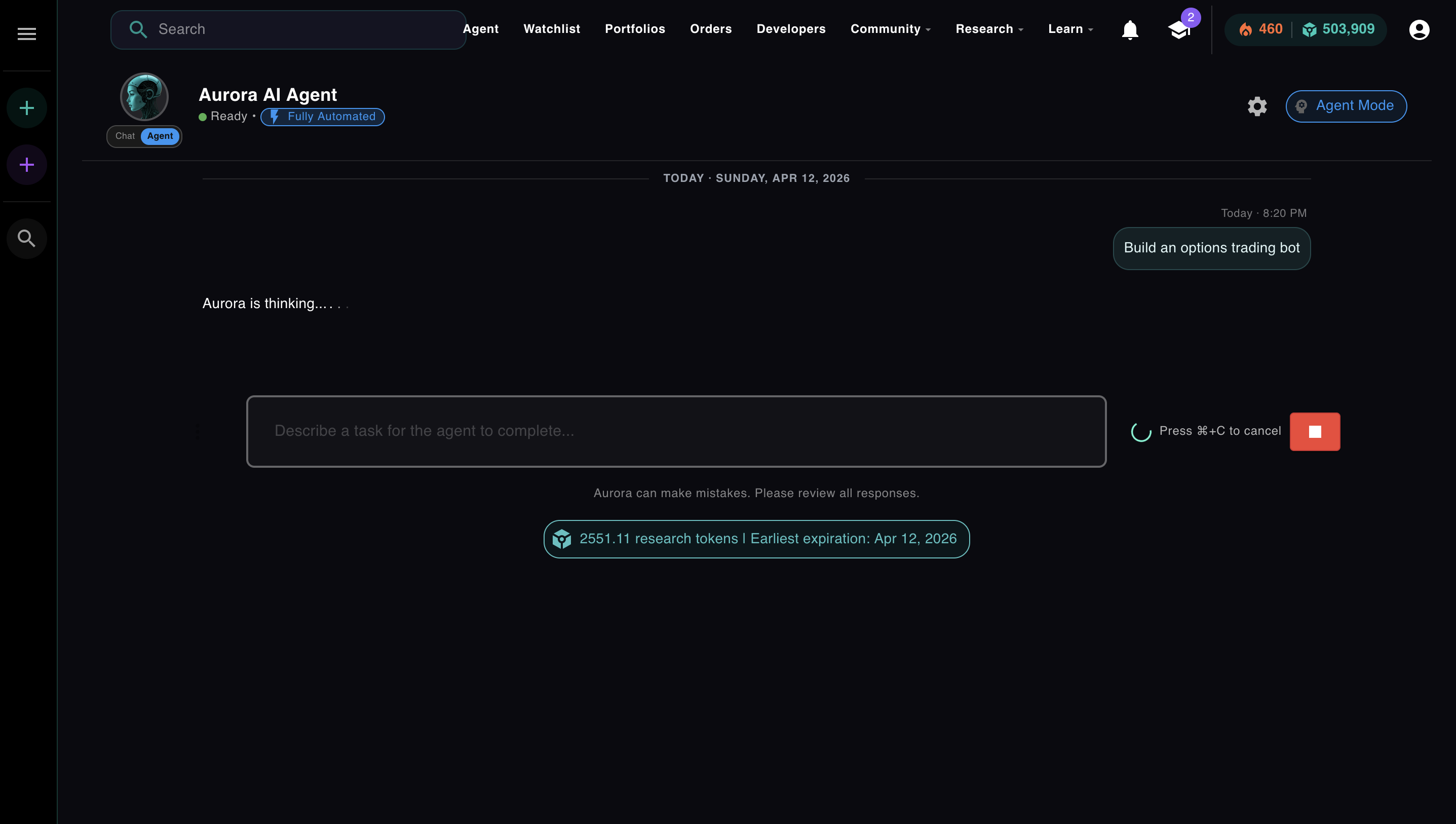
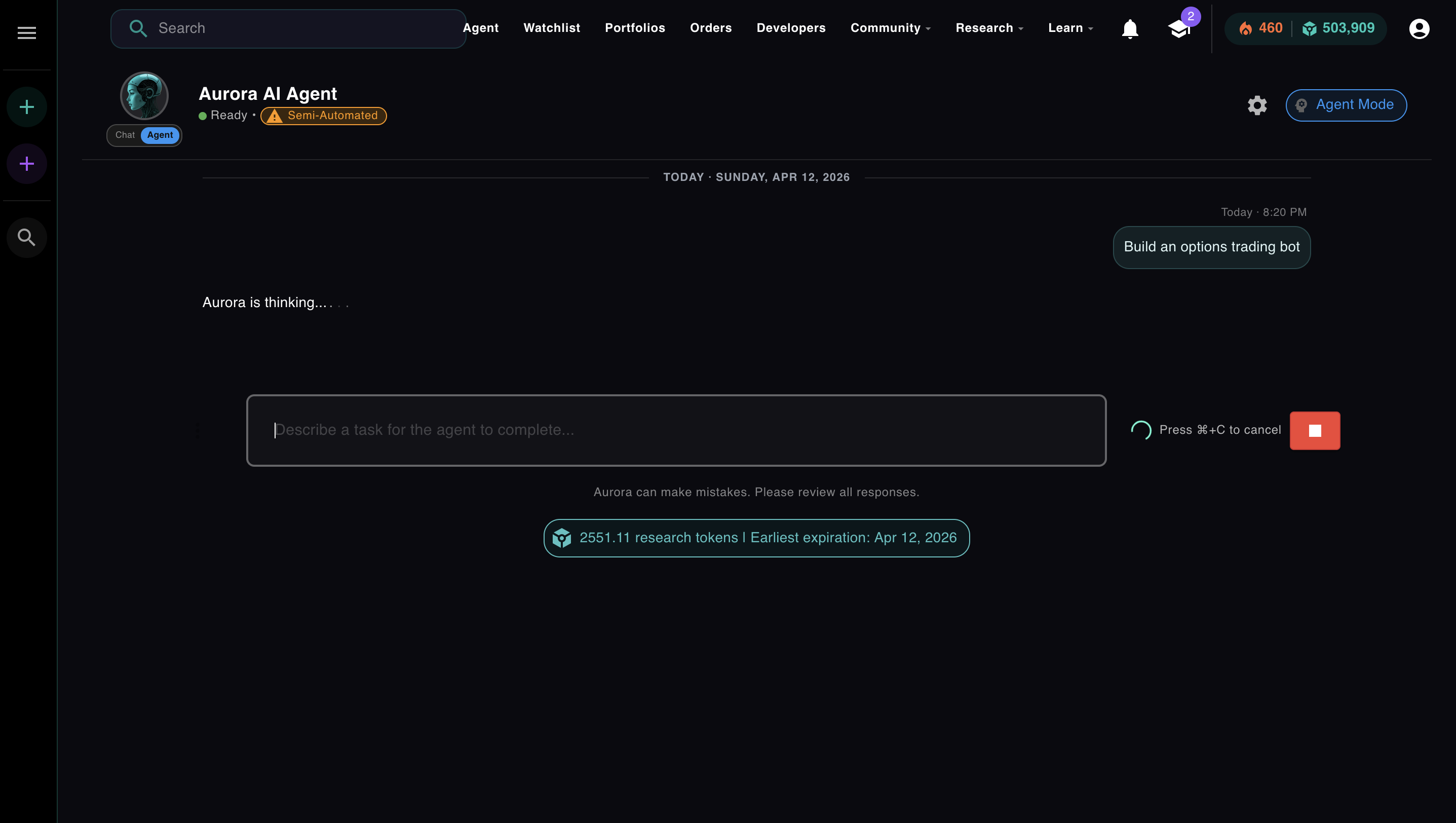
In semi-automated mode, Aurora shows you its Thought and proposed Action before running any tool. You can approve, reject with feedback, or switch to fully automated if you've seen enough to trust it. The approval modal is also where the ReAct loop is most visible. You can see exactly what the agent is reasoning about and what it intends to do.
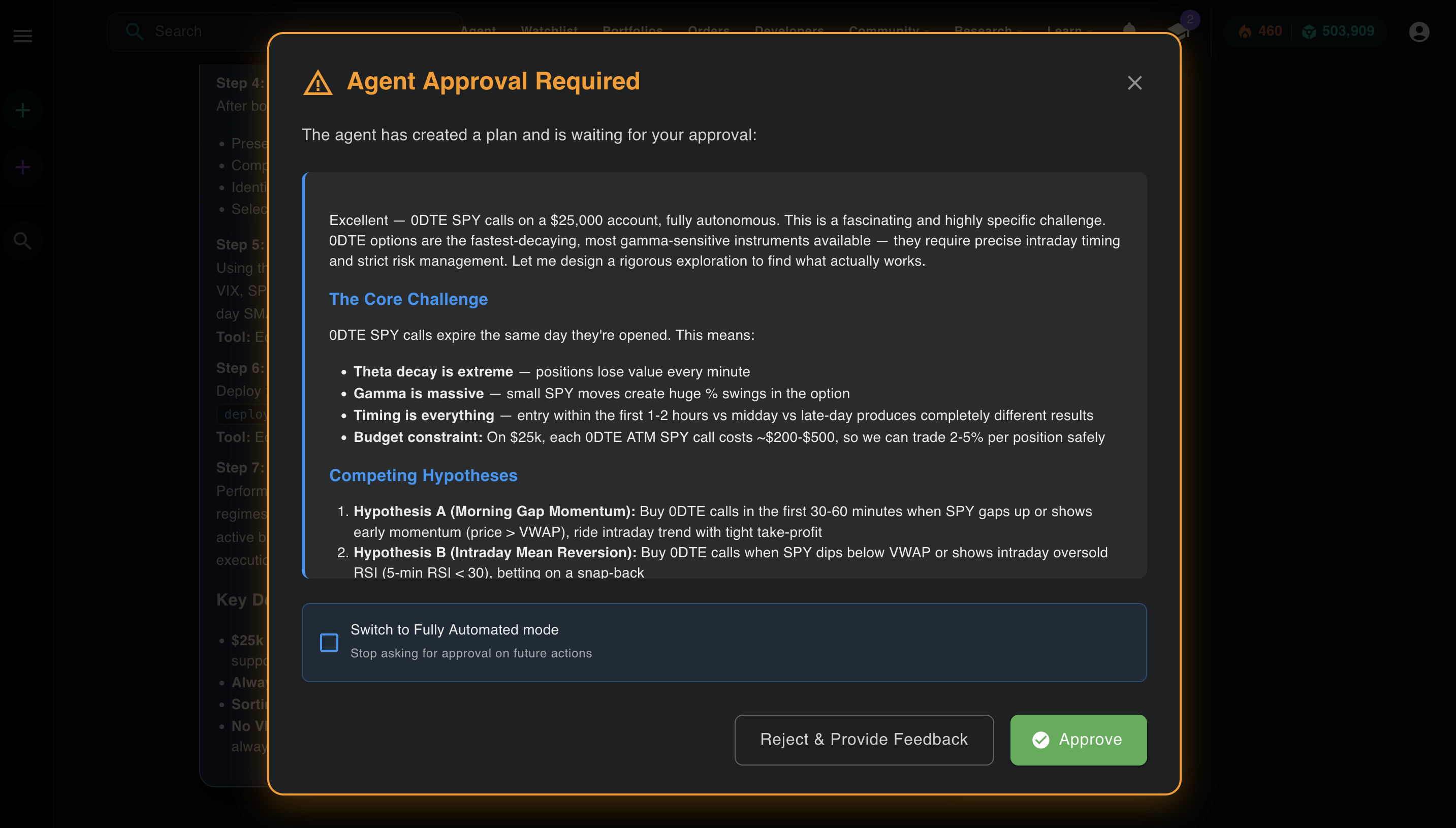
The plan approval modal in semi-automated mode. You review the full strategy before Aurora takes its first action. Check the box to switch to fully automated for the rest of the run.
This is what "human-in-the-loop" actually means in production. It's not a philosophical stance about AI safety. It's a checkbox in the UI. You decide per-session whether you want to review each action or let the agent run. Most experienced users start in semi-automated mode to verify the plan, then switch to fully automated once they trust the direction.
Quick check
Why use subagents instead of giving one agent all the tools and letting it run everything?
The Engineering Problem Nobody Talks About
Long loops make agents dumb. Here's how Aurora solves it.
Module 3, Lesson 4 · Subagents · why one agent with all the tools breaks down, and how specialized subagents fix it
The ReAct loop has a problem that shows up around iteration 15-20: the context window fills up. Every Thought, Action, and Observation gets appended to the conversation. By the time you're 20 iterations deep, the model is attending to thousands of tokens just to decide what to do next. Reasoning quality drops. The agent starts making worse decisions.
The standard advice is "use subagents to keep contexts small." That's true and Aurora does it. But there's a second mechanism that's less talked about: conversation summarization.
Context window fill across iterations
At iteration 20, Aurora compresses the full conversation into a single summary message, starts a new conversation thread with that summary as context, and resets currentIteration to 1. The totalIterations counter keeps accumulating toward the hard cap. The agent continues without losing what it learned.
At iteration 20, Aurora doesn't stop. It summarizes. The model compresses everything it has learned: findings, portfolios created, what worked, what didn't. That summary becomes the context for a new conversation. The loop restarts with a clean window and the knowledge of everything that came before.
The hard cap is separate: totalIterations accumulates across all conversation resets. When you hit your configured maximum (default: 20 total, up to 50 on premium), the agent stops and delivers a final answer with whatever it accomplished. The summarization is how it stays sharp. The hard cap is how you control cost.
Aurora also queries its own memory across sessions. If you've run five agent tasks this week, it can synthesize findings from all of them and bring relevant context into a new run. That's not the base model, which has no memory. That's the app layer, built on top of a stateless model, giving it continuity across sessions that the model itself can't have.
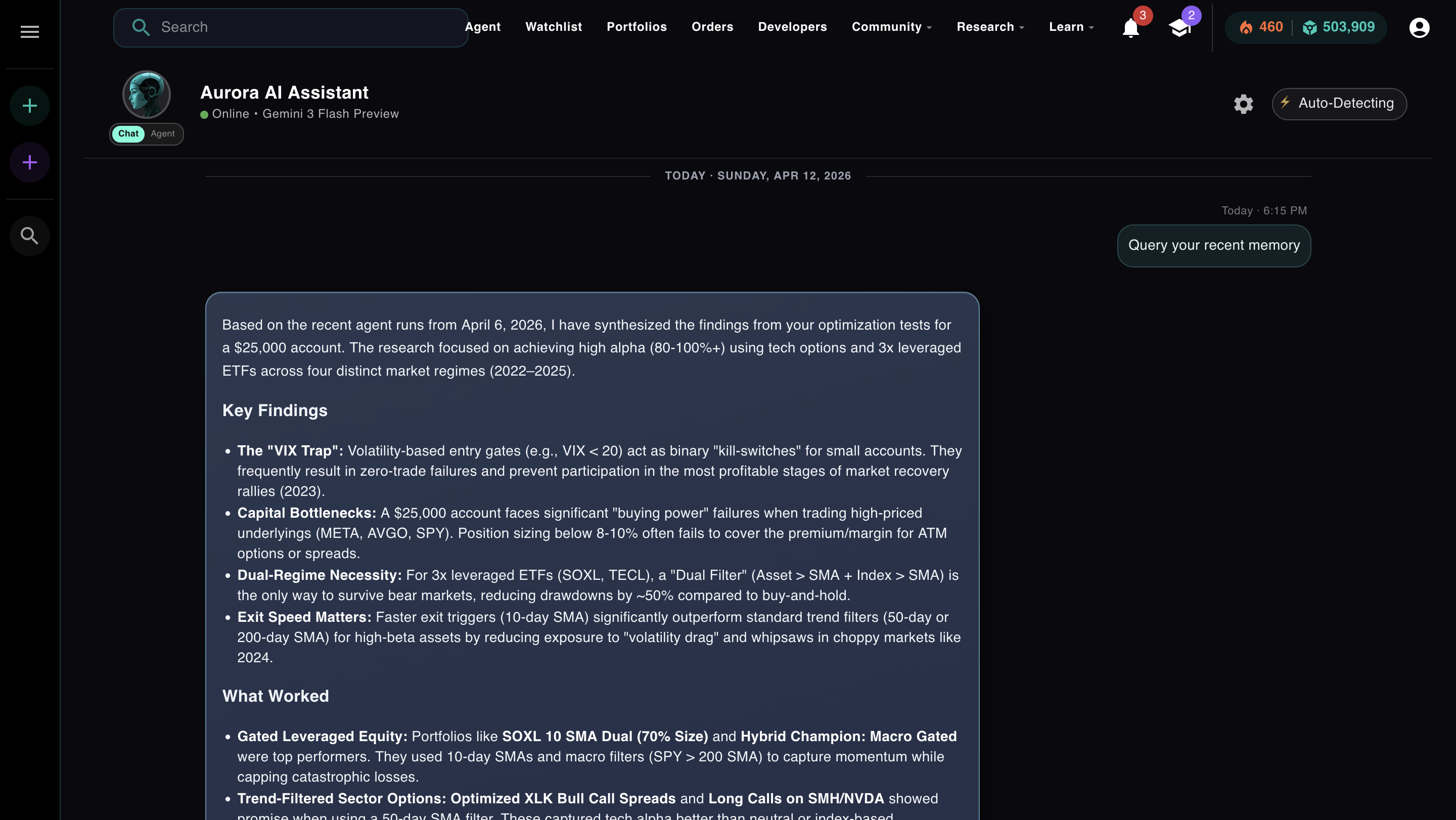
Aurora querying its recent memory, synthesizing findings from past optimization runs into a new session. The model is stateless. The app layer gives it continuity.
Module 3
Reading about the loop is not the same as running it.
The ReAct loop looks simple on paper. In practice, the interesting questions are the ones that only come up when you run it: Why did it pick that tool instead of a different one? Why did the reasoning change after iteration 5? What happens when a tool call fails: does it retry, adjust, or spiral?
Module 3 of AI Agents from Scratch puts you in the loop directly. You send Aurora a real task in fully automated mode and watch each Thought → Action → Observation cycle play out in real time. Then you switch to semi-automated and approve or reject actions one at a time. You'll see exactly what the agent was planning to do before it did it, and you can change direction mid-run.
You'll also see what happens when context starts to accumulate, when the summarization triggers, and what the compressed summary actually looks like. These aren't simulations. It's the live production system.
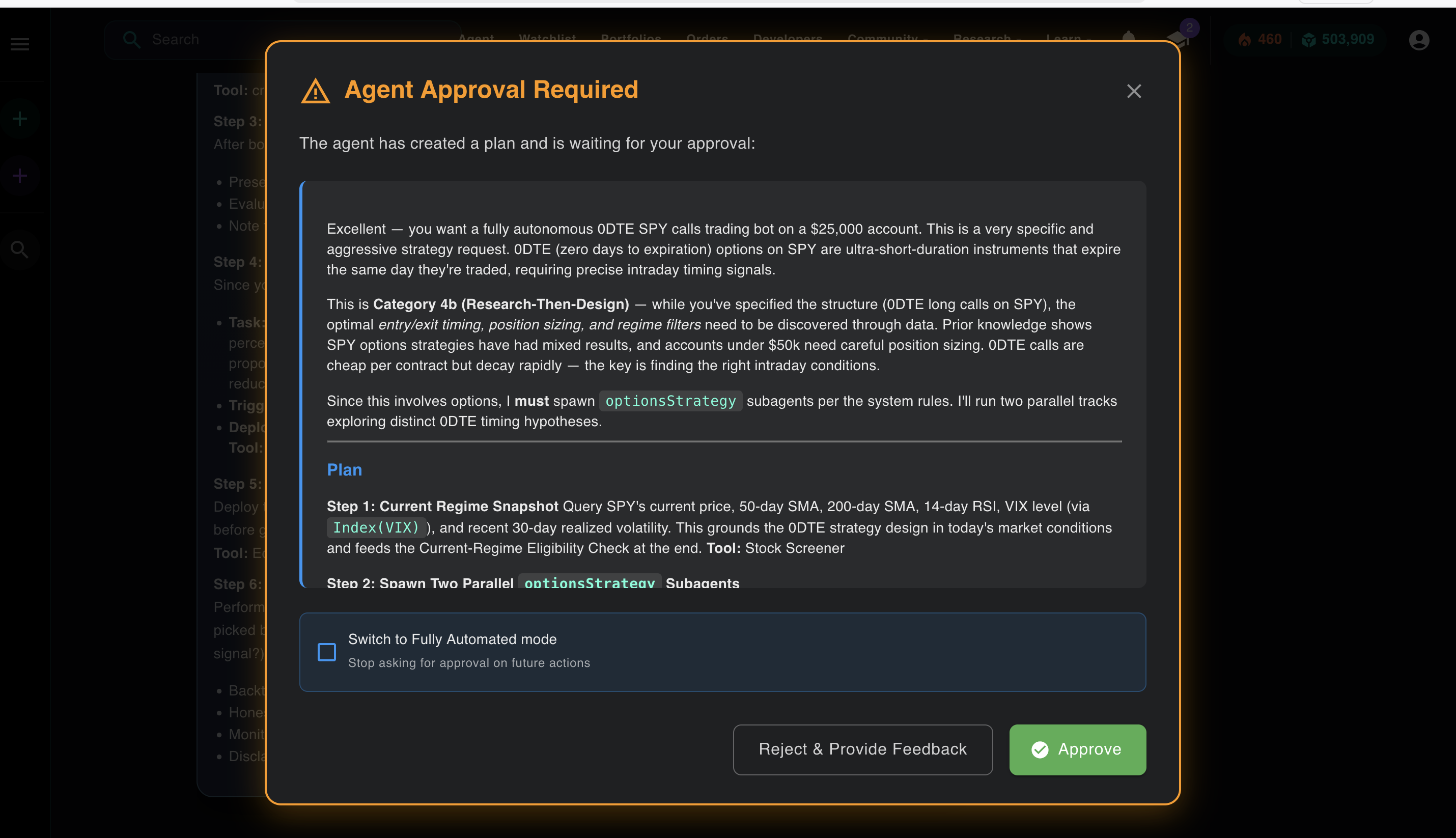
A plan that includes spawning two parallel subagents, visible before execution in semi-automated mode. You see it. You approve it. Then it runs.
Free. No credit card. Watch Aurora run a real ReAct loop, spawn subagents, and synthesize results in fully automated or semi-automated mode. Takes about 20 minutes.
Start Module 3 Free → Or open Aurora directly →
No comments yet.