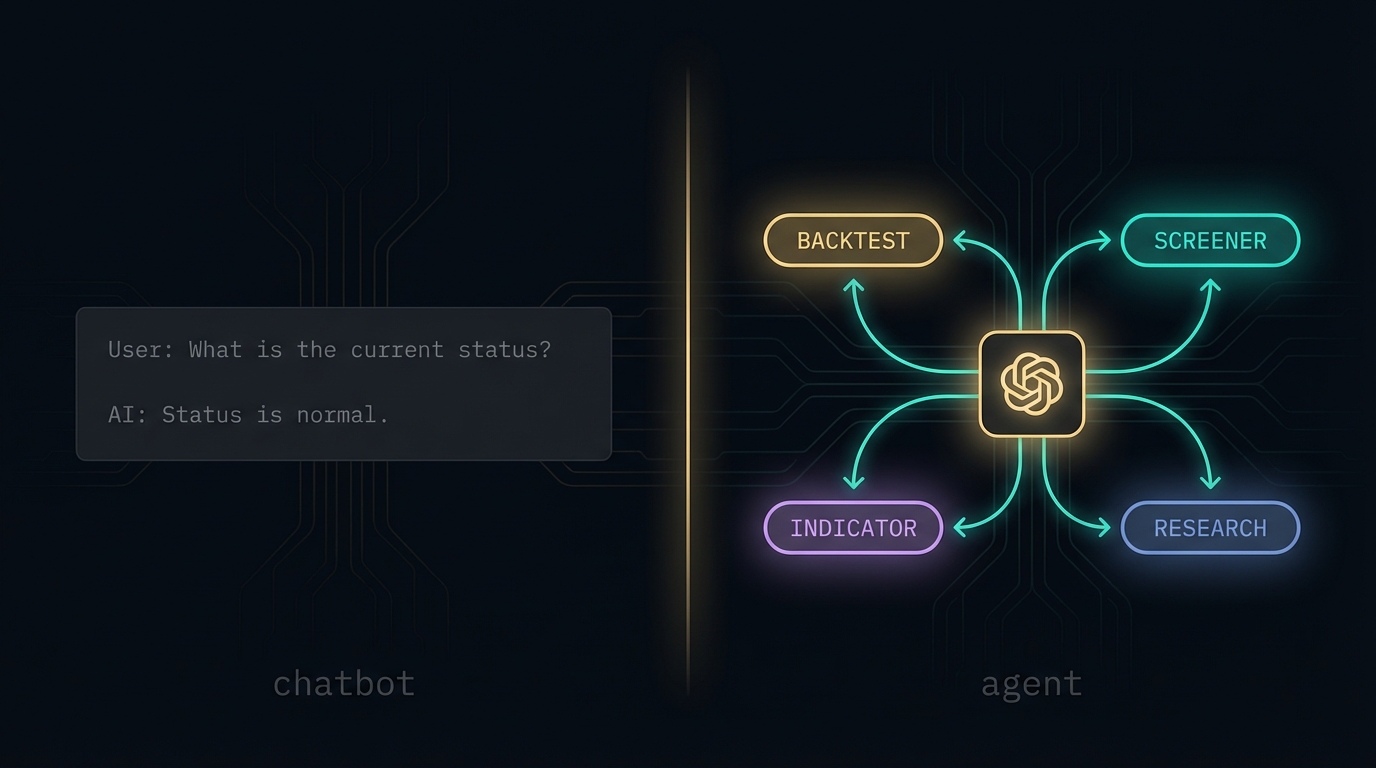
Everyone thinks ChatGPT is an AI agent. It isn't.
It's a chatbot with tools. And that difference is the reason most "AI agent" startups don't actually work.
The distinction isn't semantic. It changes what you can build, what breaks, and why. If you're building an agent, evaluating one, or wondering why the product you're using doesn't do what it claims, this is the answer.
Module 2 of the AI Agents from Scratch course answers one question: what actually makes a language model an agent? This article walks through the full answer. By the end, you'll know exactly what separates a stateless chatbot from a system that can take real actions, chain them together, and do useful work without hand-holding every step.
Start Here
The app supplies the model’s current conversation state.
Module 2, Lesson 1 · ChatGPT Is Not an Agent · stateless models, system prompts, and the line between a chatbot and an agent
A raw language model is stateless. It has no memory of you. It doesn't know what happened in markets today. It can't look anything up. All it can do is take whatever text you hand it and predict what should come next.
That sounds limiting. It is. But it's also the foundation everything else builds on. The OpenAI Playground is the closest thing to a language model in its purest form. No apps layered on top. No tools. Just a system prompt, a conversation, and a model responding to exactly what you give it.
The OpenAI Playground shows you the raw model. No tools. No memory. No app layer. Ask it your name and it doesn't know. Give it your name in the system prompt and now it knows. The model has knowledge learned during training. A name supplied for this conversation, the current request and newly retrieved tool results come from the messages passed to it. The app manages that conversation state.
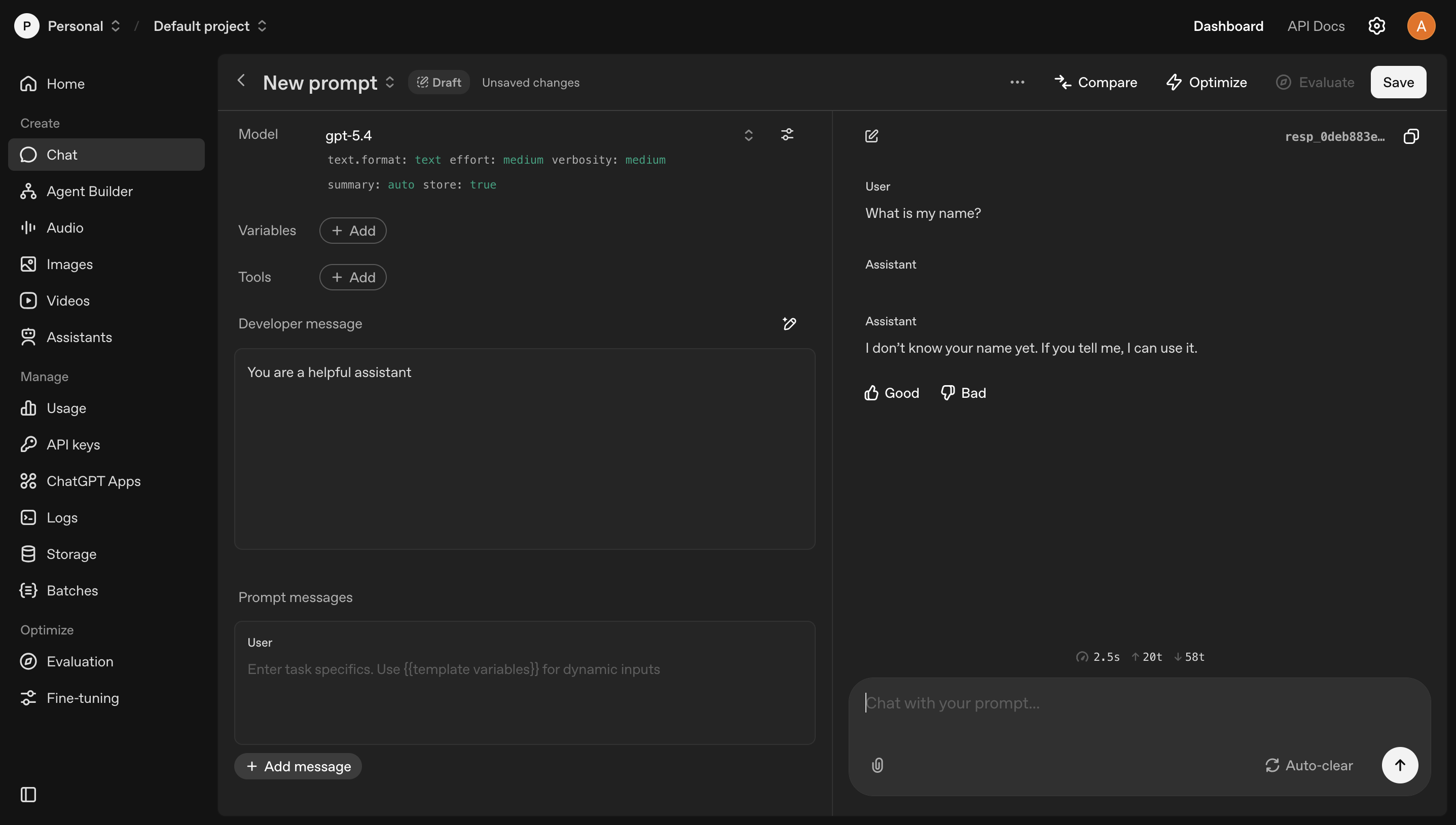
The OpenAI Playground: the language model in its purest form. No tools. No memory. Just the model.
ChatGPT is an app built on top of that model. It knows your name because it has memory. It can search the web because it has tools. Those things aren't the model. They're layers the app added. Strip them away and you're back to the Playground.
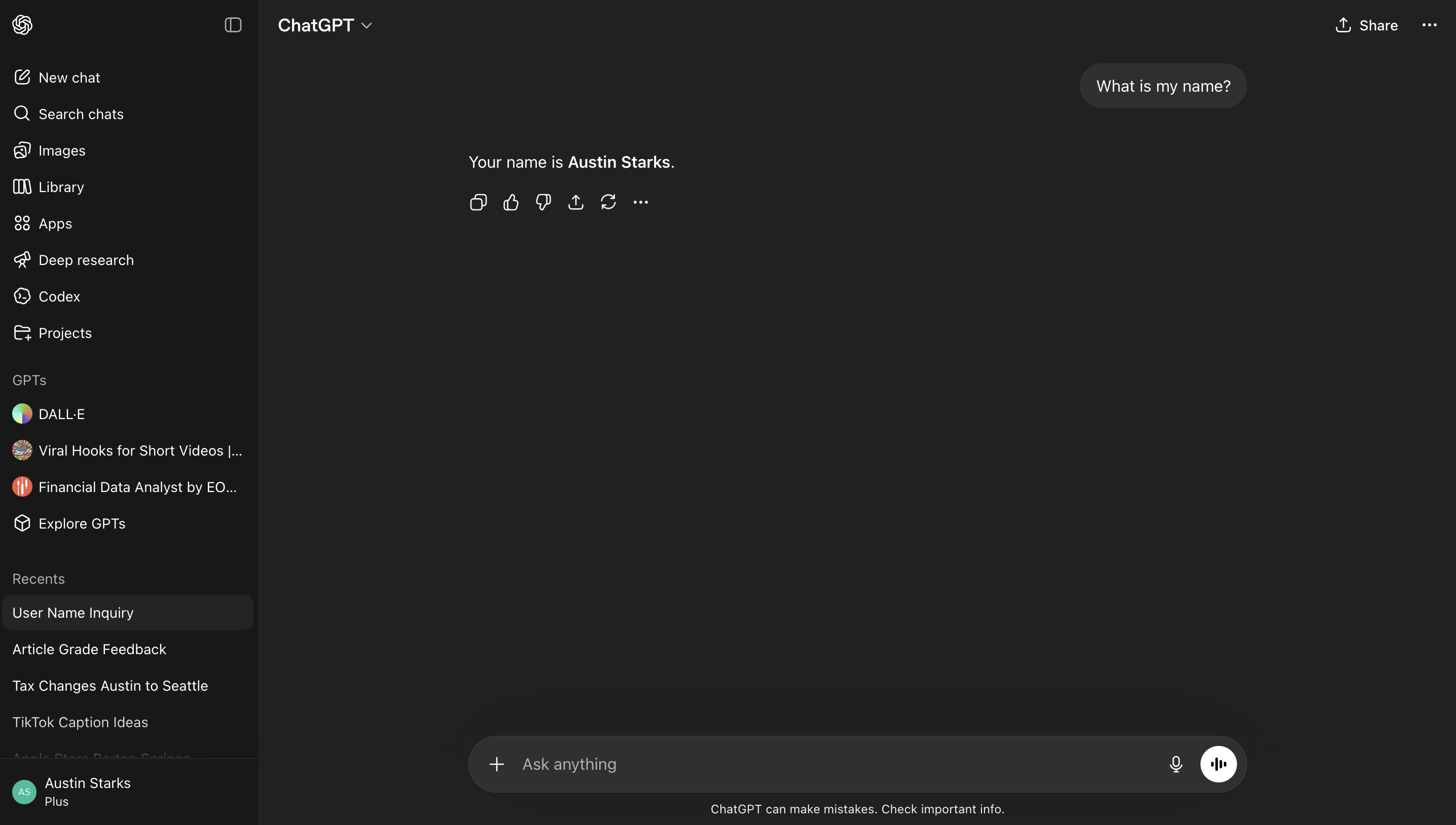
ChatGPT, an app built on top of that same model. It knows your name because it has memory. That's not the model. That's the app.
ChatGPT still operates as a back-and-forth conversation where you're the one directing every move. That's a chatbot. An agent is something that can direct itself.
An agent runs a loop. It thinks, picks an action, executes it through a tool, observes the result, and repeats until the task is done or it can't continue. You don't direct each step. The agent does. That loop is what separates it from every chatbot you've ever used. Tools and system prompts are how you build the loop. The loop is what makes it an agent.
Quick check
What is the difference between ChatGPT and an AI agent?
System Prompts
The instructions the user never sees.
Before any user message reaches a language model in a production app, there's a system prompt. It runs first, every time. It tells the model who it is, what it can do, what format to respond in, and how to handle edge cases.
A well-designed system prompt isn't a paragraph of vague instructions. It has structure: an identity section, explicit directives, data sources or context, examples of correct behavior, and output format rules. The model's responses are only as good as the system prompt shaping them.
What makes that system prompt work? Each section has a specific job. Instructions pin the model's identity and hard constraints. If it's not written down, the model will invent behavior. Examples show the model what correct output looks like without having to explain it in prose; one good example beats three paragraphs of description. Output format eliminates ambiguity about structure. Without it, the model might respond in JSON sometimes and plain text other times, and your parser breaks.
The bad version of this prompt is four words: "You are a trading assistant." The model will try to be helpful and will fail in unpredictable ways. No output contract means you'll get markdown one response and raw JSON the next. No examples means the model guesses what "backtest" should return. No constraints means it'll recommend NVDA when it shouldn't, apologize when it doesn't need to, and ask five clarifying questions instead of one. Every missing line is a failure mode you'll discover in production.
Prompt engineering is designing the instructions that run silently before the user types anything. In production, that's the difference between an AI that does what you need and one that does something close but wrong in ways you can't predict.
Module 2, Lesson 2 · Prompt Engineering · what a system prompt is actually made of and why zero-shot isn't enough
From the course
In Module 2's first exercise, you build a real system prompt from scratch and run it against Gemini using a token grant we give you. You write the instructions, the examples, and the output format rules. Then you render it and see exactly what the model receives. Most people have never seen a production system prompt in full.
Try the exercise →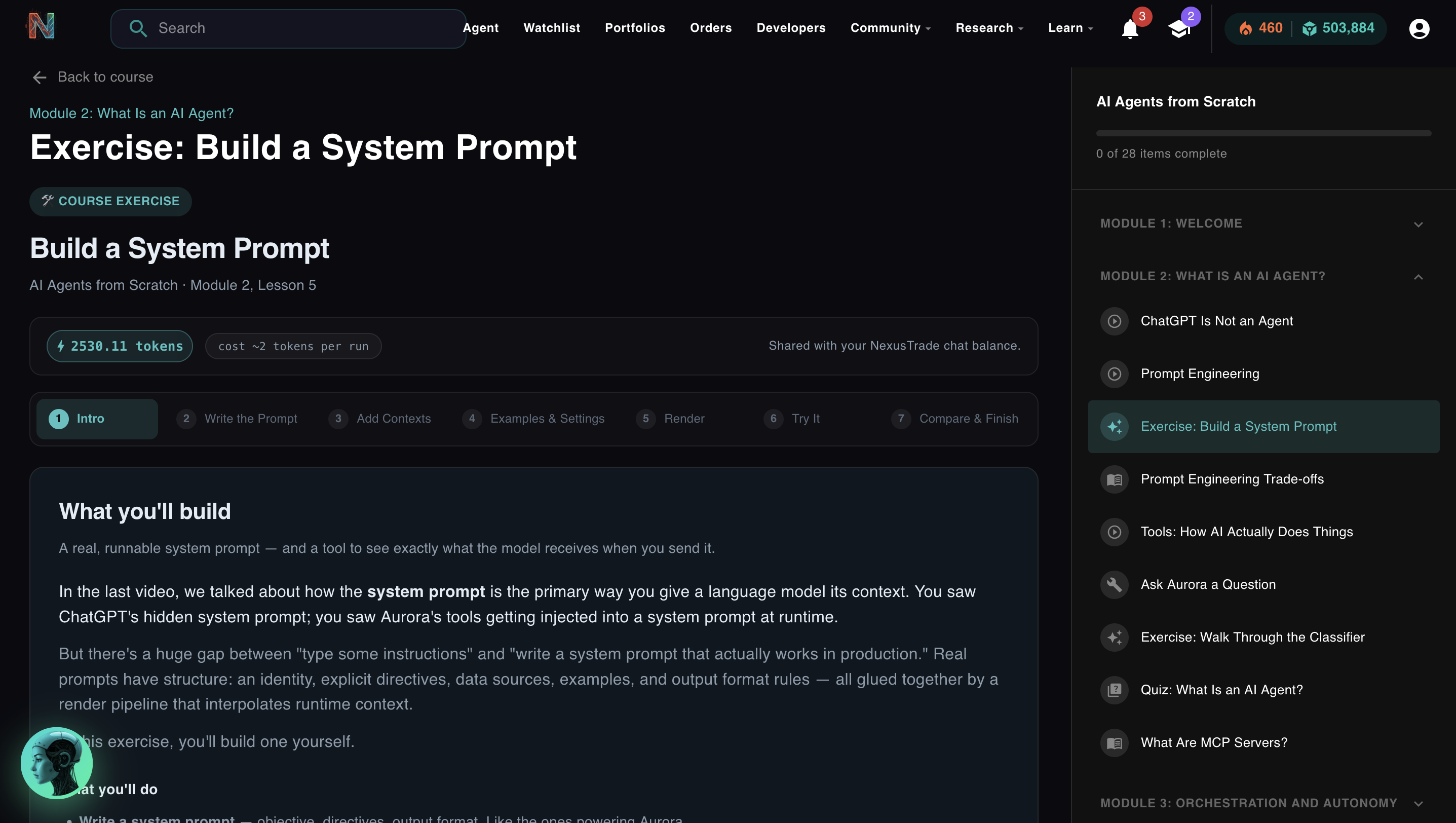
Tools
The AI doesn't execute anything. Your code does.
Here's the thing most people get wrong about AI agents: the model doesn't actually do anything. It generates text. Your system reads that text, figures out what to do with it, and executes the action. The result comes back. The model sees it and continues.
That's a tool call. The model outputs a structured JSON object that describes what it wants to do. Your code parses the JSON and runs the actual function. Nothing happens until your system does something with the output.
A concrete example. If the model outputs this:
{
  "tool": "backtest",
  "portfolio_id": "abc123",
  "start_date": "2022-01-01",
  "end_date": "2024-01-01"
}
The JSON itself does nothing. Your system reads it, calls the backtest API with those parameters, gets the results, and feeds them back into the conversation. Now the model can see what happened and decide what to do next.
This is why "the AI is doing it" is a slightly misleading frame. The AI is deciding what to do. Your infrastructure is doing it. The distinction matters because it means every tool an agent has is something a human explicitly built and wired up. Agents don't gain new capabilities on their own.
Module 2, Lesson 5 · Tools: How AI Actually Does Things · function calling, JSON generation, and what your system has to do with it
Quick check
An AI agent outputs a tool call to "buy 10 shares of AAPL." What actually executes the trade?
Production Reality
How this scales: 23 sub-prompts and one classifier.
Once you understand system prompts and tools, you can build an agent that does one thing well. The harder problem is building one that does many things well without the system prompt becoming impossible to maintain.
The answer most production apps land on is the same: don't build one giant prompt. Build many focused ones and route between them.
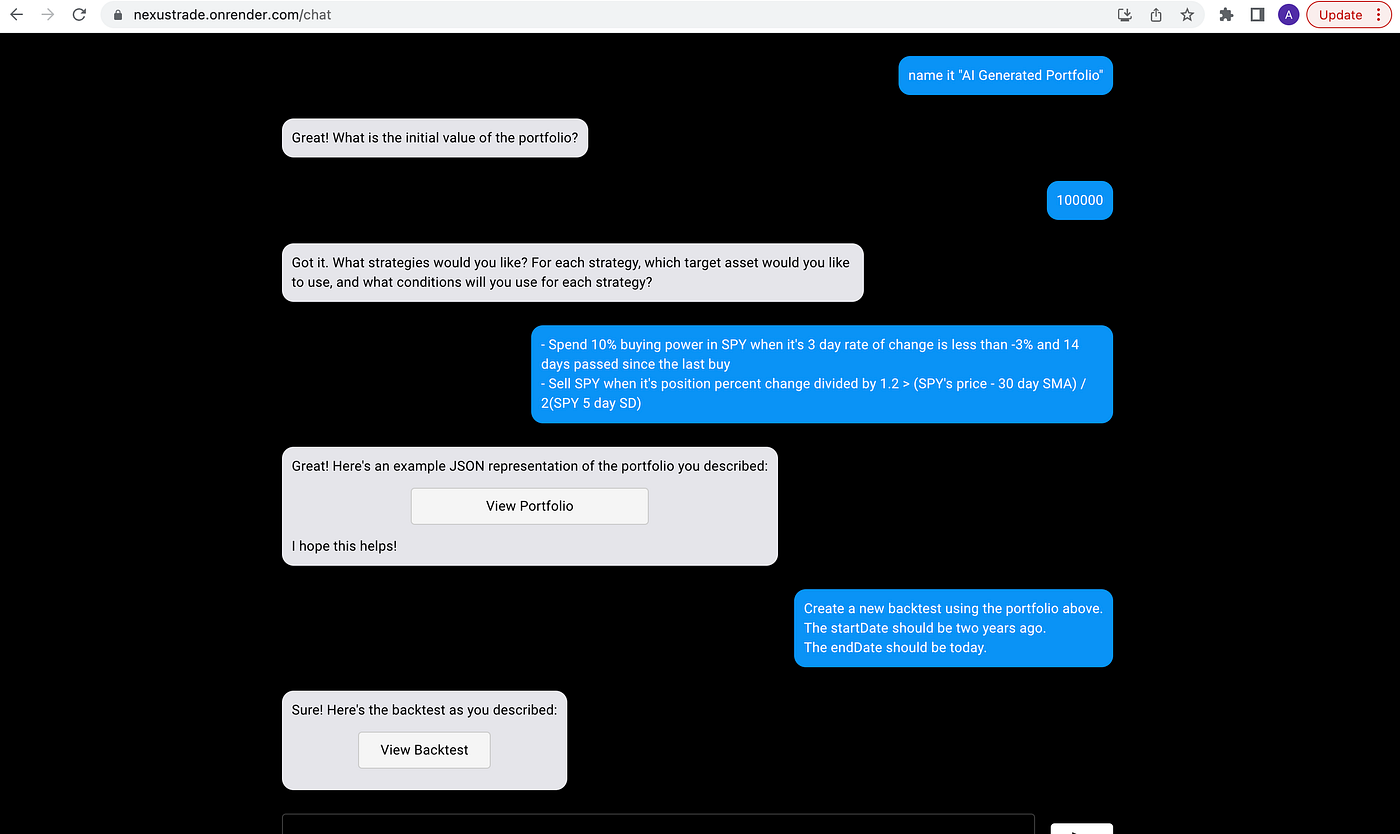
The classifier exists because I built that version first.
The controller is the decision layer that sits between the user and every sub-agent. Here's what it does:
The highlighted sub-prompt is selected. The main model only ever sees that one context.
In NexusTrade, every message you send to Aurora hits the classifier first. It reads your message and a list of 23 specialized sub-prompts, each with its own description. It picks the one that should handle your request and routes to it. That sub-prompt has a tight system prompt, a narrow tool list, and examples specific to its job. The main model only ever sees one task at a time.
The classifier is gemini-3.1-flash-lite-001 at temperature: 0 with forceJSON: true. Fast, cheap, deterministic. It runs on every message. The expensive models only run when a message reaches them.
Four engineering reasons this wins over a single giant prompt:
- Focus. Each sub-prompt sees only the tools and instructions relevant to its task. The model isn't confused by 200 rules that don't apply.
- Debuggability. When a route breaks, you know exactly which sub-prompt to fix. No hunting through a monolith.
- Incremental scaling. Add a new capability by writing a new sub-prompt and a trigger description. Nothing else changes.
- Cost control. Only the matched sub-prompt runs against the expensive model. The classifier is cheap by design.
This is the architecture almost every production AI app at scale converges on. ChatGPT's Custom GPTs are sub-prompts. Claude's Projects are sub-prompts. Cursor routes your request before invoking the right tool. You've been using this pattern without knowing what to call it.
In Module 2's second exercise, you run the real Gemini Flash classifier. You read the sub-prompt descriptions. You type a message. You watch it route and explain why. Then you try to break it with edge cases. It's the real thing, not a simulation.
One More Thing
MCP: the same concept with a standard interface.
The AI industry has a naming problem. Function calling, tool use, skills, MCP servers. They all describe the same core concept: a list of things the agent is allowed to do, with defined inputs and outputs, so it can generate parameters and your system can execute the call.
MCP (Model Context Protocol) is Anthropic's open standard for this. Think of it as USB for AI agents. Before USB, every device had its own connector. MCP creates one standard so any agent can connect to any tool that exposes an MCP server.
NexusTrade runs an MCP server. Here's what that actually looks like in practice.
You add one entry to your Claude Desktop config:
{
  "mcpServers": {
    "nexustrade": {
      "url": "https://nexustrade.io/api/mcp",
      "headers": { "Authorization": "Bearer <your-api-key>" }
    }
  }
}
That's it. After that, you open Claude Desktop and ask:
"What's the current RSI of NVDA?"
Claude calls get_technical_indicator on the NexusTrade MCP server with ticker: "NVDA", indicator: "rsi", period: 14. The server returns the live value. Claude reads it and responds with the number and what it means in context. The same indicator engine Aurora uses inside NexusTrade. No copy-paste. No API docs. One tool implementation, available from any MCP-compatible client.
The name changes depending on the ecosystem. The pattern doesn't.
Click to sign in and install the MCP server in one step.
Module 2
Reading this isn't enough.
Reading about system prompts and writing one that works are different skills. Understanding the classifier pattern and knowing where it breaks are different things. The only way to close that gap is to build something and watch it fail.
Module 2 has two exercises built around this. In the first, you write a real system prompt from scratch (instructions, examples, output format) and render it against a live Gemini model using tokens we give you. You see exactly what the model receives and how it responds. In the second, you run the real NexusTrade classifier. You read the sub-prompt descriptions. You type messages and watch them route. Then you try to find edge cases that break it.
Both exercises use real infrastructure. Real models. Real NexusTrade prompts. Nothing is simulated.
Exercise 1: Write a system prompt. Render it against a live Gemini model. See what the model actually receives.
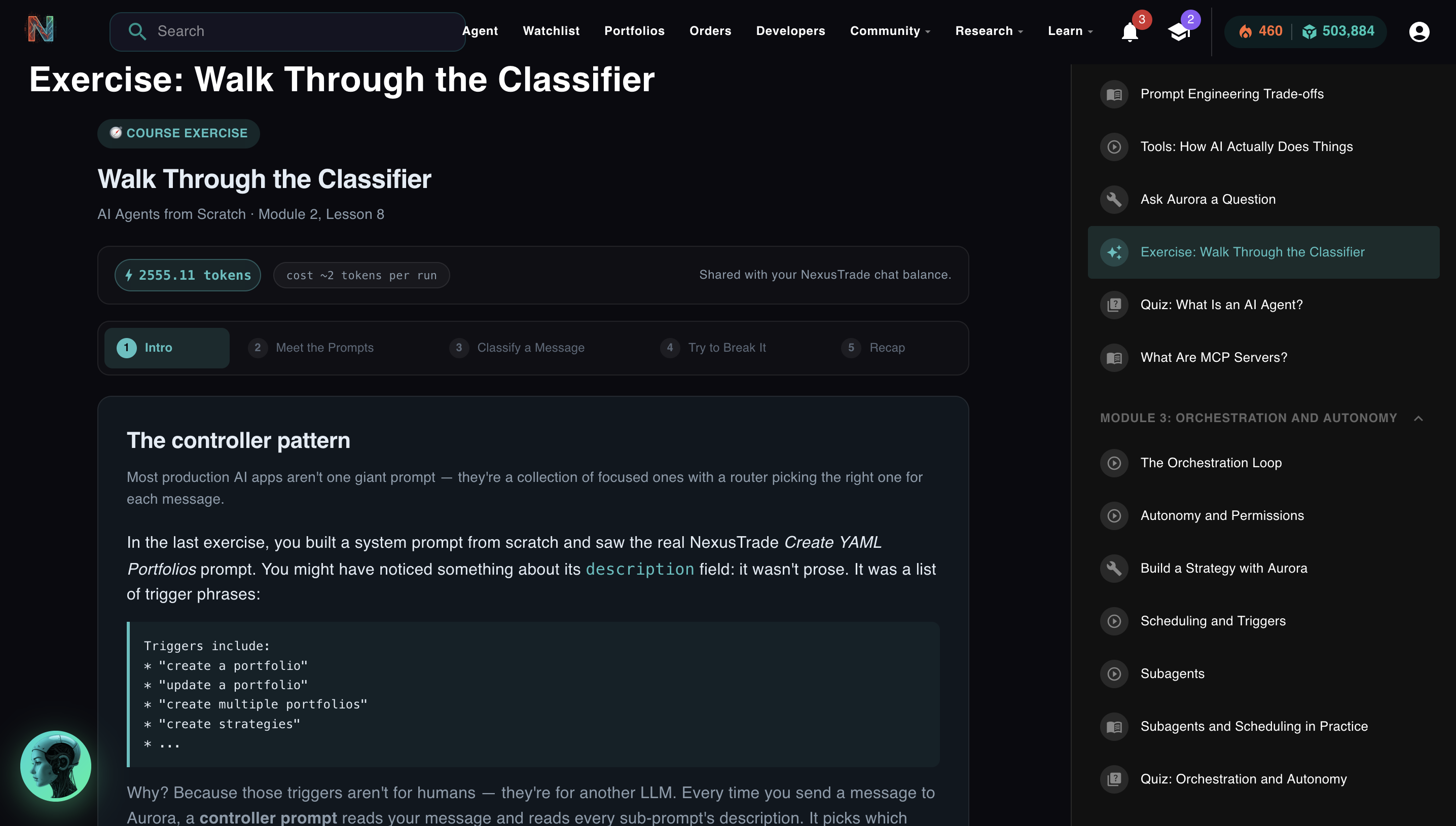
Exercise 2: Run the live classifier. Watch it route. Try to break it.
Free. No credit card. Takes about 20 minutes. You'll finish knowing exactly how to write a system prompt that works and why routing breaks when it does.
Start Module 2 Free → Or open Aurora directly →
No comments yet.