TL;DR
Open Port to Live from your reviewed paper portfolio, select the intended brokerage account and compare the strategy changes before confirming. The confirmation activates the copied rules and enables the live target. Then review its evaluation timing and order-approval policy, follow broker activity and know how to pause.
Move paper rules into live trading
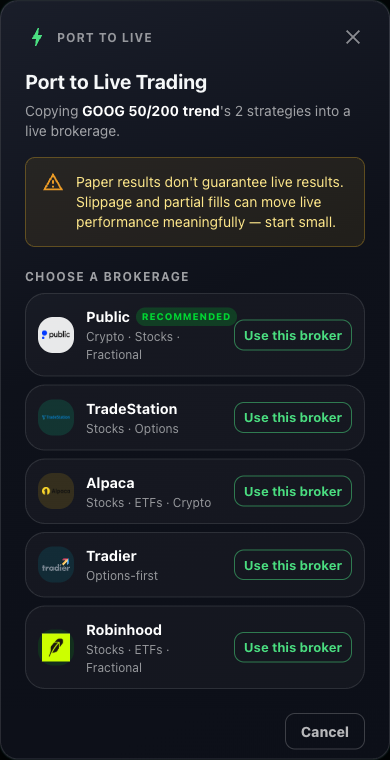
Choose your brokerage
Open the paper portfolio's Deployment Center and select Port to Live. Connect your brokerage if needed, or choose Use this broker for the connection you want.
The chosen connection belongs to the broker you intend to use.
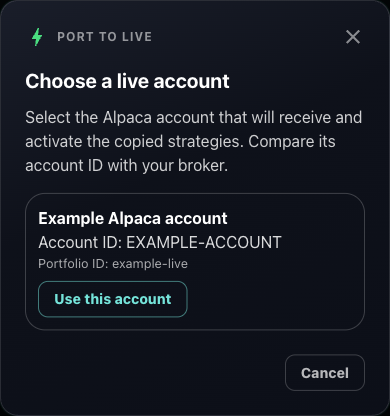
Select the account that will trade
Compare the account ID with your brokerage before choosing Use this account. Check the account environment and imported buying power. The account must be eligible to receive trading strategies.
The imported account name and ID match your intended brokerage account.
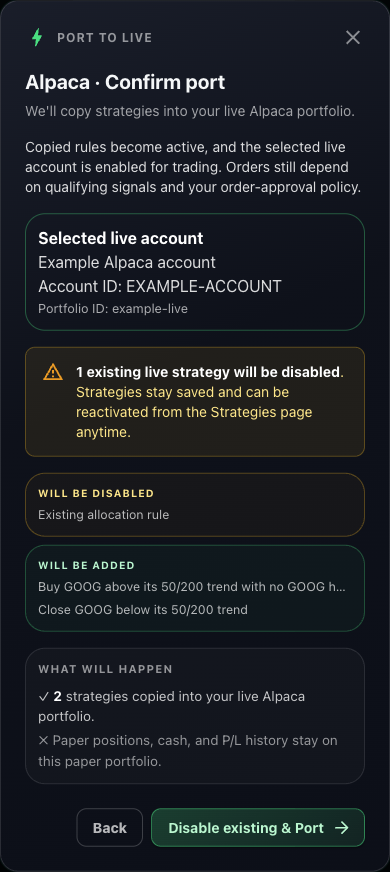
Review the added and disabled rules
Inspect Will be added and Will be disabled. Confirm & Port copies the strategies; when active rules already exist, the button reads Disable existing & Port. This confirmation enables the live account and activates the copied rules. The paper source keeps its positions, cash and history.
The review lists the incoming rules and any saved strategies that will be disabled.
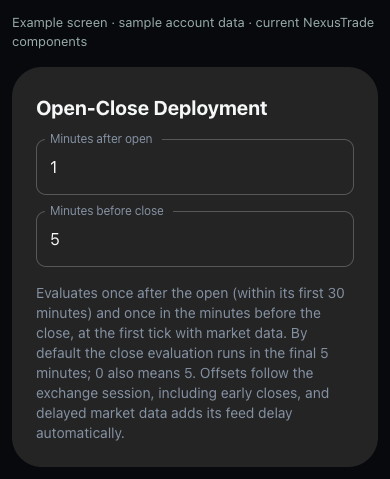
Set the live evaluation schedule
Select Open live portfolio after the port. Verify its account and rules, then open Deployment Center. Choose Open-Close Deployment or Constant Deployment and review the timing fields. Port to Live copies strategies, so inspect the live timing separately. Choose Save Changes when the intended settings are correct.
The saved live schedule reflects your chosen session offsets or evaluation interval.
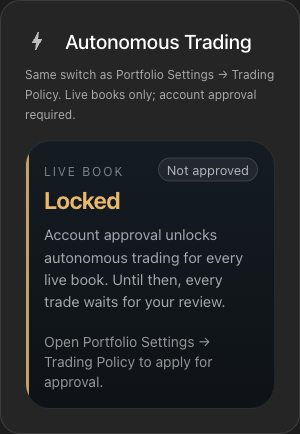
Review how orders are approved
Automated Trading controls strategy evaluation. Autonomous Trading controls eligible order approval and requires account approval and current disclosure consent. Review its daily trade-action limit in Portfolio Settings, Trading Policy. You choose whether to enable it in the app.
The order-approval state and daily limit are visible for this live portfolio.
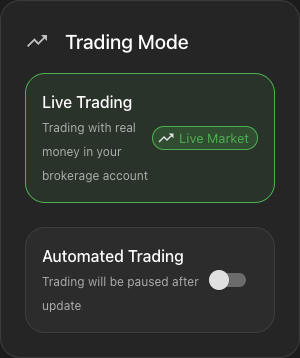
Follow activity and pause evaluation
Match the first qualifying signal with its proposed order, broker fill and resulting holding. Inspect the actual live portfolio history. To pause evaluation, switch Automated Trading off and choose Save Changes. Reopen the same live portfolio to verify its state. Review open broker orders and holdings separately because pausing evaluation does not cancel orders or sell positions.
The live portfolio is paused after saving. Orders and holdings remain available for separate review.
No comments yet.