How to launch an algorithmic trading strategy with a single button?
Deploying algotrading strategies has never been easier

I’m on a mission to make algorithmic trading easier for everybody.
Here’s what I just launched.
One-Click Deployment For Algorithmic Trading
I’ve written hundreds of articles on how to create trading strategies using large language models. But because algorithmic trading is so niche and so new, most users create an account, get overwhelmed, then give up.
This launch aims to rectify this.
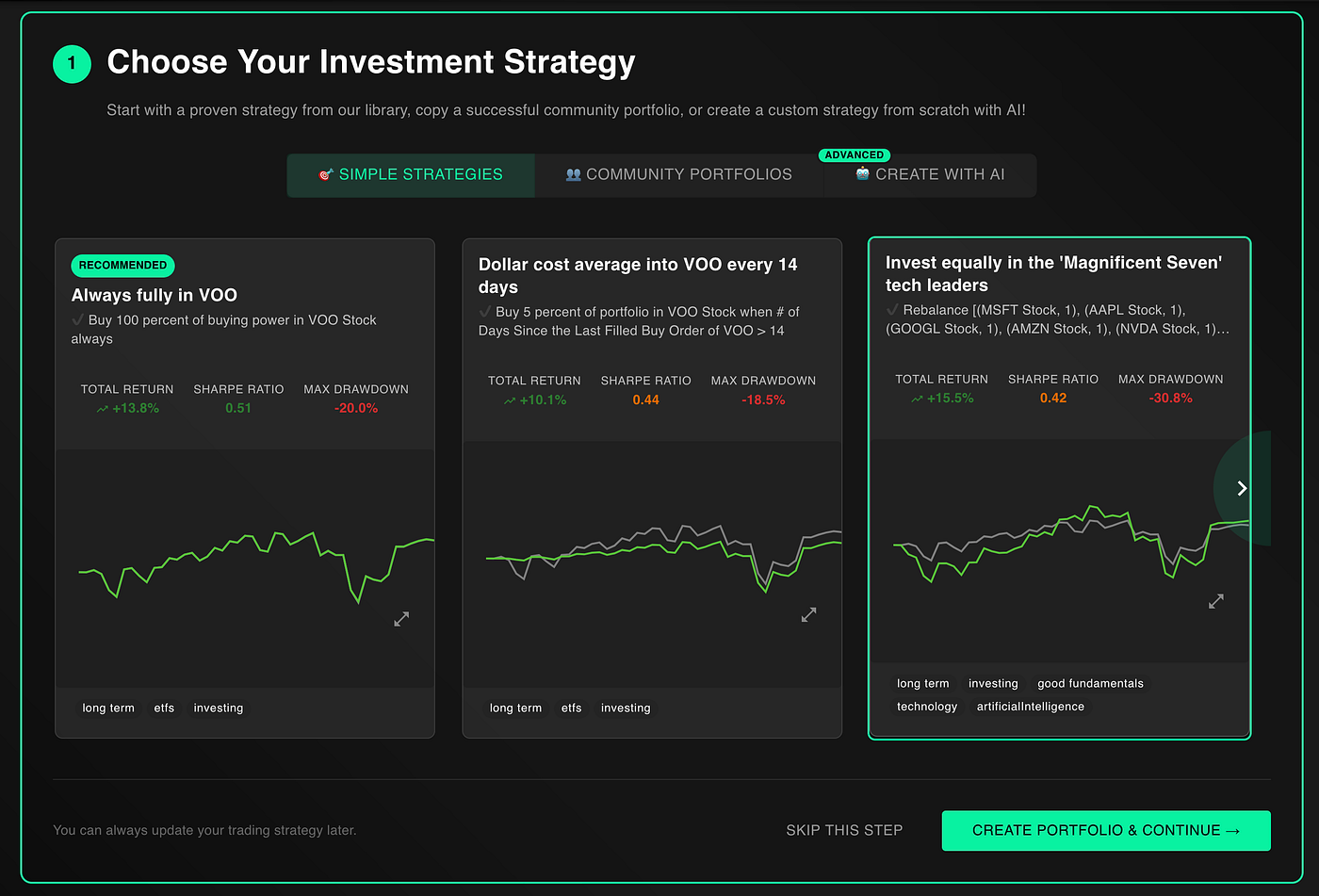
Introducing one-click deployment. Upon creating a NexusTrade account, users are redirected to a new onboarding page.
The page starts with a section for creating a trading strategy. At the top, there are 3 buttons.
- Simple Strategies: these strategies are hand-selected templates from the strategy library
- Community Portfolios: these are some of the best performing publicly shared portfolios in NexusTrade
- Create with AI: designated with an Advanced tag, this is how you can create a trading strategy with natural language
After selecting a portfolio and clicking Create Portfolio and Continue, a modal pops-up with all of the configuration options ready. By clicking submit, you create AND deploy your first algorithmic trading strategy!
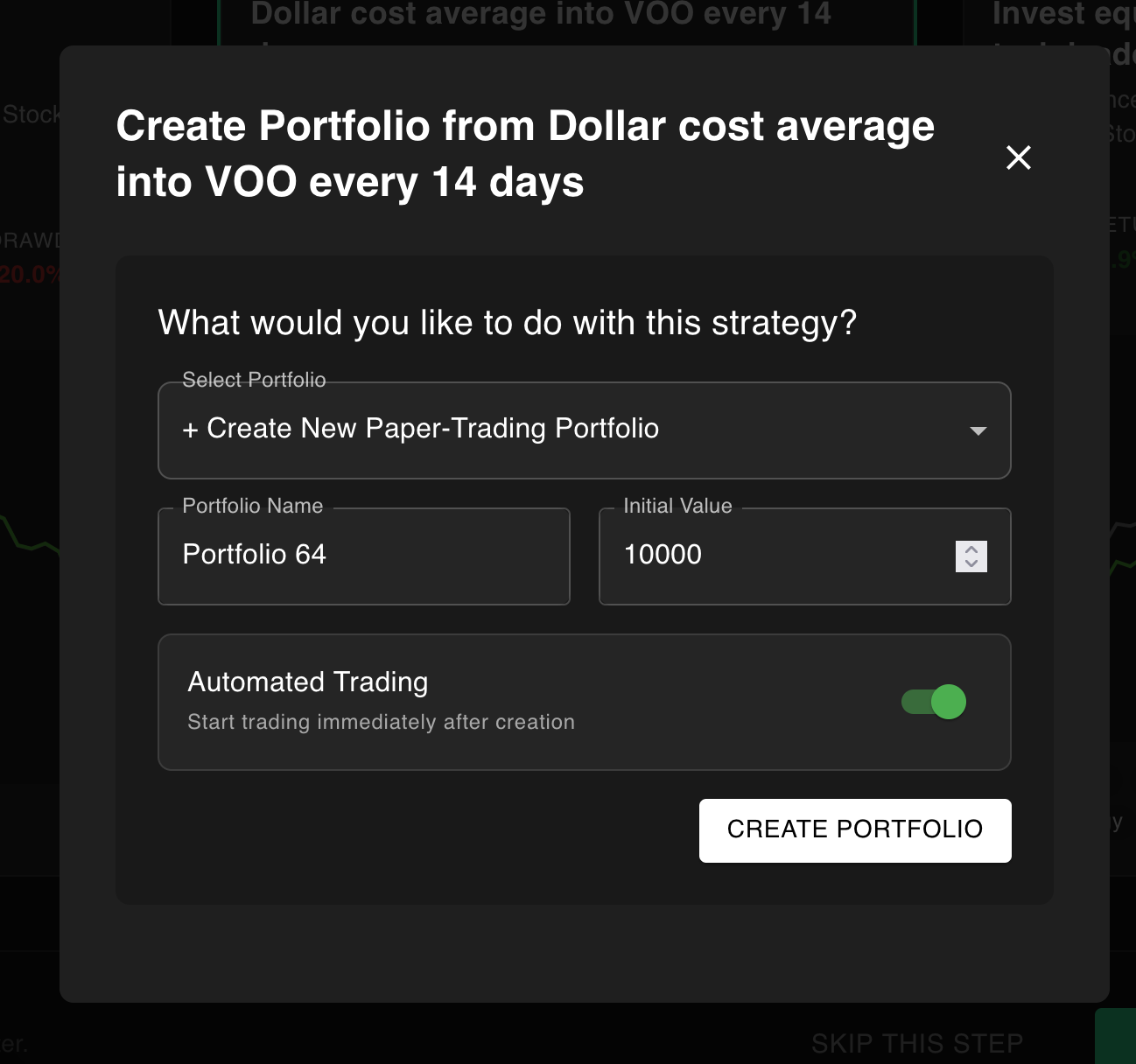
It literally takes a single click and there are dozens of strategies to choose from, including:
- Buy and Hold VOO: a time-tested trading strategy that grows on average 10% per year
- Dollar Cost Average VOO: an alternative approach to buying and holding for our more risk-averse investors
- Rebalancing the Magnificent 7: a strategy that automatically buys the best AI stocks at equal weight, then automatically rebalances the portfolio every few weeks
If you want to see live-traded portfolios instead of templates, we can click the “Community Portfolios” tab instead. Some portfolios have earned as much as 65% in the past year!

Finally, you can still create your trading strategy using AI by just describing your strategy in natural language.

From Paper-Trading to Live Deployment
After deploying a paper-trading strategy, the onboarding flow takes you to the brokerage tab. Here, you can connect NexusTrade with TradeStation or Alpaca.
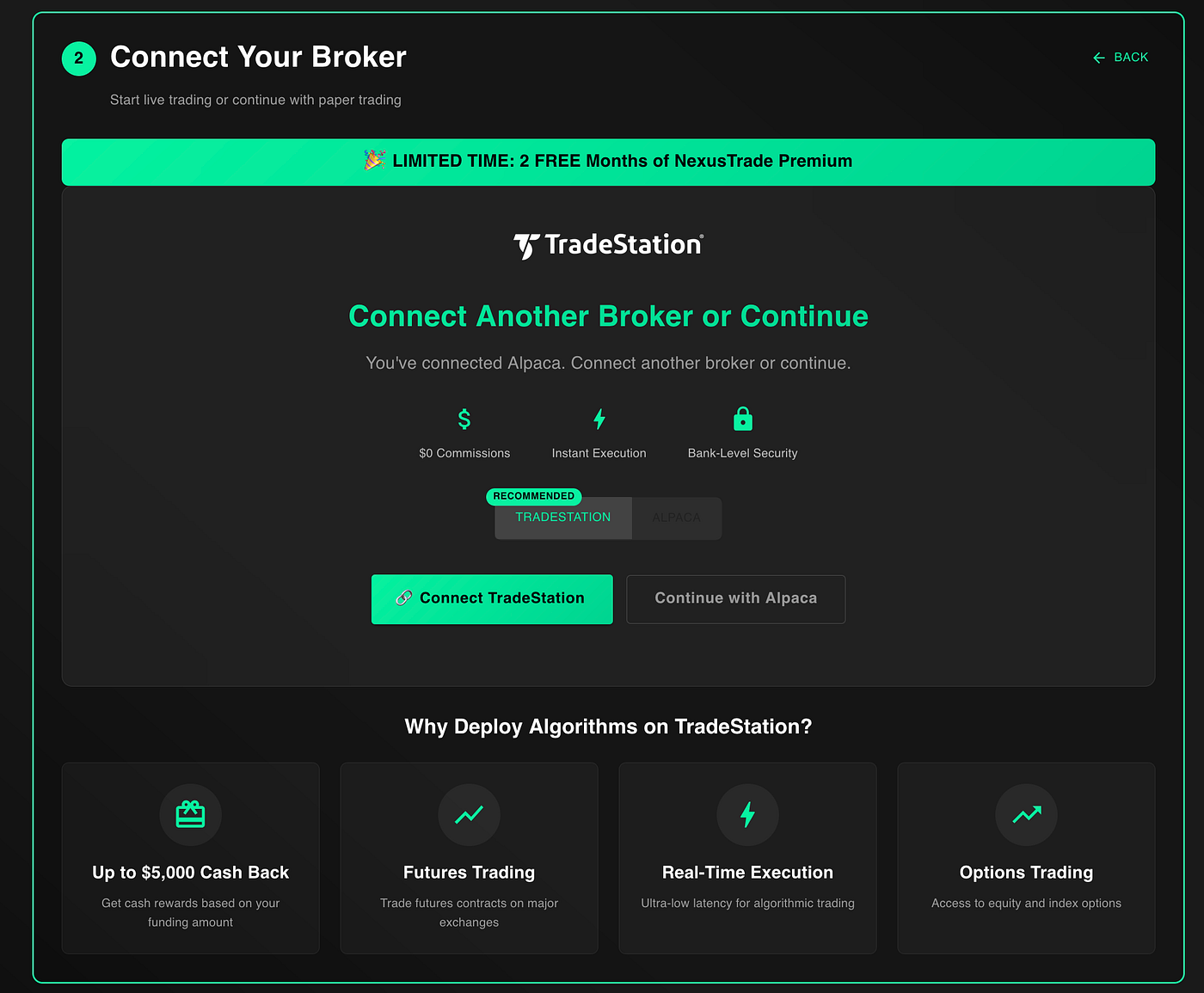
Connecting a brokerage is as easy as clicking the button and following the instructions on the screen. By connecting a brokerage, you can deploy these algorithmic trading strategies and execute real trades!
Plus, if you’re a new TradeStation customer, you can earn 2 months of FREE NexusTrade Premium and up to $5,000. Learn more here:
Getting Started With Trading Tutorials
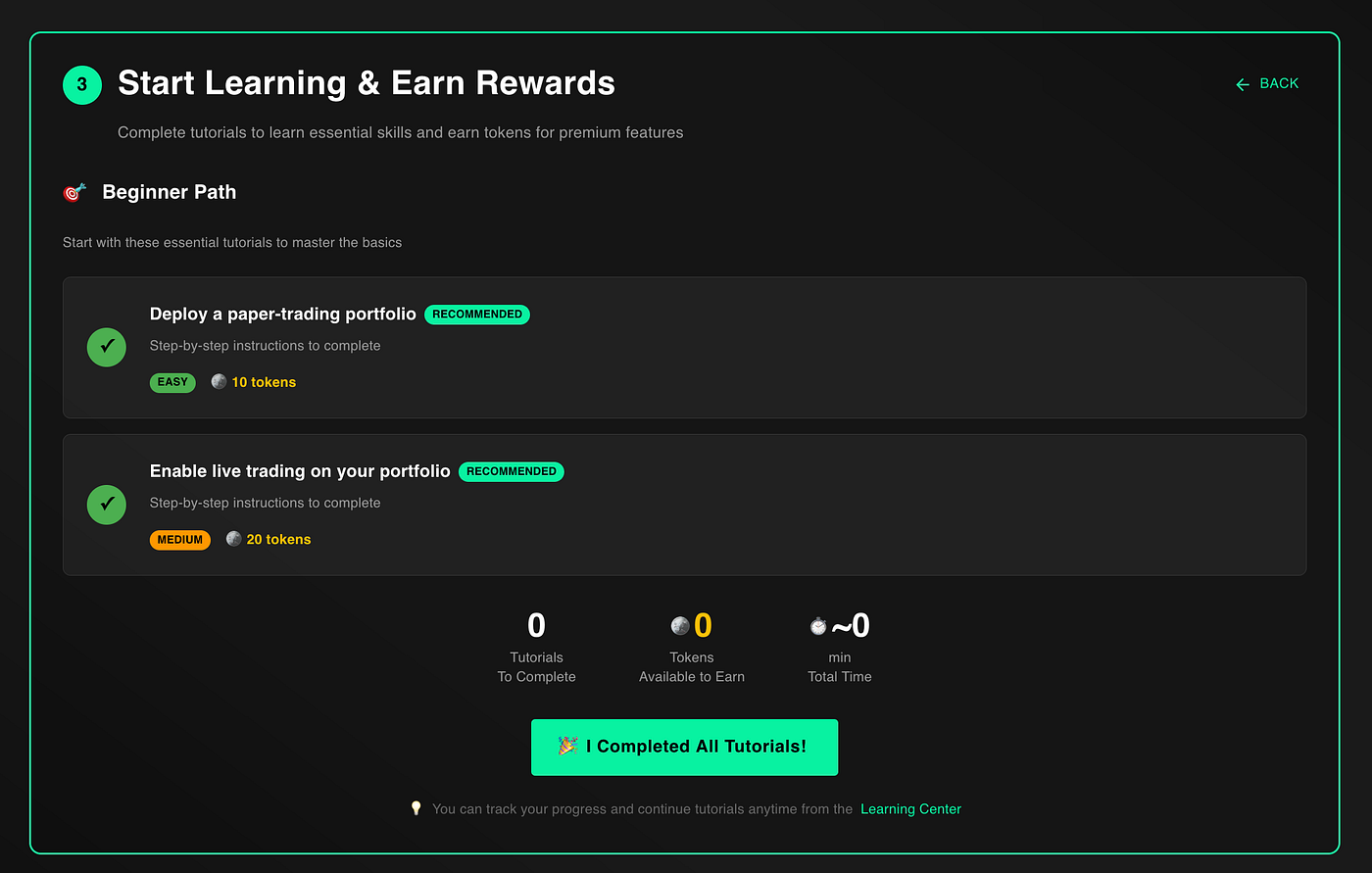
Finally, after connecting your brokerage, you get a taste of the NexusTrade Tutorials.
The two tutorials that are shown are deploying a paper-trading portfolio and enabling live-trading. If you followed the onboarding up to this point, you should’ve completed both of them.
Once they’re both complete, click “I completed all tutorials”, and the onboarding is officially done! 🥳
From here, you get redirected to the full tutorials page, where you can continue learning about algorithmic trading and financial research.
These changes are designed to make algorithmic trading easier, more accessible, and lower the barrier to entry to just a button click.
But what do you think? Maybe increasing the accessibility of this technology isn’t a good thing! People may mistakenly believe that a strategy that does well yesterday will always do well, and this lowered barrier is a bad thing for novice investors and traders.
I welcome your thoughts and opinions below! If you want a strategy featured on this flow, kindly let me know! Here’s how you can find me:
No comments yet.