My no-code algorithmic trading
platform has one extremely unique
feature that other platforms
simply cannot replicate: the
optimization…

My no-code algorithmic
trading platform has one
extremely unique feature that
other platforms simply cannot
replicate: the optimization
engine.
The optimization engine (also
called the optimizer) is an AI
optimization algorithm. It’s
based on the old-school
“genetic algorithm”, and
allows you to improve your
trading strategies
automatically based on past
historical performance.
Picture the naive approach.
You run a backtest and sees
how well it performs. Then,
you update a parameter and
re-run the backtest. If
re-running the backtest
improves the performance, then
you keep that change.
Otherwise, you try something
else.
Genetic algorithms do this on
a more massive scale. It uses
a “natural selection”-inspired
algorithm to automatically
find the best parameters for
your strategy. You can
optimize for percent change,
drawdown, sortino ratio, or
more. You can also optimize
multiple variables at the same
time. This is called
multi-objective
optimization.
While multi-objective
optimization should
theoretically be useful, the
reality is most users couldn’t
extract the value from it due
to poor UX.
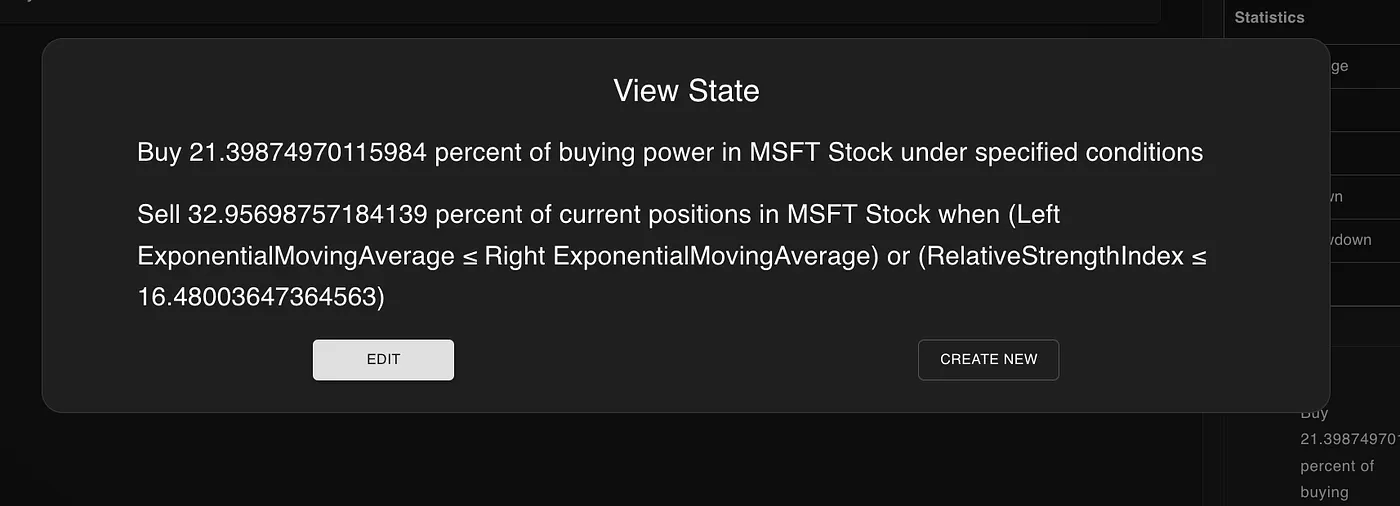 Viewing an individual generated
by the optimizer
Viewing an individual generated
by the optimizer
This article will discuss the
flaws of the genetic
optimization engine within
NexusTrade
and how they were rectified in
the most recent update.
What’s wrong with the
“Optimization State”?
In fairness to me, the
screenshot above was a
production bug. It’s more than
useless and doesn’t help the
user whatsoever. This bug has
been in production for around
a couple weeks.
If it was working properly,
the optimization state
should’ve looked something
like the following:

This is marginally more
useful. We can see how this
strategy is different from the
original strategy. The white
text signifies everything that
didn’t change and the red text
signifies the differences
between this strategy and the
original.
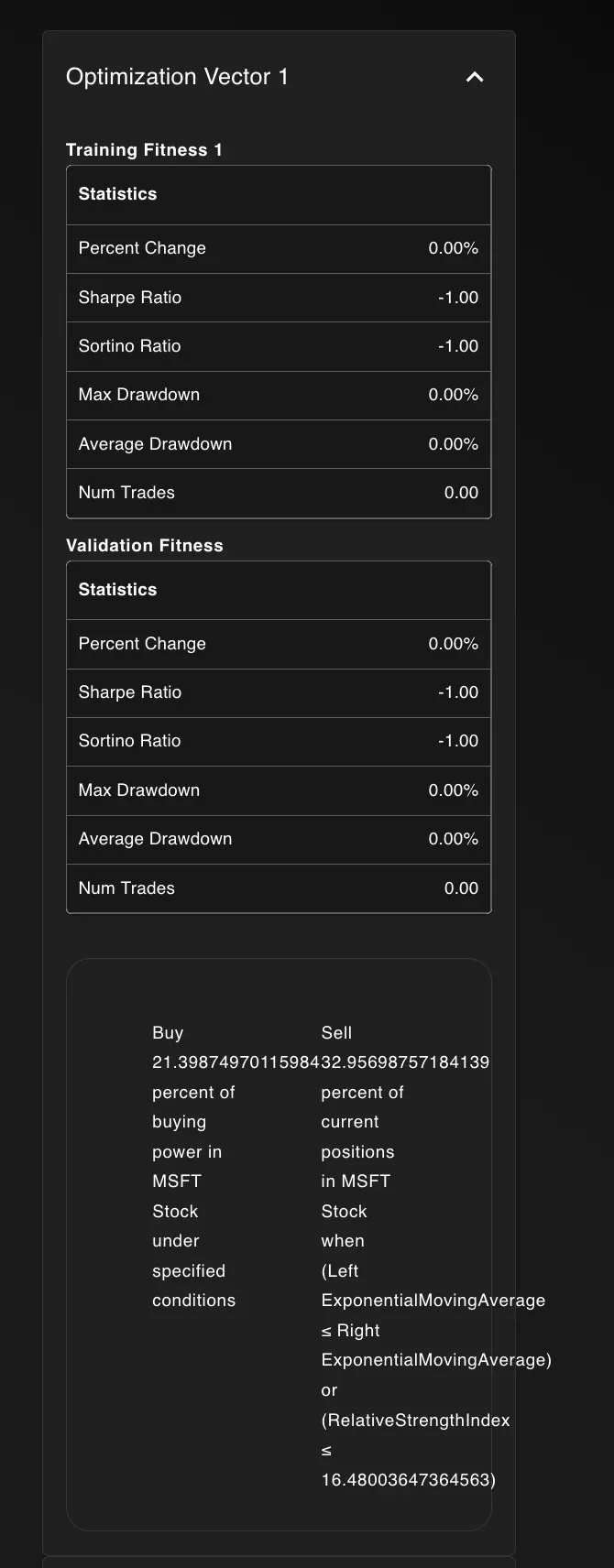 Looking at an “optimization
vector”
Looking at an “optimization
vector”
In addition to the poor UX
for the Optimization State,
each “Optimization Vector”
also had a virtually
unreadable gargled mess.
Here’s how I fixed these
issues.
Show, don’t tell: the secret
to good UX
When I was at Cornell
University, I took a class
called Creative Writing. The
class was focused on writing
short stories and poems that
brings out the writers
creativity.
The biggest lesson I learned
from that class, “Show, don’t
tell”, can be applied for good
frontend design. Here’s how I
implemented it.
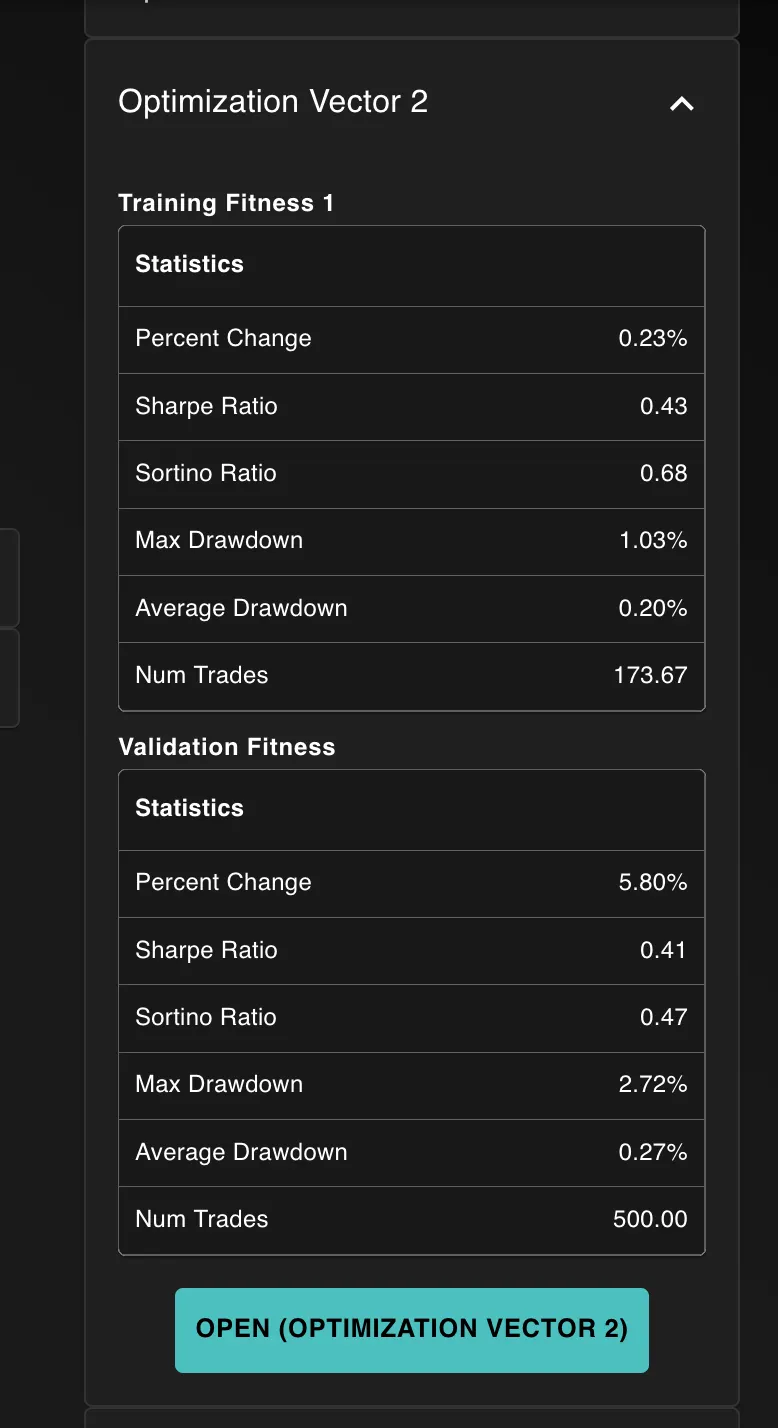 Updating the optimization
vector
Updating the optimization
vector
For one, I streamlined the UI
for the optimization vector.
You don’t see an unreadable
mess; you get a big blue
button that says “CLICK
ME!”
After the clicking the
button, you’ll see this new
page:
 Viewing the updated
optimization state
Viewing the updated
optimization state
If you’re a NexusTrade user,
then this page should look
familiar. It’s a similar page
for viewing strategies in the
strategy library.
Within this page, you can
seamlessly test out the newly
generated strategy in a
backtest. You can actually SEE
how it performs, and not guess
based solely on the
optimization
performance.
You can update the date range
and the initial value, and
after the backtest runs, you
get a list of useful
statistics.
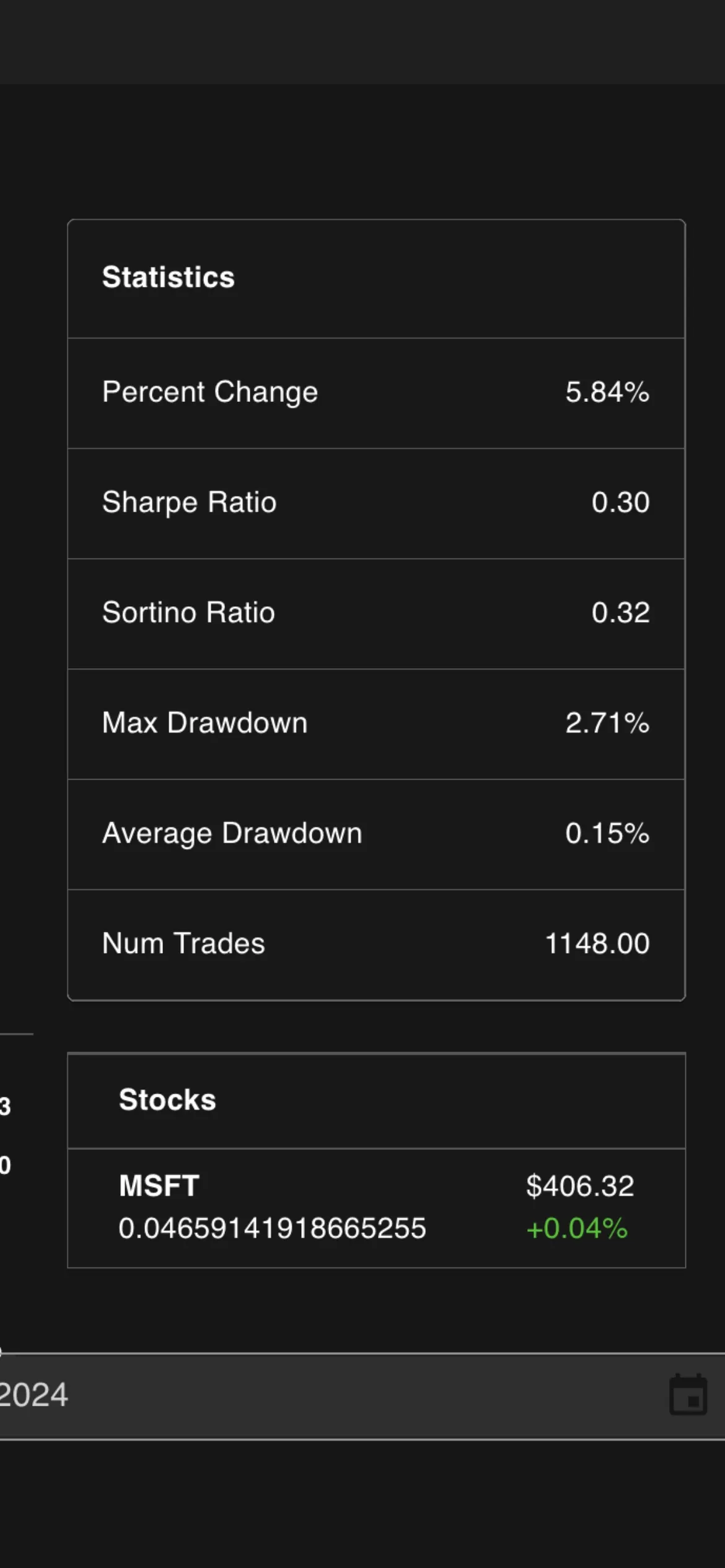 The performance of this
strategy
The performance of this
strategy
This includes:
-
The
Shape Ratio: a measure of returns
normalized by how risky the
portfolio is
-
The
Percent Change: the raw change in
portfolio value divided by
its initial value
-
The
Maximum Drawdown: the largest drop in
portfolio value
Amongst other useful
metrics.
Now, the trader is far better
likely to assess whether an
optimized portfolio actually
meets their goals!
Finally, after scrolling
down, you can see the new
strategy for the
portfolio.
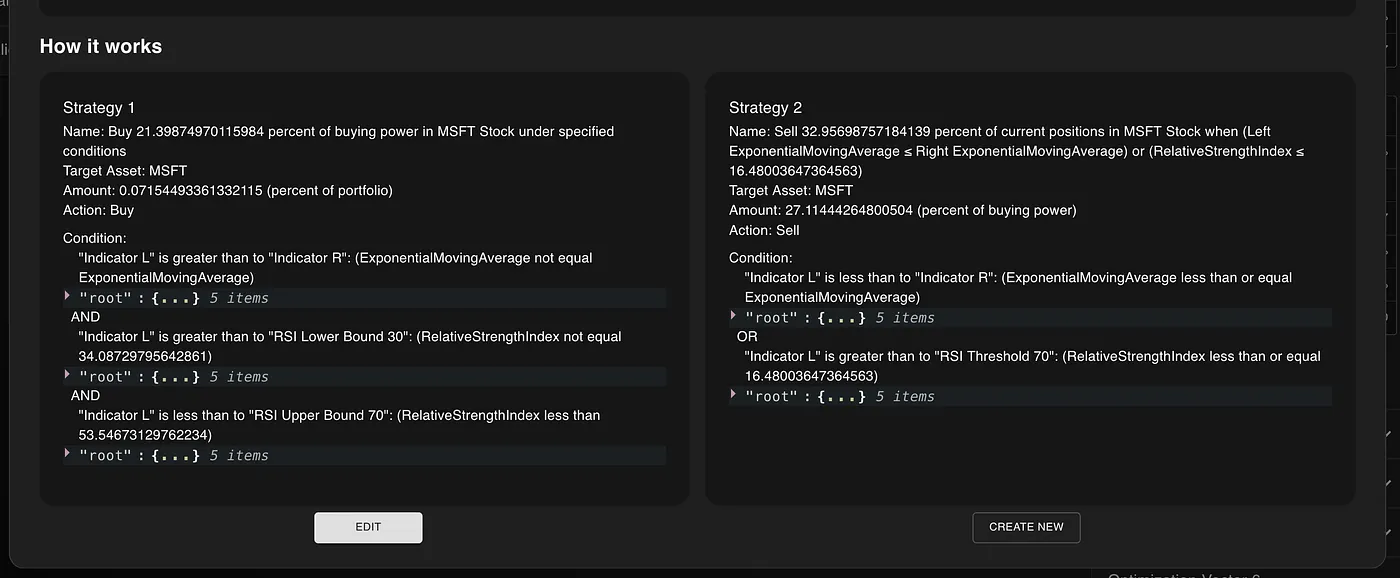 The newly optimized trading
strategy
The newly optimized trading
strategy
Conclusion: My AI Strategy
Generator is actually
useful
I’m neither a UX Designer nor
a frontend engineer. I’m a
software engineer that’s
passionate about finance and
artificial intelligence.
As a soloprenuer, I sometimes
make mistakes. And the
original design for the
optimizer was definitely one
of them. I got so excited in
the
potential
of the feature that I failed
to present it in a way that
actually brings value to my
users.
This new design is my first
step in rectifying this. The
genetic optimization engine is
one of the most unique and
powerful aspects my
algorithmic trading platform.
The ability to automatically
find the best parameters for a
strategy is extremely useful,
and is something other
platforms cannot easily
replicate.
I hope that by updating the
UX, people are able to see
just how powerful this feature
is! The optimization engine
has transformed from a
“gimmick” to a useful tool for
traders to improve their
trading strategy. Don’t
believe me? Try it out
yourself!
No comments yet.