I Spent 3 Years Building a Trading Bot UI. Then Claude Made Me Start Over
A No-Code Guide For Deploying Trading Strategies

With my app NexusTrade, you can create any trading idea you can imagine without writing a single line of code.
But, it wasn’t easy getting here.

The screenshot shows my app’s old UI for configuring no-code trading strategies.
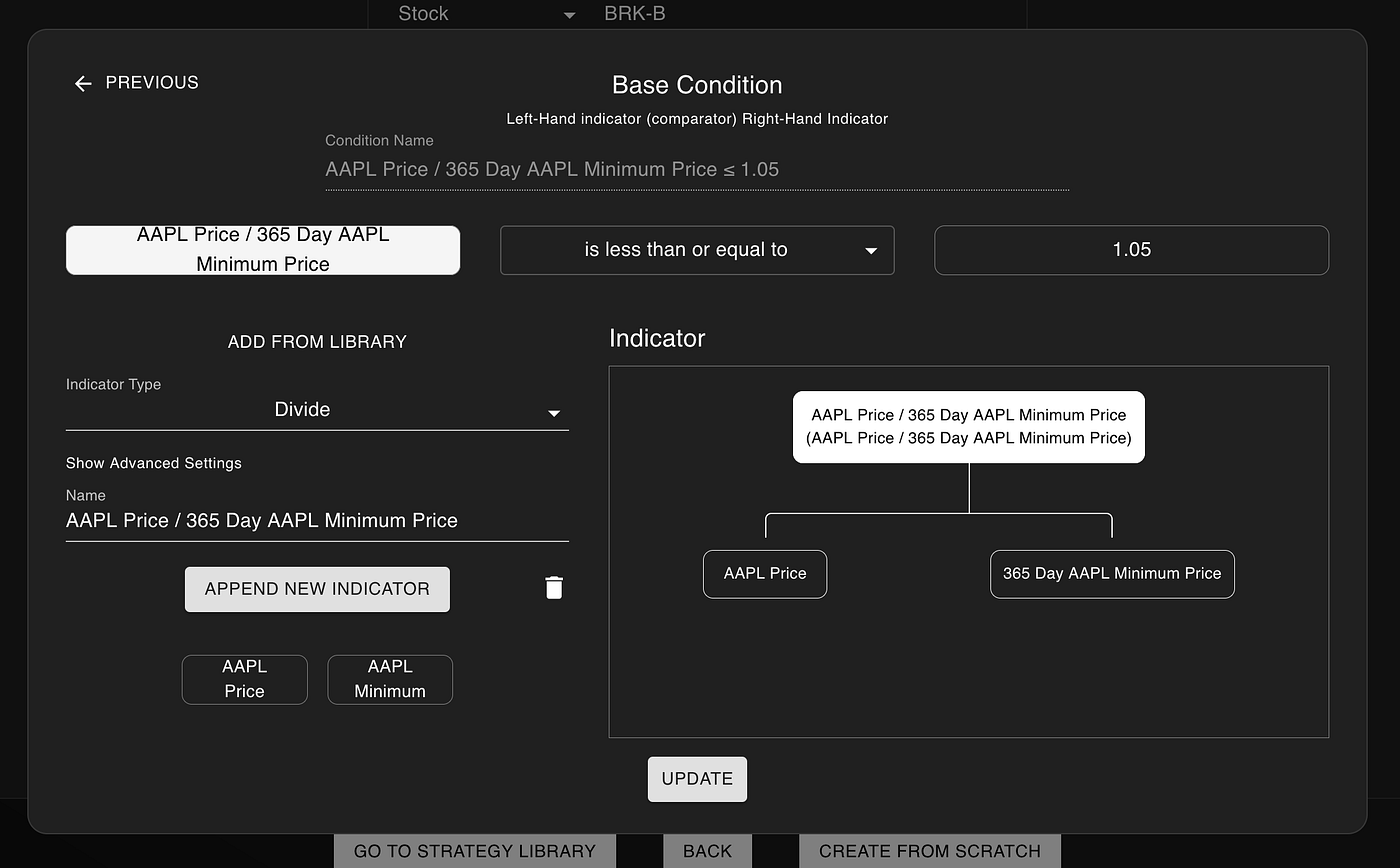
I coded this feature up over 3 years ago, before the age of language models. And at the time, I was quite proud of it.
You could go on a UI and configure complex ideas such as “SPY’s price is above its 30 day moving average” or “Tesla’s last quarterly revenue is below its average TTM revenue”.
The user experience wasn’t the cleanest. It required a strong mental model to understand how to navigate through the configuration process. But it worked.
But now, Claude 4 Opus is a better UX designer and frontend developer than I have ever been. Thus, I decided to sit down and using its power to help me rewrite large portions of the frontend of my algorithmic trading platform.
Here’s how you can use it to deploy complex trading strategies without writing a single line of code.
Start with artificial intelligence
To start, we don’t even have to use the no-code UI. We can start with artificial intelligence. To do this:
- We’ll go to nexustrade.io/chat
- We’ll create a free account
- We’ll type the following into the chat
Create a strategy that buys 50% of my buying power in NVDA if 20 days passed since the last purchase and its RSI is below 35. Sell 100% when its RSI is above 75
The AI takes our trading strategy and breaks it down into its smallest components, truly understanding what it represents.
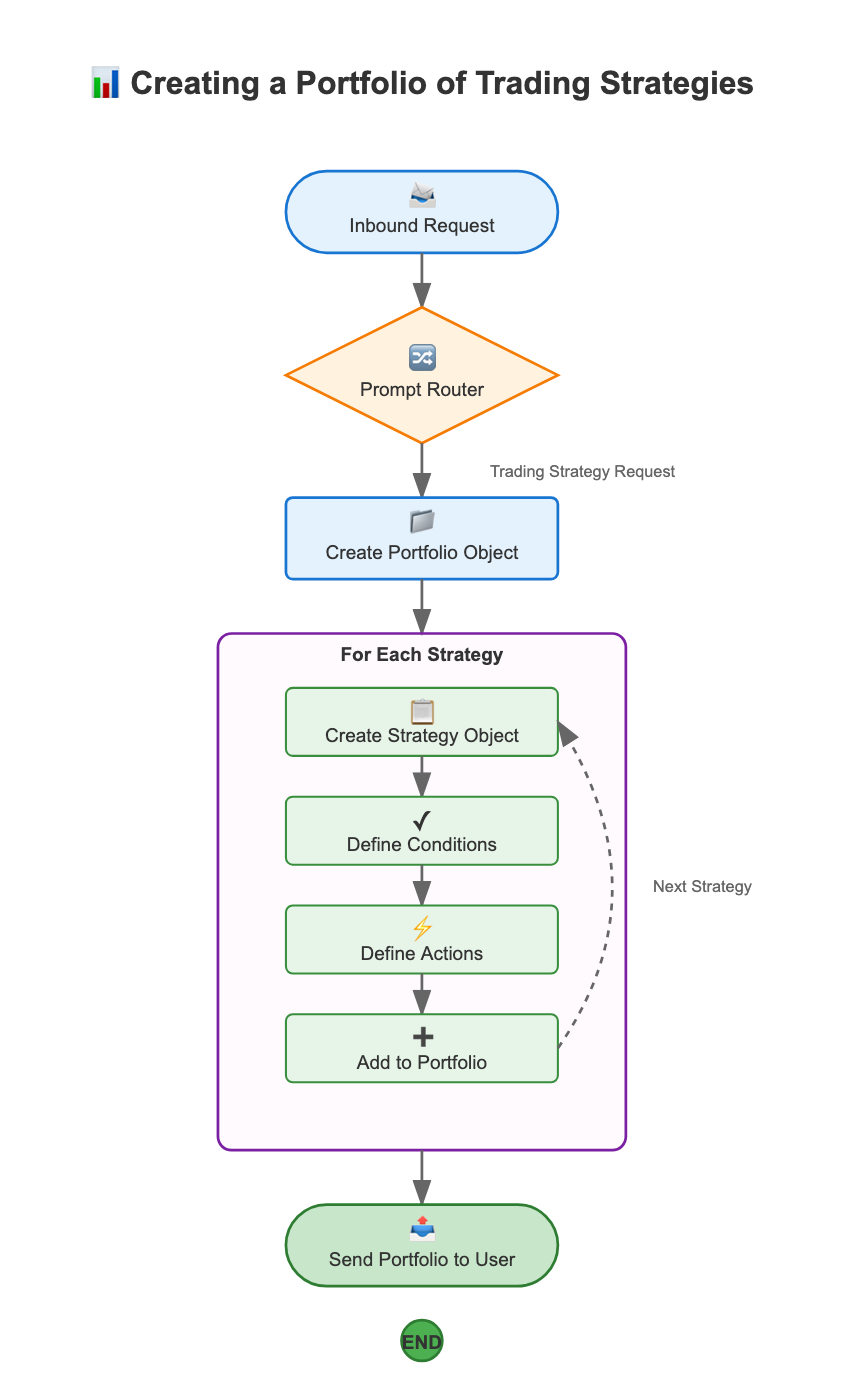
Specifically, it goes through the following process:
- Inbound Request: System receives a chat request from the user
- Prompt Router: It determines if this is a request to create a trading strategy
- Create Portfolio Object: Initializes an empty portfolio container
- Strategy Creation Loop: For each strategy, it creates the strategy object, the action (e.g., buy, sell, and rebalance), and the condition (e.g., price thresholds, economic conditions, stock fundamentals)
- Send Portfolio: It returns the complete portfolio with all strategies to the user
The end result is a fully automated trading strategy, ready-to-go.
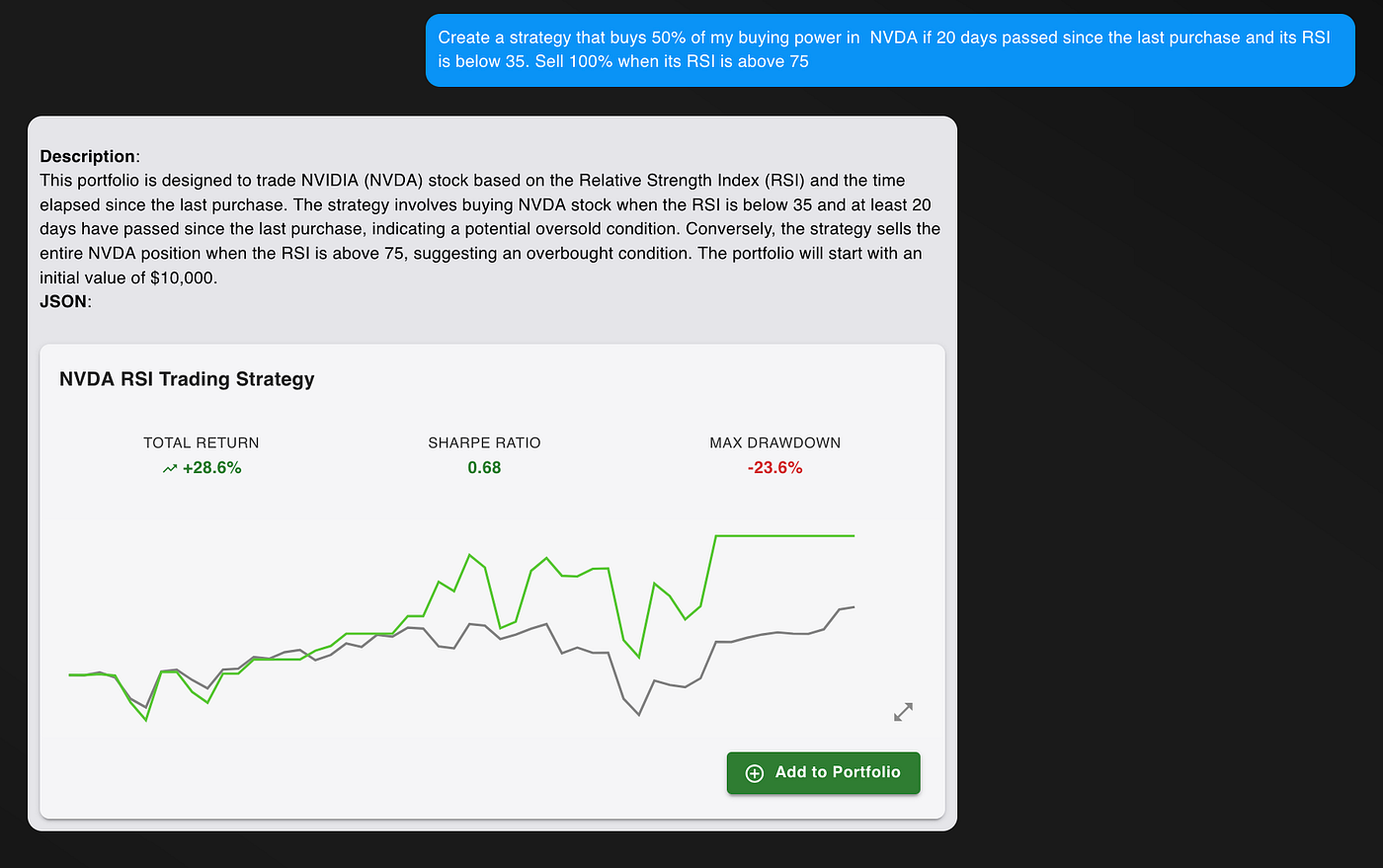
After clicking on the portfolio card, we see even more information, such as how well the portfolio did in comparison to a baseline. From here, we can:
- Deploy these strategies with the click of a button
- Adjust the start and end date of the backtest
- Change the initial portfolio value

But now, we don’t have to rely on the AI. While very effective with simple strategies, we might want to make some final changes manually, especially for highly complex strategies.
And now the experience is as easy as can be.
Finish with the no-code UI
After creating our strategies with AI, we can scroll down and see the exact rules for our strategy in plain English.

If the AI made a mistake or if we wanted to update the rules, we can click the pencil icon to make edits to our strategy.
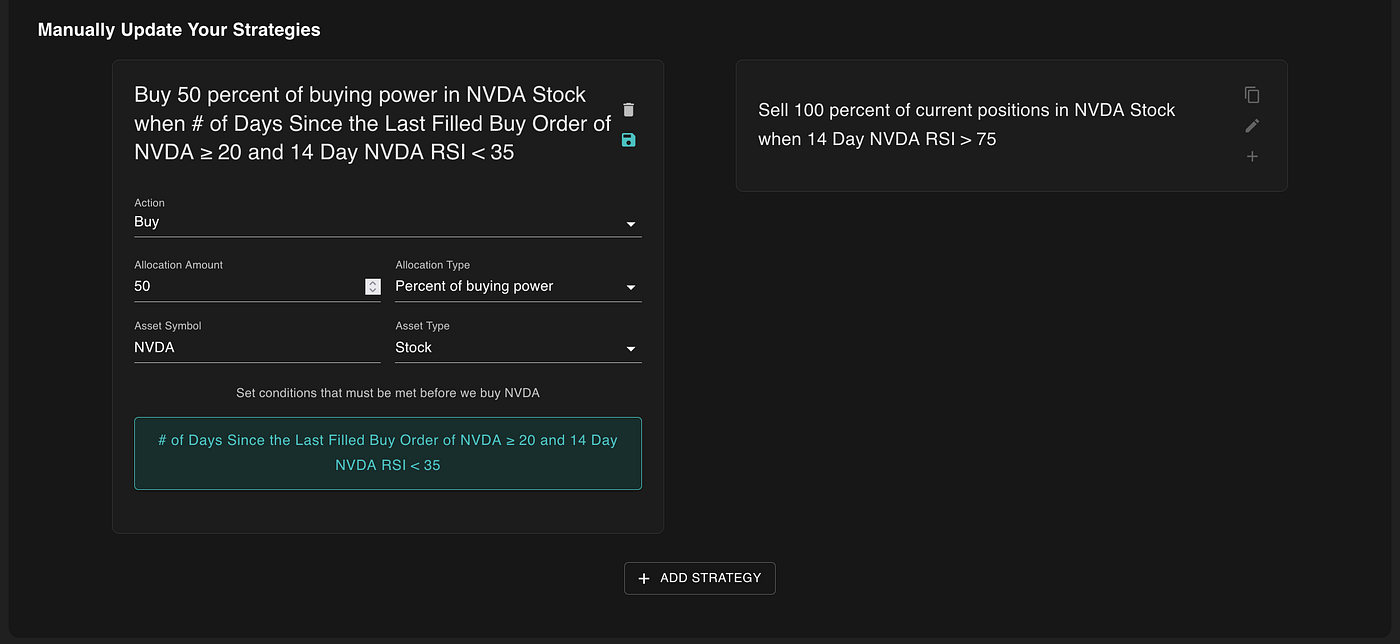
We can even add a new strategy with the “Add Strategy” button.
From here, we can update the action and the condition for when the action is triggered. While the action fields are self-explanatory, let me explain the condition in more detail.
Triggering your actions literally whenever you want!

The heart of NexusTrade’s power comes its configurable condition which allows you to execute your actions whenever you want.
There are 4 different types of conditions:
- Simple Condition: allows you to configure simple boolean rules, such as “SPY’s price is below its 30 day average price”
- AND Condition: lets you combine conditions using the AND operator
- OR Condition: lets you combine conditions using the OR operator
- MULTI Condition: states that at least (or at most) a certain number of conditions are true
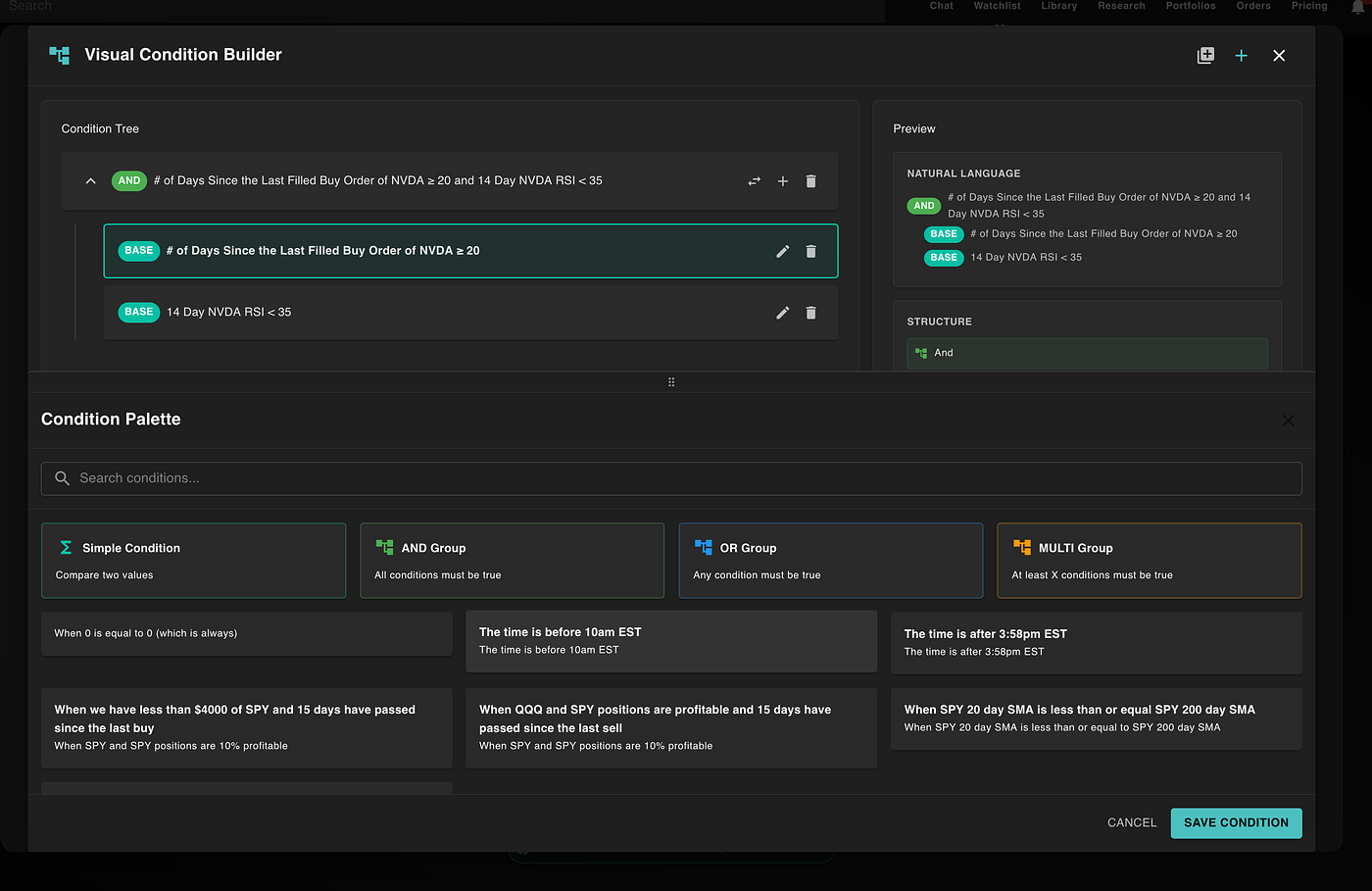
These conditions allow us to express a plethora of trading rules, ranging from relative strength index, different types of moving averages, and even arithmetic operations (such as add, multiply, or divide).
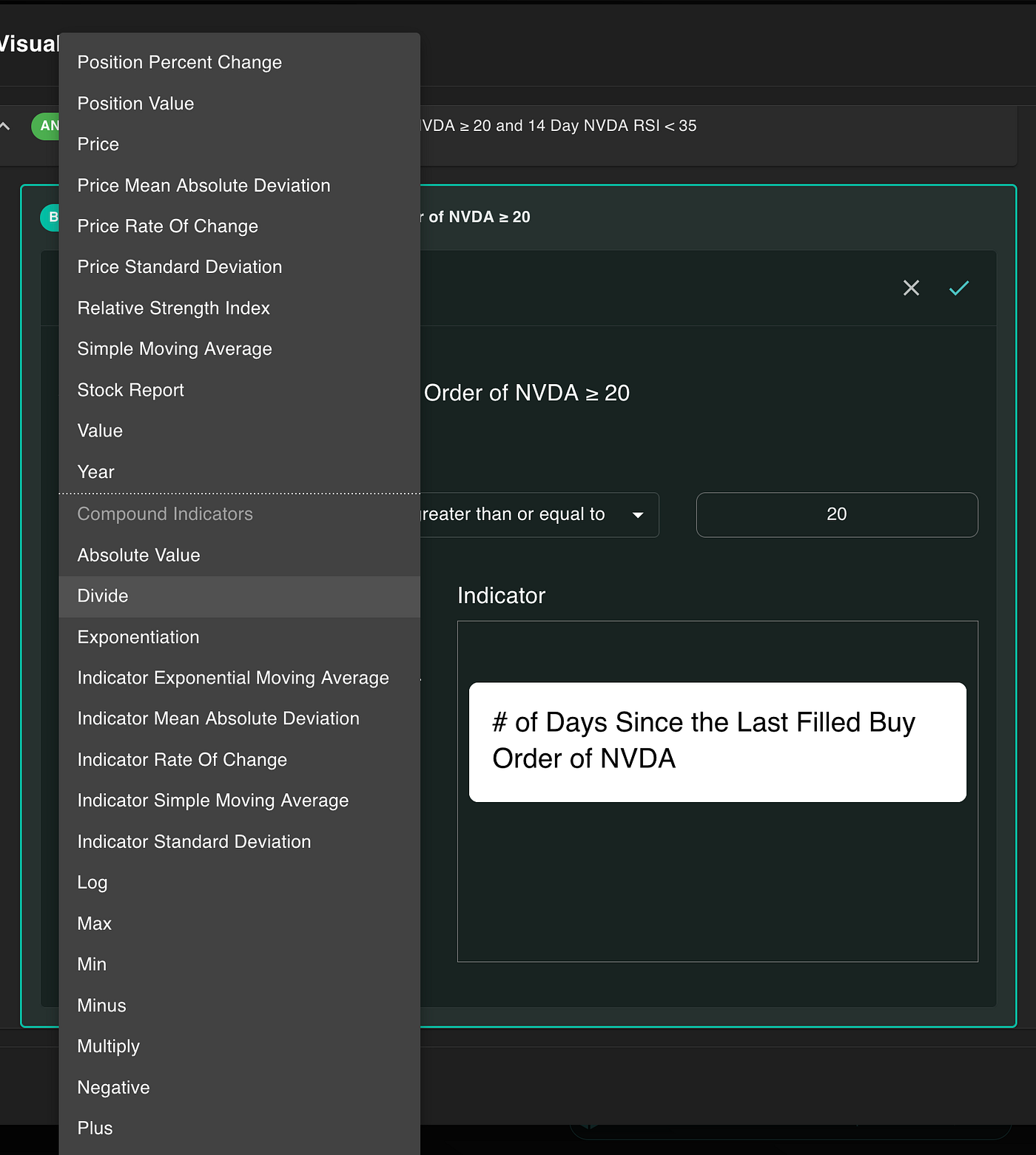
The UI makes it easy to create an indicator by just naturally following the directions. The end result is a highly configurable trading strategy that translates perfectly to plain English!
Once we save our changes, we can scroll up and deploy our strategy with the click of a button.

Finally, when we’re ready to go live, we can connect our TradeStation or Alpaca account to our NexusTrade account.
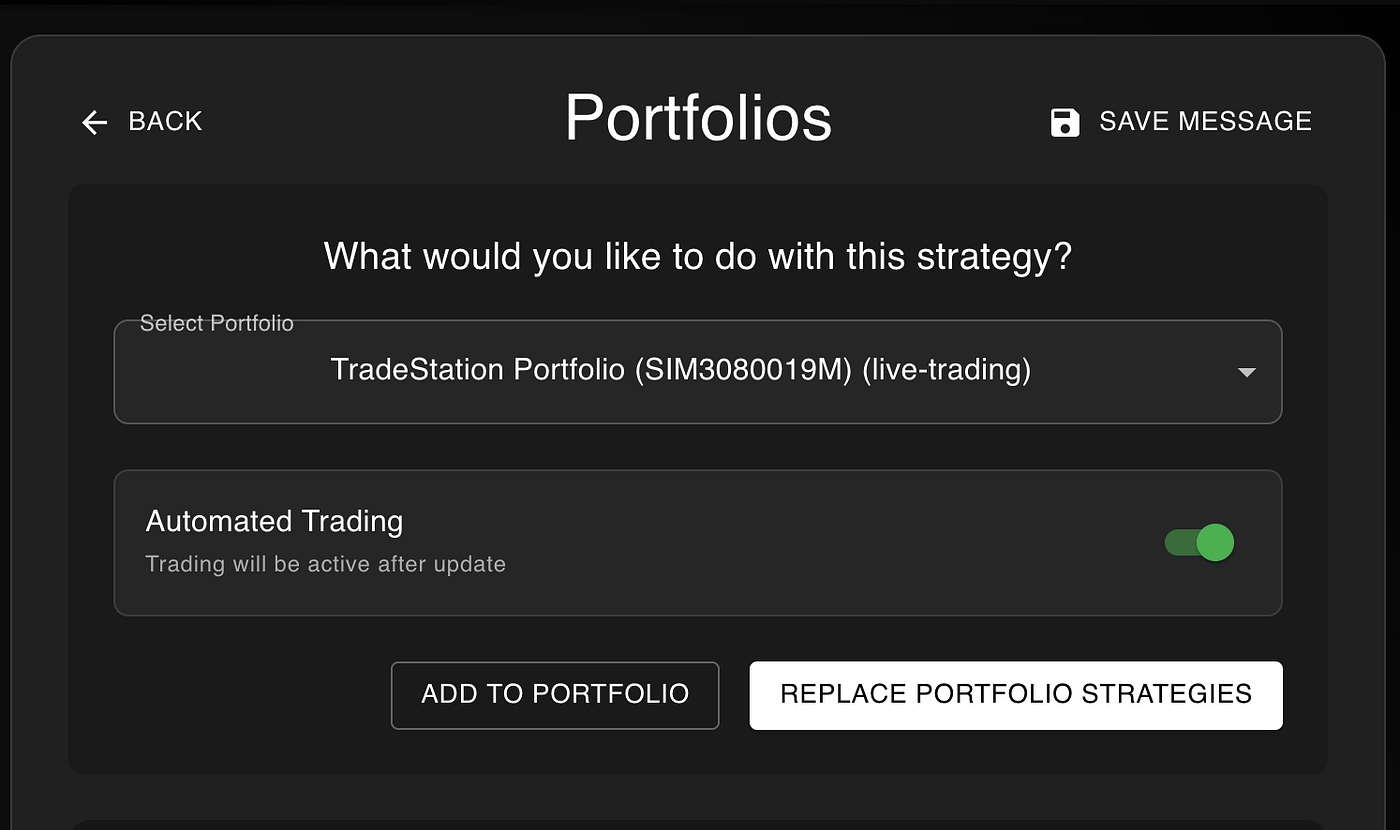
Get up to $5,000 AND TWO FREE months of NexusTrade Premium just for signing up for TradeStation and initiating a deposit. Learn more about this special offer here!
Concluding Thoughts
Thanks to AI and no-code tools, you can now automate your trades at the speed of thought. While the LLM-Powered UI is perfect for building up trading ideas, the no-code UI allows users to fine-tune them without waiting for the LLM or using chat tokens.
It’s the best of both worlds combined.
This launch is part of a larger series of significant frontend improvements to NexusTrade. While I’ve already democratized access to advanced trading tools for over 25,000 people, my job isn’t done yet.
Do you have 5 minutes to stick around? Try deploying a trading strategy using NexusTrade. I promise you, it won’t take any longer than that.
No comments yet.