From Aurora's Insights: The AI-Focused Finance Blog.
Pssst, You! The original story is on Medium! Please read the article there and engage with it (clap, comment, and share!) It spreads my reach significantly. Thank you for your cooperation 😃
Thus, I wanted to start another experiment at the same time, and show YOU EXACTLY how to generate a portfolio using AI that outperforms the market. This series will have at least two parts. This article will go over the process of creating, testing, optimizing, and deploying an AI-Generated Portfolio. The next article in the series will evaluate how the portfolio performed in real-time paper-trading.
I structured this article into five sections, each designed to guide you through the journey of creating and deploying a high-performance trading strategy using the power of AI and ChatGPT technology:
Generating a Trading Strategy Using ChatGPT-Technology: We’ll start by exploring how to create a robust trading strategy leveraging the advanced capabilities of NexusTrade.
Testing the Initial Performance of the AI-Generated Strategy: Once our strategy is in place, we’ll evaluate its initial effectiveness.
Optimizing the Strategy Using Powerful Genetic Algorithms: To enhance our strategy, we’ll employ sophisticated genetic algorithms.
Re-testing the Performance of Our AI-Generated Strategy: After optimization, we retest the strategy to measure improvements and adjustments.
Deploying the Strategy Live to the Market with the Click of a Button: Finally, we’ll bring our strategy to life in the real market. This seamless transition from theory to practice demonstrates the practicality and ease of use of our AI-driven trading solution.
The beauty of NexusTrade lies in its ability to demystify the complex world of trading. It empowers everyday investors with advanced tools for algorithmic trading, previously accessible only to Wall Street professionals. Whether you’re using a computer or a mobile device, NexusTrade’s intuitive design and powerful features make mastering the art of AI-driven trading a straightforward and rewarding experience. Dive in and discover how simple, easy, and effective it is.
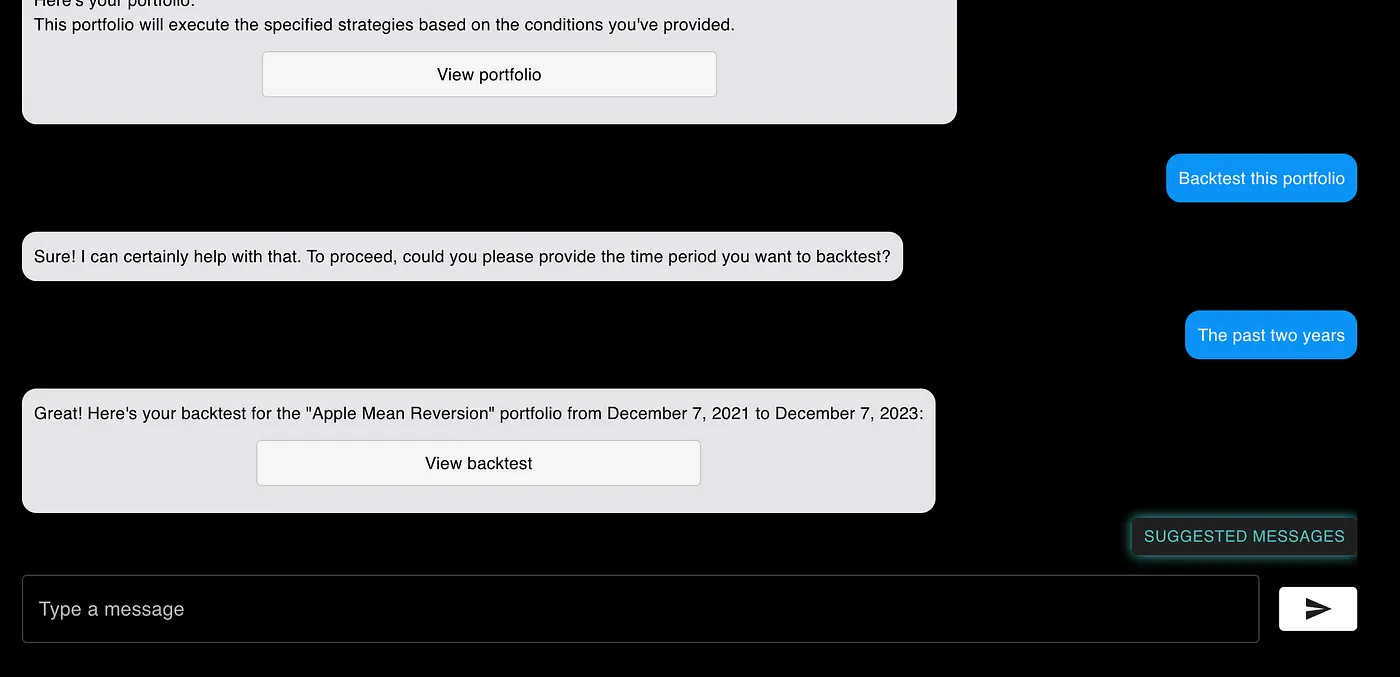
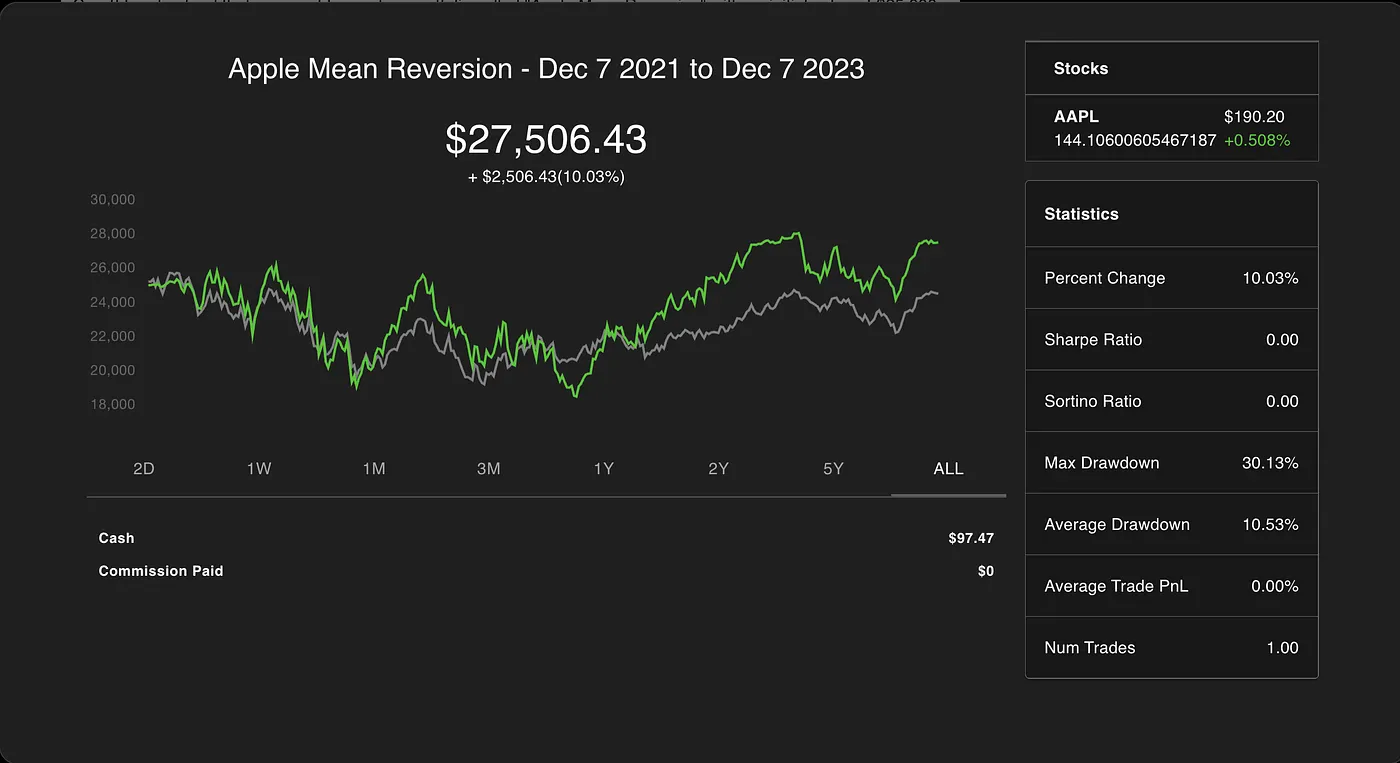
Asking Aurora, the AI Chat Assistant to Backtest the Portfolio
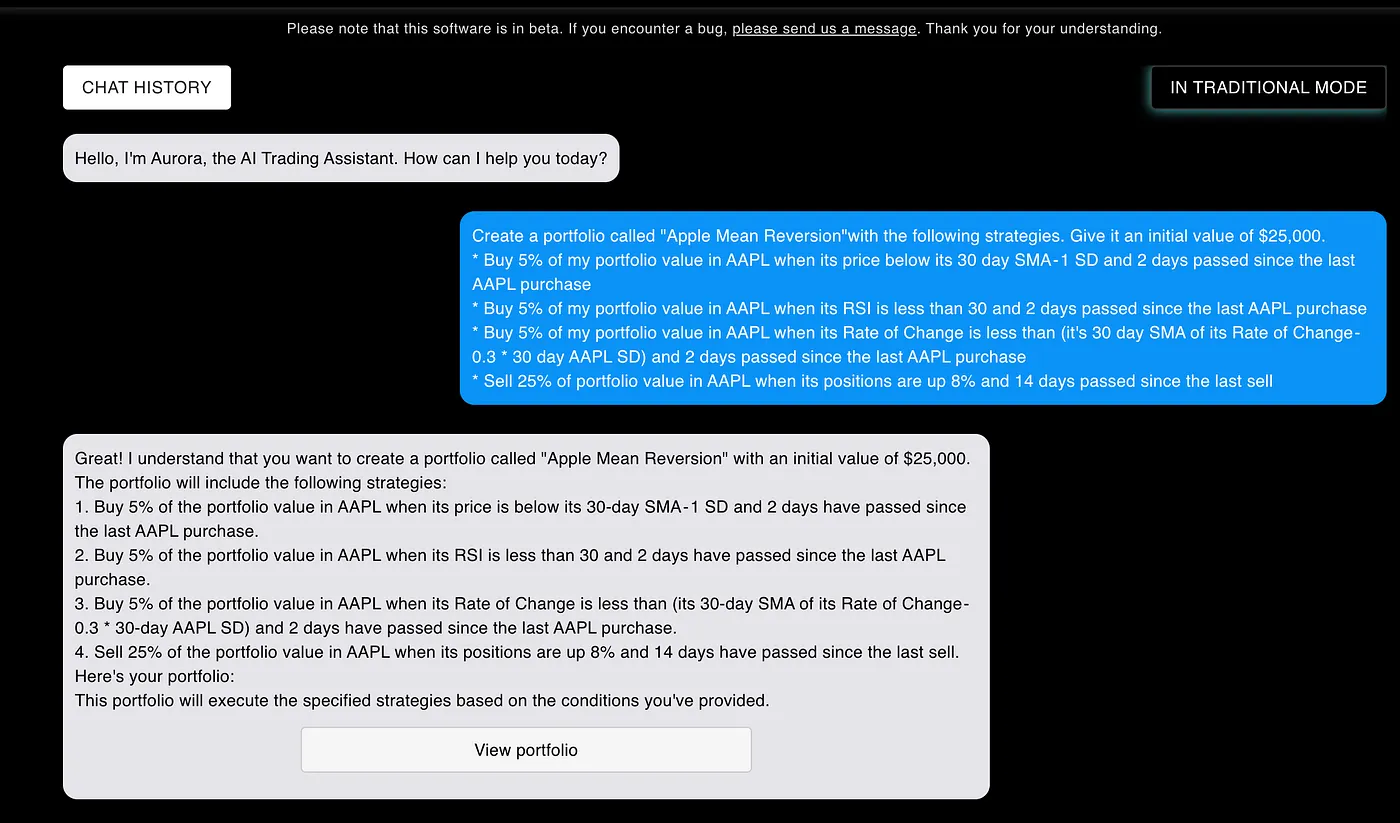
I typed the following strategies into the AI Chat (feel free to copy/paste).
Create a portfolio called “Apple Mean Reversion”with the following strategies. Give it an initial value of $25,000.
* Buy 5% of my portfolio value in AAPL when its price below its 30 day SMA — 1 SD and 2 days passed since the last AAPL purchase
* Buy 5% of my portfolio value in AAPL when its RSI is less than 30 and 2 days passed since the last AAPL purchase
* Buy 5% of my portfolio value in AAPL when its Rate of Change is less than (it’s 30 day SMA of its Rate of Change — 0.3 * 30 day AAPL SD) and 2 days passed since the last AAPL purchase
* Sell 25% of portfolio value in AAPL when its positions are up 8% and 14 days passed since the last sell
The chat works by utilizing a next-generation AI-Configuration Platform, NexusGenAI. NexusGenAI allows users to create sophisticated AI Applications with a no-code user interface. For more details on how NexusGenAI works, check out this article.
Step 3: Optimizing the Portfolio using Genetic Algorithms
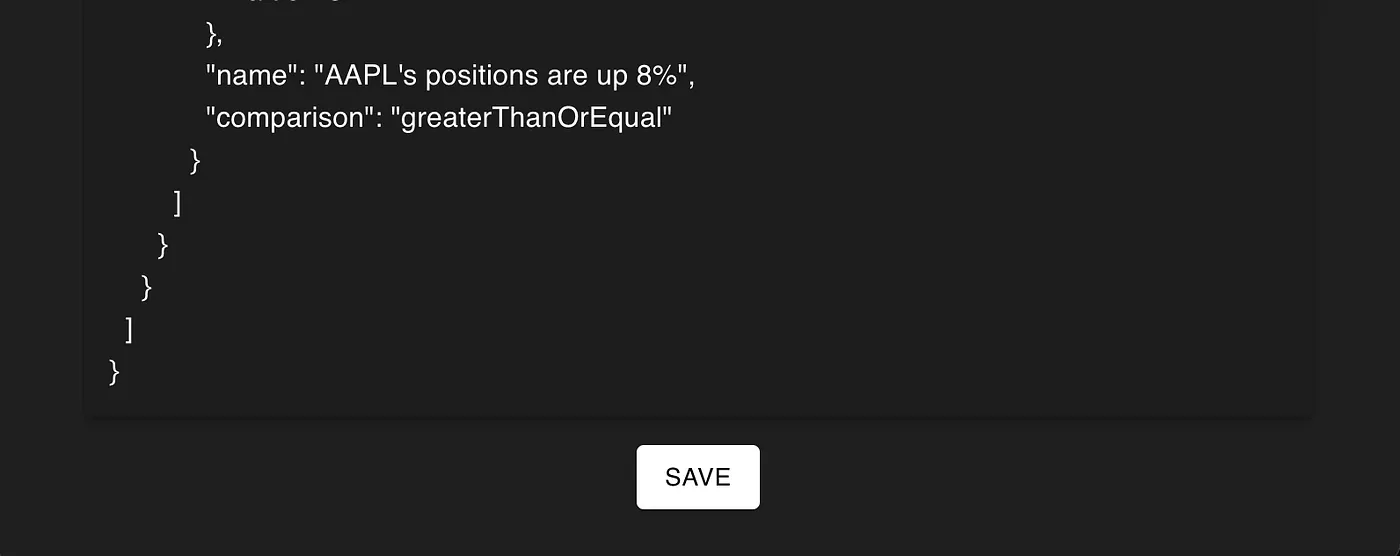
We can optimize the portfolio of trading strategies using genetic algorithms (GAs) directly within the app. Genetic algorithms are biologically-inspired AI Algorithms that can improve the performance of any arbitrary task. To utilize them in NexusTrade, click ‘View Portfolio’ and then scroll down until we see the ‘Save’ button. Clicking it will save the portfolio to your profile.
The ‘Save’ button when we view a portfolio
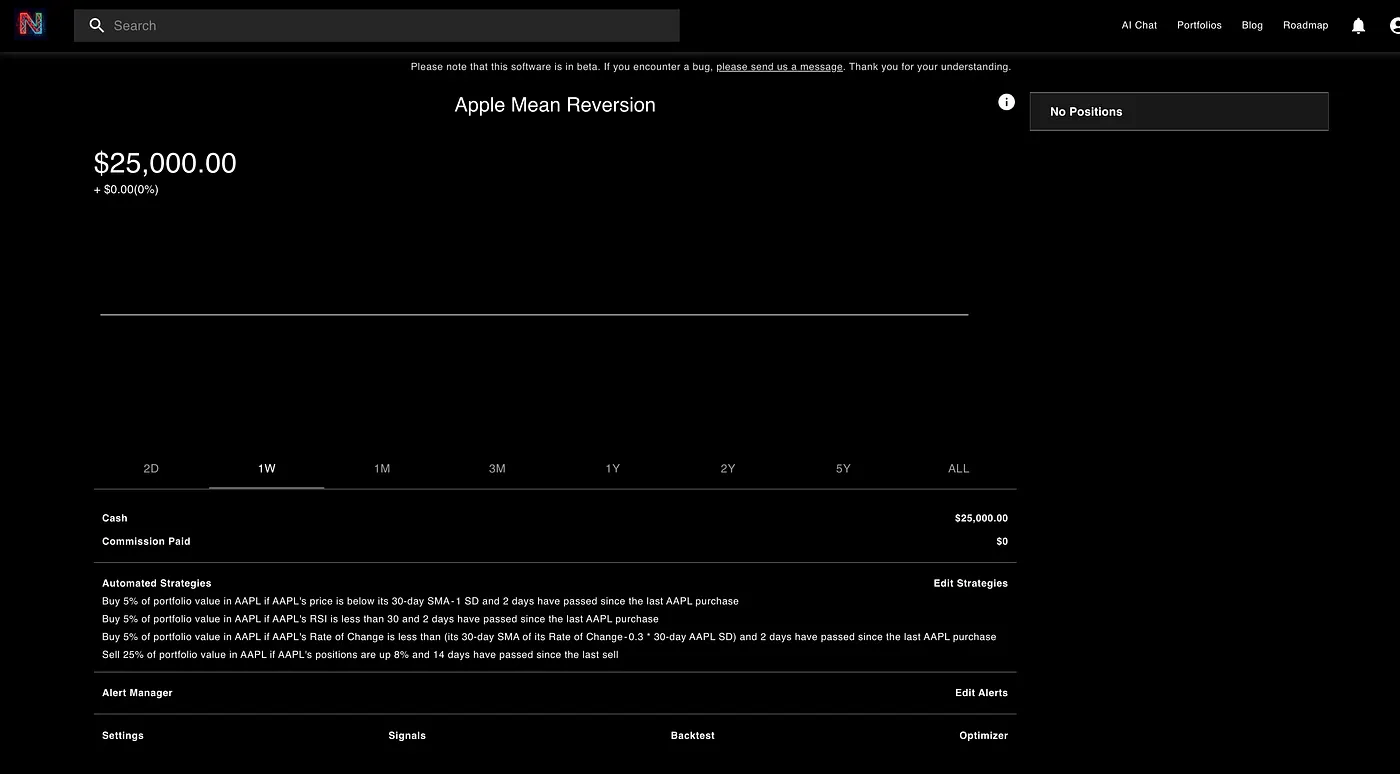
Click the “portfolios” button in the top-right corner, and then go to the Portfolio that we just created.
The Portfolio Dashboard for the “Apple Mean Reversion” portfolio
Click the “Optimizer” button, set up your unique optimization configuration, and then click “Submit”.
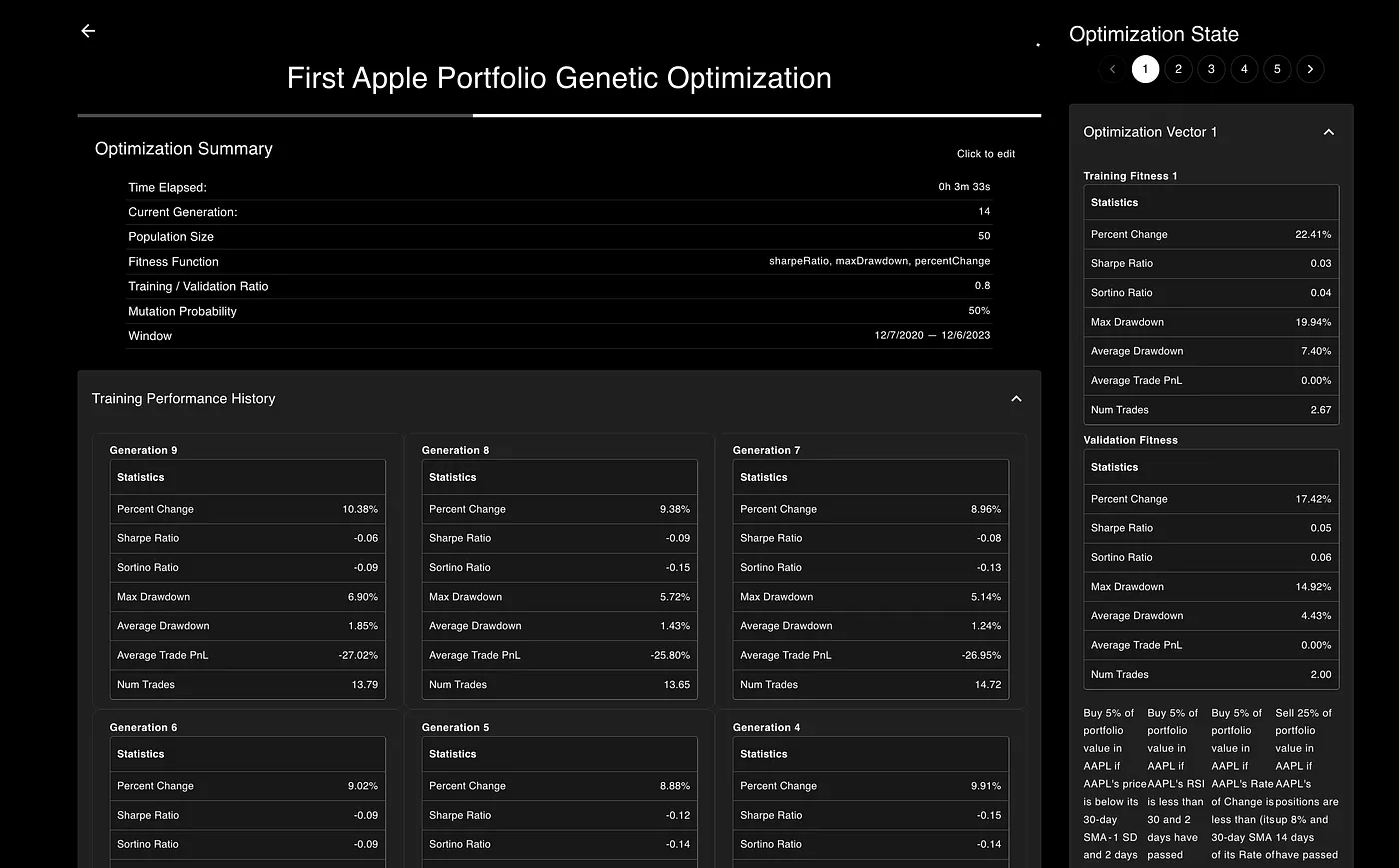
The Optimization Dashboard that shows what’s happening with our genetic optimization
The genetic optimization engine in our trading platform operates by fine-tuning the original trading strategies. It initiates this process by making subtle adjustments, followed by running extensive backtests. These backtests are critical as they continuously tweak the strategy’s parameters, aiming to enhance backtest performance according to predefined fitness functions set by the user.
What’s particularly fascinating about this process is its ability to generate not just one improved portfolio but an array of portfolios, each distinct in its performance characteristics. This variety means some portfolios may exhibit higher percentage gains but come with greater drawdown risks. In contrast, others might show moderate gains but boast higher Sharpe ratios and lower drawdowns. This diversity allows users to select a portfolio that aligns seamlessly with their unique investment objectives and risk tolerance.
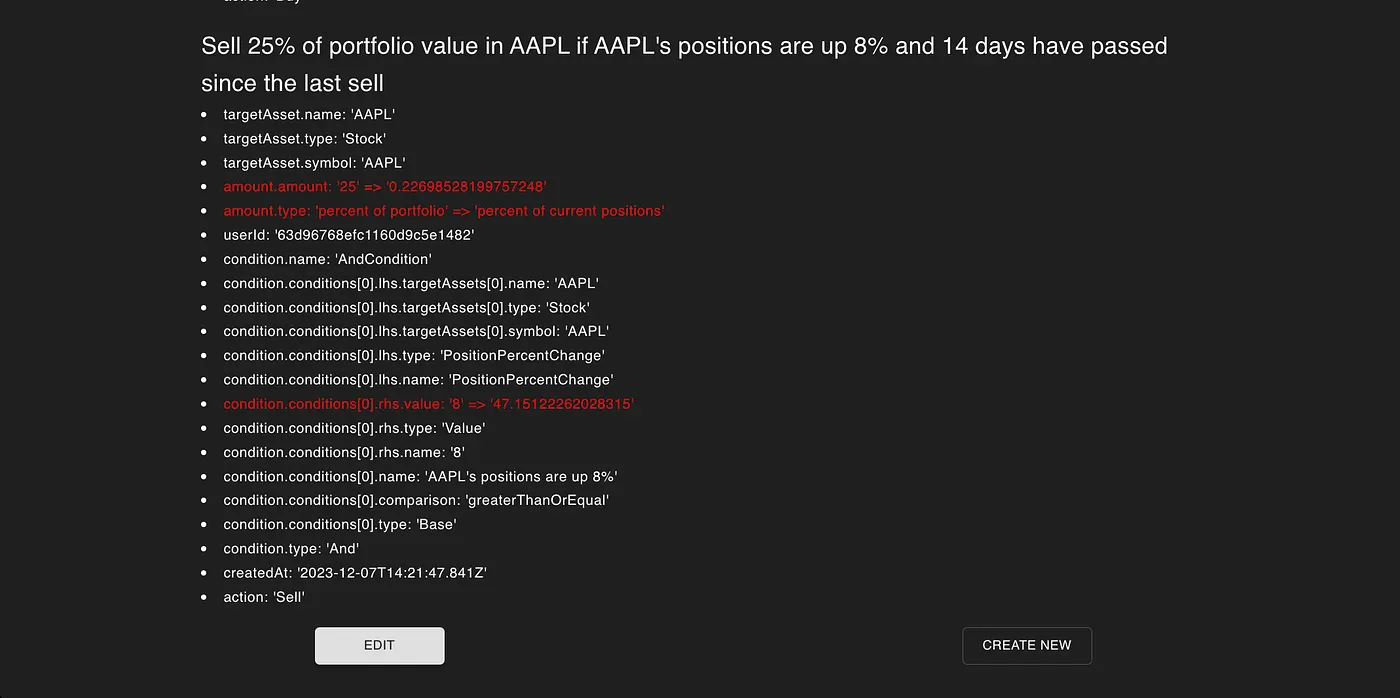
Upon completion of the optimization process, users can explore various “Optimization Vectors”. These vectors present the specific changes made to the portfolio. Users have the flexibility to either update their current portfolio with these vectors or create an entirely new portfolio based on these refined strategies.
The “Optimization Vector” shows the exact change in our portfolio. We can choose to update our portfolio or create a new one
I decided to create a new portfolio, which redirected me to that portfolio’s dashboard.
Step 4: Testing the Optimized Portfolio’s Performance
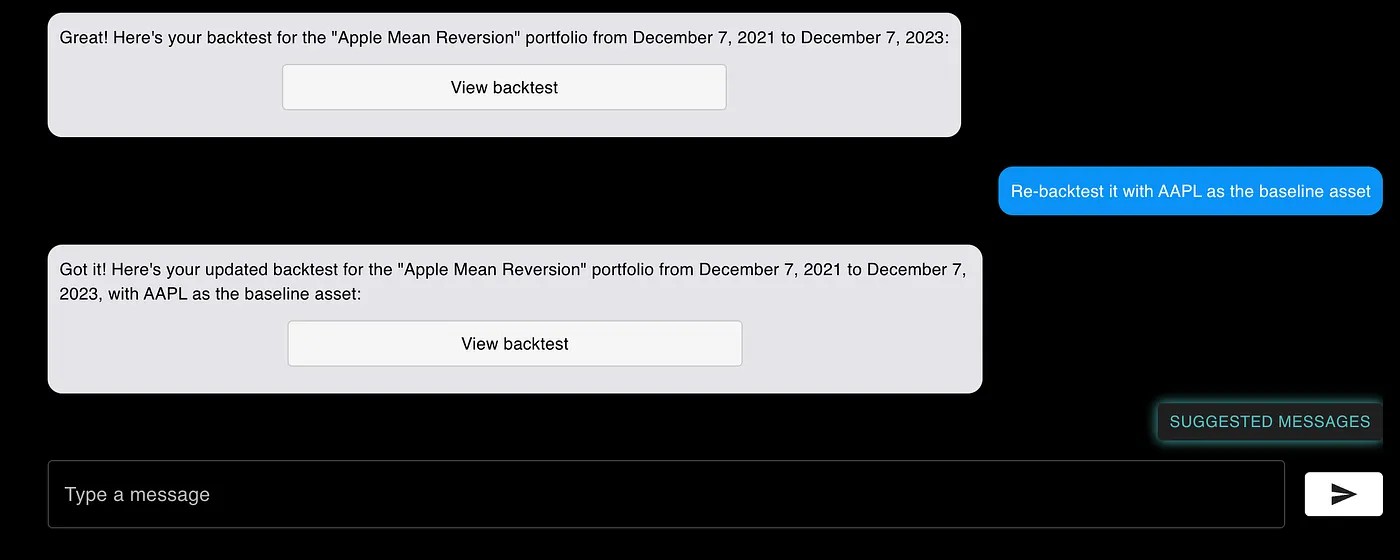
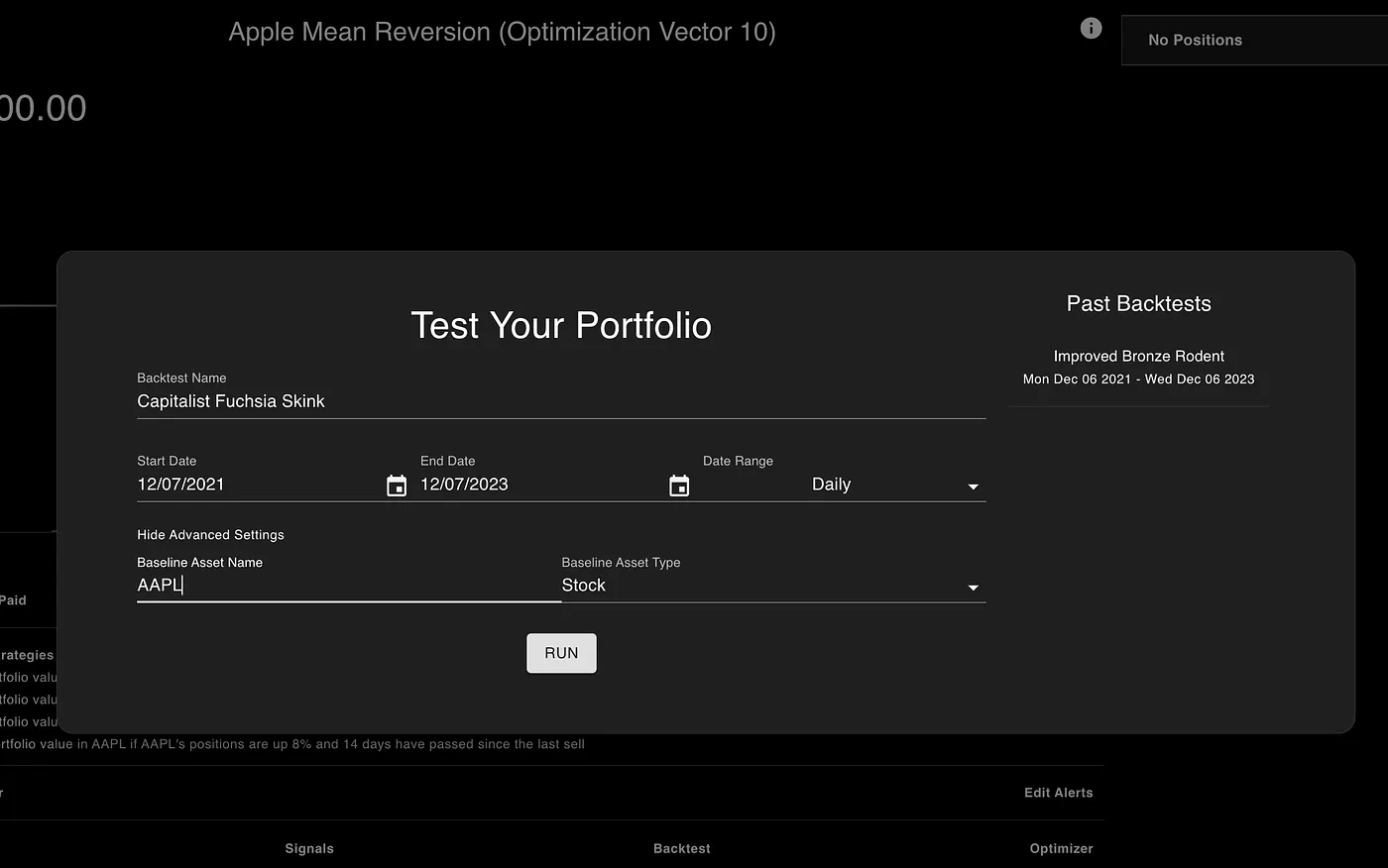
The next critical step involved backtesting the newly optimized portfolio over the past two years. I utilized the advanced settings in the backtest configuration, allowing me to set the baseline asset to AAPL stock.
The Backtest Config for the past two years. Also using the Advanced Settings to set a new Baseline Asset
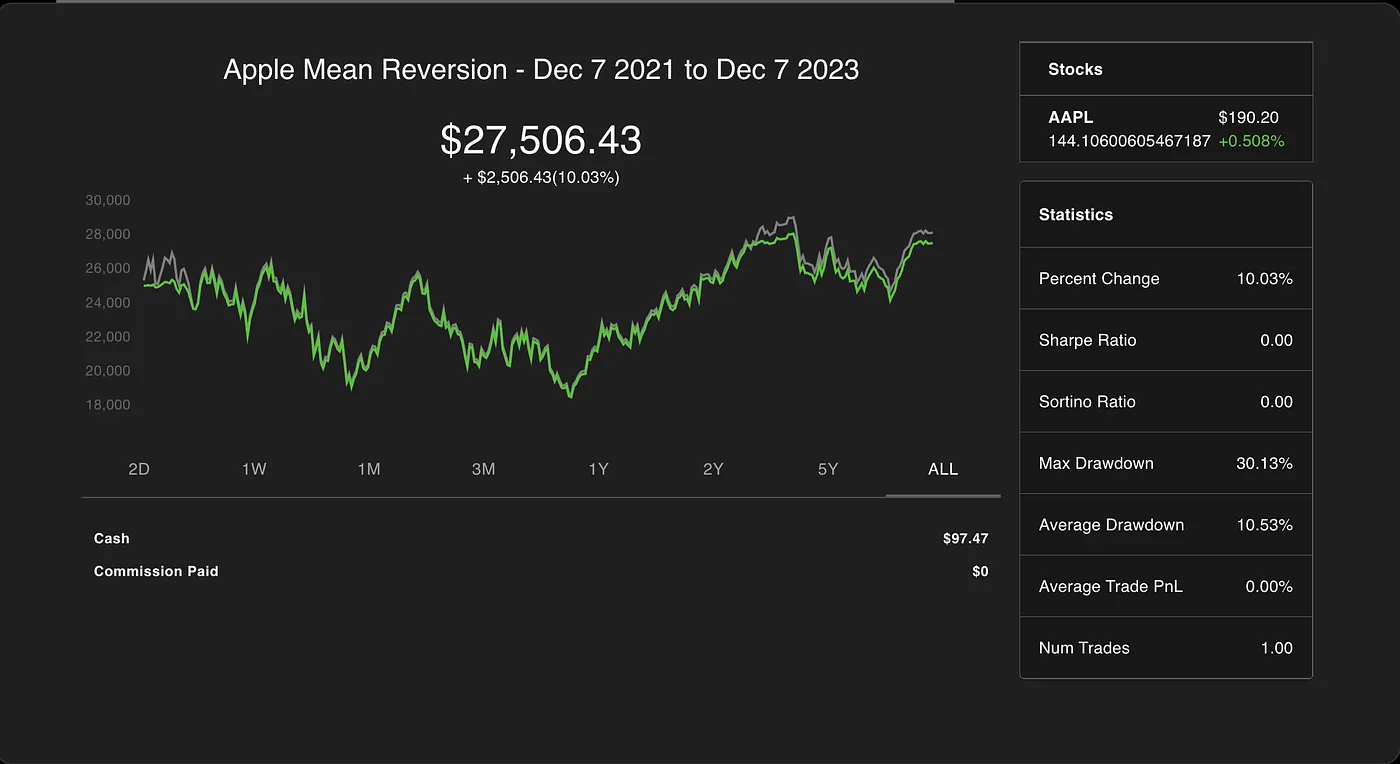
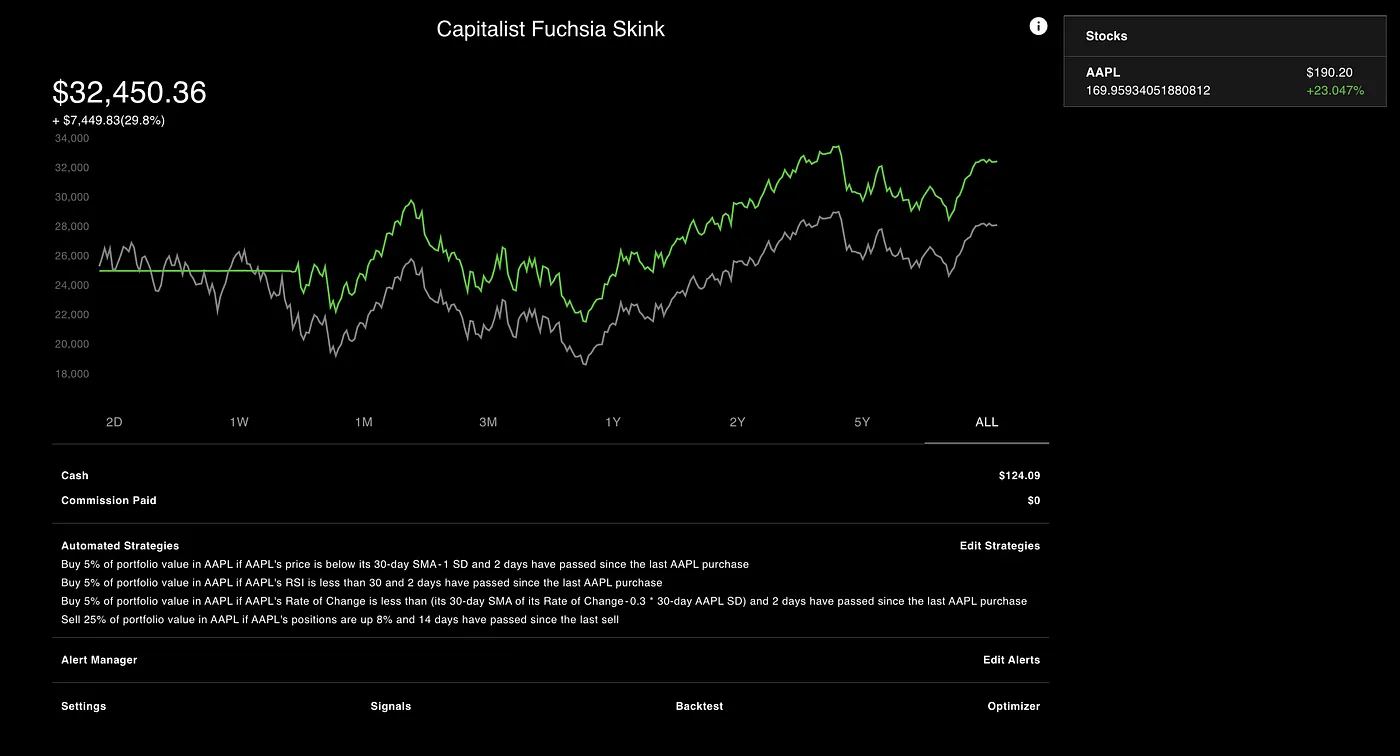
The results were promising. The optimization process appeared to have significantly enhanced the portfolio’s performance. The backtest results clearly showed that the newly optimized portfolio outperformed the original one, indicating a successful optimization.
The Backtest Performance of the newly optimized portfolio
Step 5: Deploying it live to the market.
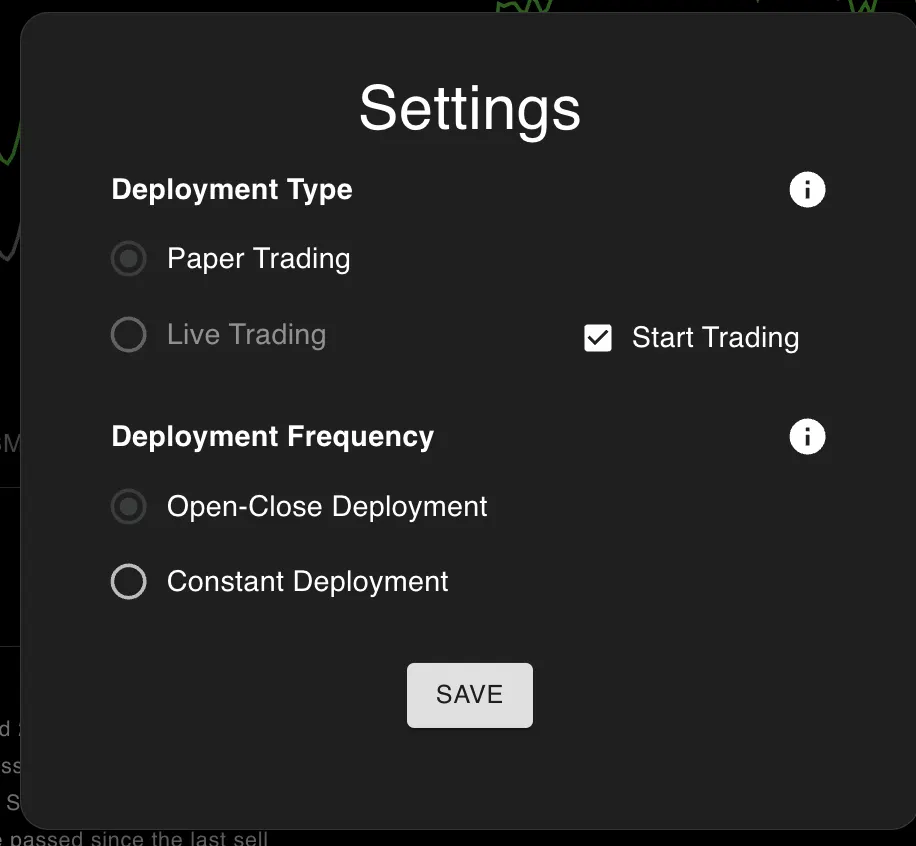
Confident in the backtest results, I proceeded to deploy the portfolio live. This process is remarkably straightforward. By navigating to “Settings”, then “Deployment”, and selecting “Start Trading”, followed by saving the changes, the portfolio was deployed live.
Optimization Settings of the Portfolio
NexusTrade offers flexible deployment options, catering to different trading styles and strategies. For my portfolio, I chose to deploy the strategy for open and close market times. This decision was based on the aim to closely replicate the backtest performance.
Wrapping Everything Up
In this article, I describe how to create, test, optimize, and deploy an algorithmic trading strategy using NexusTrade. The NexusTrade app makes this process extremely simple. Traders no longer have to worry about dealing with APIs and deployment; they can simply express their ideas in plain English, and then iterate upon them until they’ve generated a successful trading strategy.
The next article in this series will focus on how well the AI-Generated Portfolios do in the market. Live paper trading allows us to see how well our portfolios perform without risking any real capital. With this experiment, we can really see how well our AI-Generated Portfolios perform.

No comments yet.