Here’s how (and why) I created robust, scalable, in-app tutorials for my web application


Nobody is “taught” how to use Facebook.
When you create a Facebook account, you learn to use it “on-the-fly”. Just from navigating the app, you learn how to add friends, update your status, post pictures, and declare to the world that you’re “in a relationship”.
As a SaaS developer, I strive for my app to be like Facebook. It should be intuitive — you create an account and just figure out how to it.
Unfortunately, while my trading platform NexusTrade comes close, it’s not 100% intuitive.
Users have to learn how to create a trading strategy, backtest it on historical data, and deploy it live to the market. While much easier than creating a fully-functional algorithmic trading platform from scratch, algorithmic trading is just hard. Not every new user that stumbles on my platform has time to read 2 hours of Medium articles from a random tech bro.
Luckily, I came up with a solution.
Gathering requirements: What I’ve tried before
As the solo developer of my entire platform, I had the fun task of coming up with requirements. Here’s how I approached this.
At this point of time, I’ve written hundreds of articles and created dozens of long-form and short-form video. While distributing this content isn't impossible, the truth is that nobody wants to watch a YouTube video to understand how to use your app.
For example, even within the chat interface, I have a link that explains how to use it, and what it can be used for.
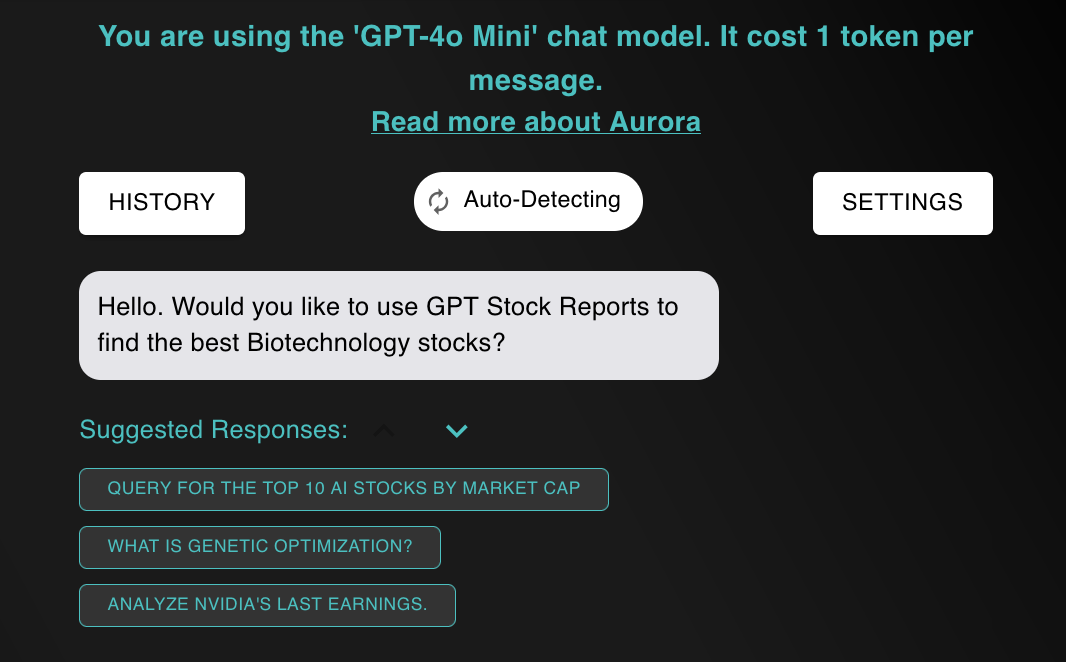
I also have a list of suggested messages that the user can see. These are essentially hints that help the user wrap their minds around some of the app’s functionality.
In addition to instructions in the chat, I created automatic pop-ups in the app for new users.
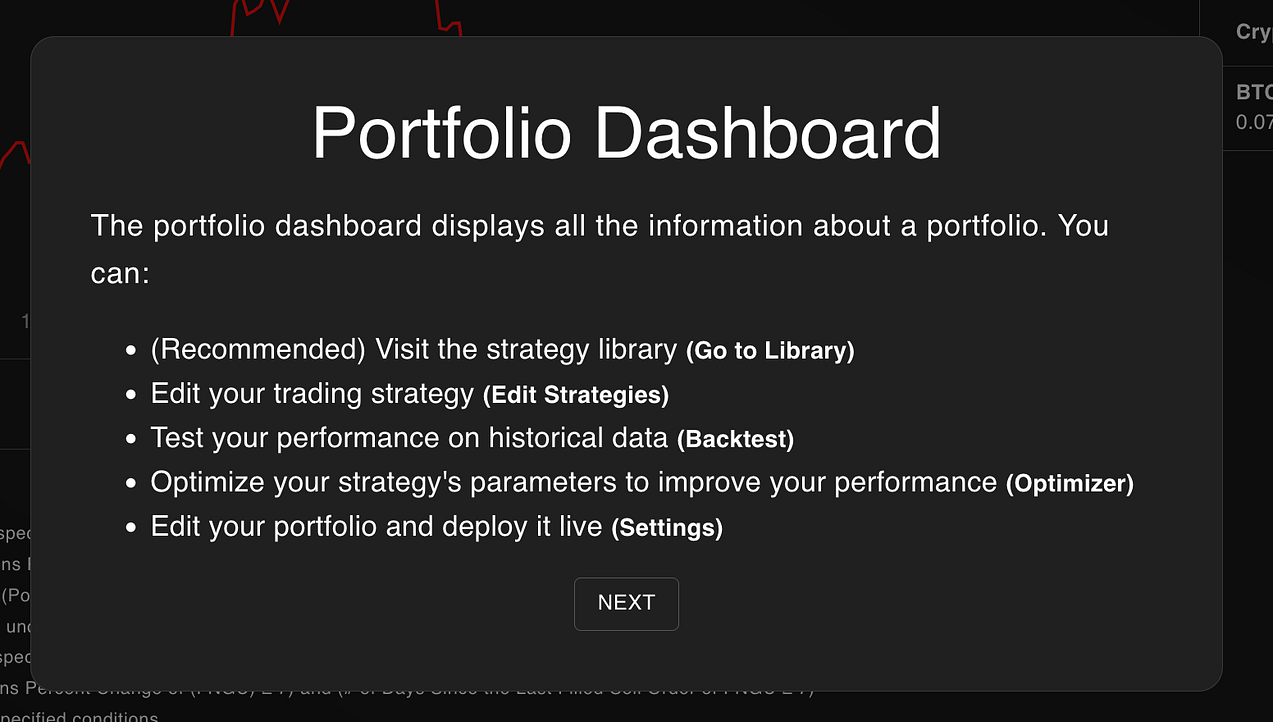
These pop-ups open when the user navigates to a new page in the app. It gives them concise, step-by-step instructions on how to use the app.
However, this wasn't enough.
Despite my efforts, the number one question that I always receive when someone creates an account is…
How do I use the app?
Unlike Facebook and Instagram, it is extremely hard to make an algorithmic trading platform intuitive. People just don’t have experience creating their own strategies and testing them in the market.
So I needed a better solution.
I wanted a way for users to naturally discover some of the best features of the app without having to read an article or watch a video. When discovering a new feature, it should be fun, and the user should feel like they accomplished something. This naturally leads its way to gamification, and rewarding the user for completing task within the app.
With all of this in mind, here are the requirements I came up with.
Taking it to the next level: My new requirements
For my new in-app tutorials, I wanted them to conform to the following requirements:
- Intuitive: Navigating to a tutorial and completing it should be extremely intuitive. Users should naturally be able to stumble upon them, and should be able to complete them as soon as they create an account, even if they happen to just stumble onto NexusTrade.
- Varying difficulties: Tutorials should have varying difficulties. Some tutorials should be completable in minutes, while others may take hours or more. Harder tutorials should lead to better rewards (and more satisfaction when completed).
- Gamification: When a user completes a tutorial, they are given “research tokens”. These tokens can be used to access more powerful models in the AI chat and perform financial research. Moreover, when a user completes a tutorial, they should be given visual feedback (such as confetti being thrown or a pop-up celebrating their accomplishment).
- Extensible: While more of a non-functional requirement, I wanted to create a tutorial system that was extensible and maintainable. In the future, I could imagine hundreds of tutorials, and I needed a way to create tutorials that doesn’t add tech debt to my application.
I brainstormed for a while on how to create a system like this. Here’s what I ended up building.
An Extensible Maintainable Tutorial System
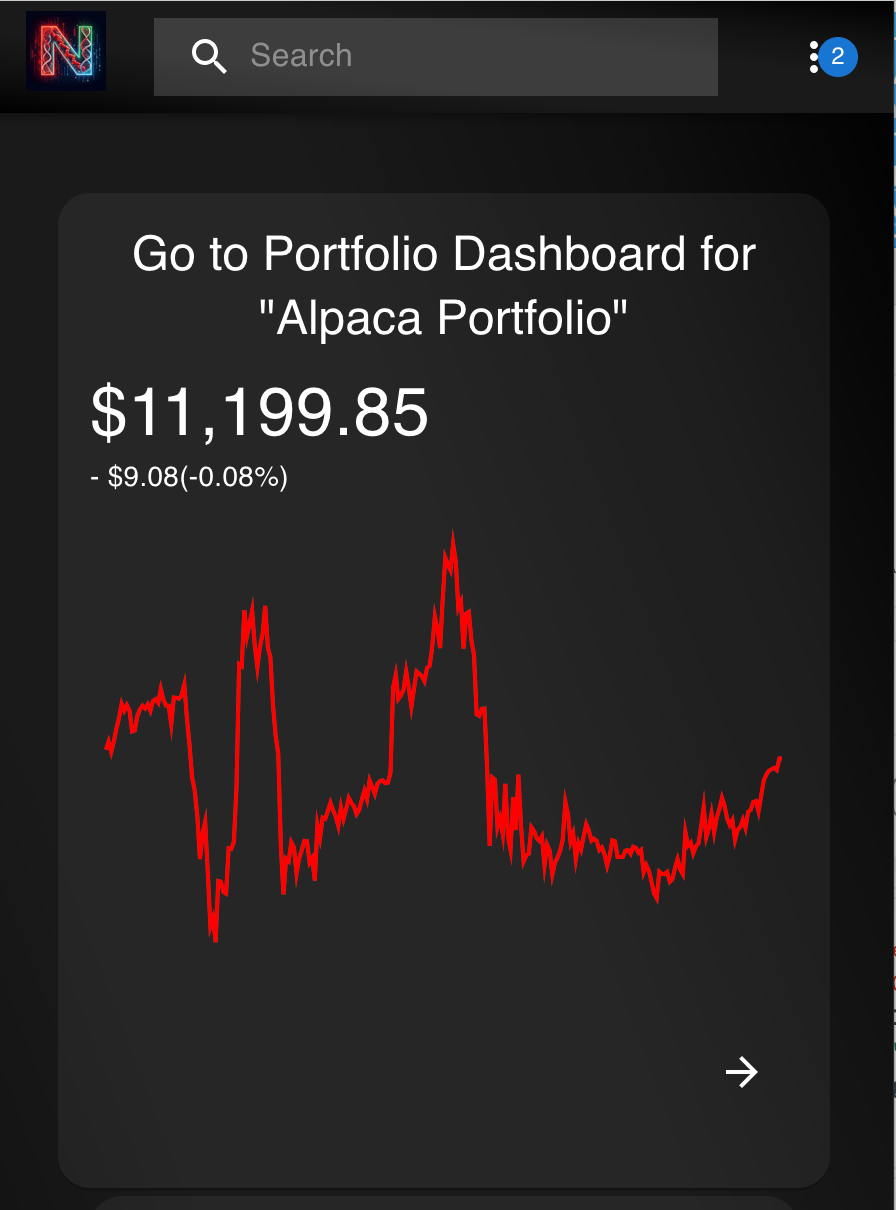
I created an abstraction that allows for the creation of virtually any tutorial I would need for my app. This includes both app-based and chat-based tutorials.
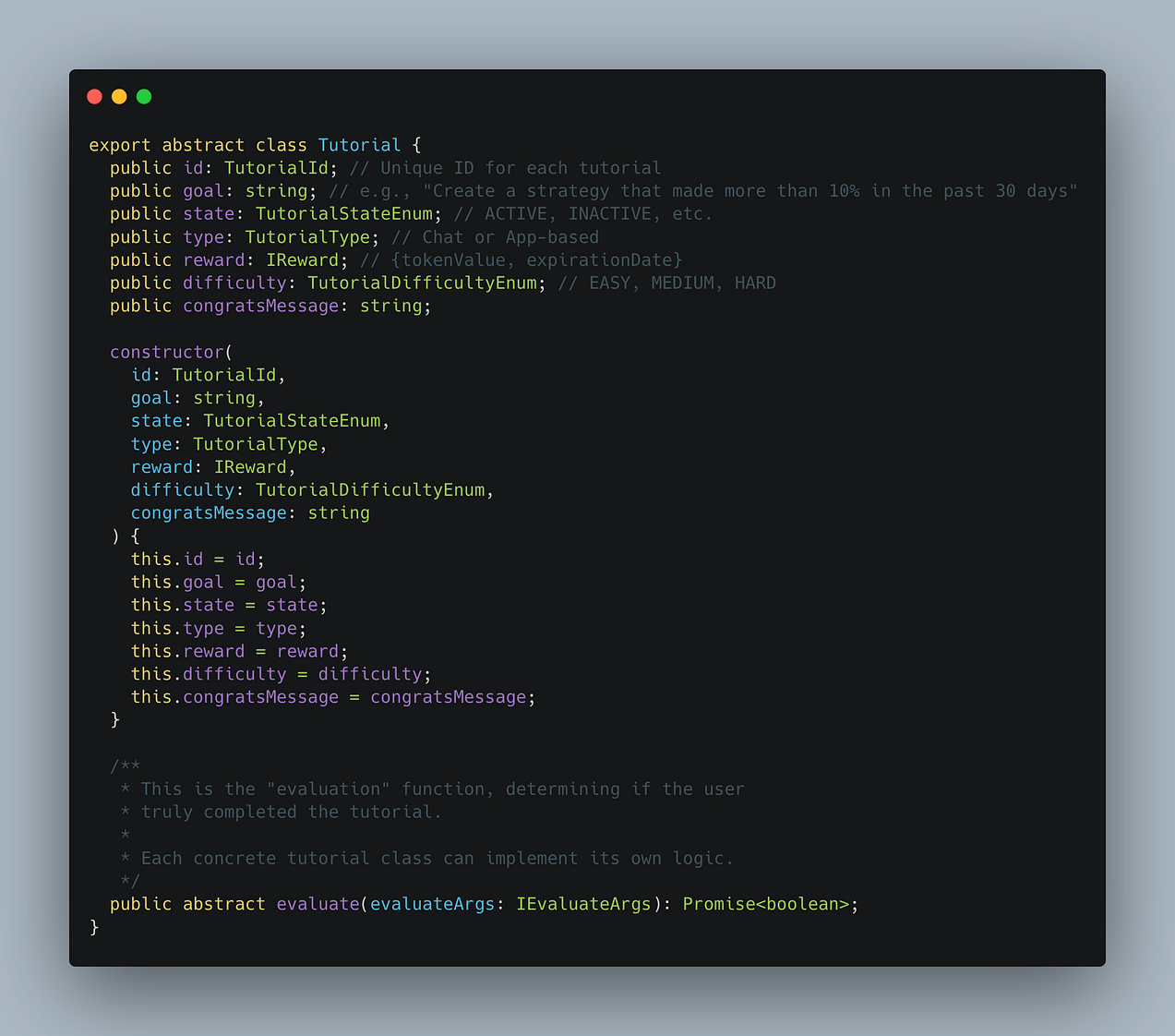
The major components for the tutorials are:
- Goal: the user needs to know the objective for the tutorial
- Type: we need a way to distinguish between chat-based and app-based tutorials
- Reward: the user needs to know how many tokens they will receive for completing the tutorial
- Difficulty: the user needs to know how hard the tutorial is
- Congrats message: when the user completes a tutorial, a customizable message needs to be sent to the user
Most importantly, tutorials include an evaluate function. This function determines whether a tutorial was completed by the user.
For app-based and chat-based tutorials, there are key differences between the two.
A Deep-Dive on App-Based Tutorials
App-based tutorials are useful for nudging the user towards certain behaviors. This can include enabling, live, trading, deploying a portfolio, or submitting an order.
The picture below shows a concrete example of an app-based tutorial.
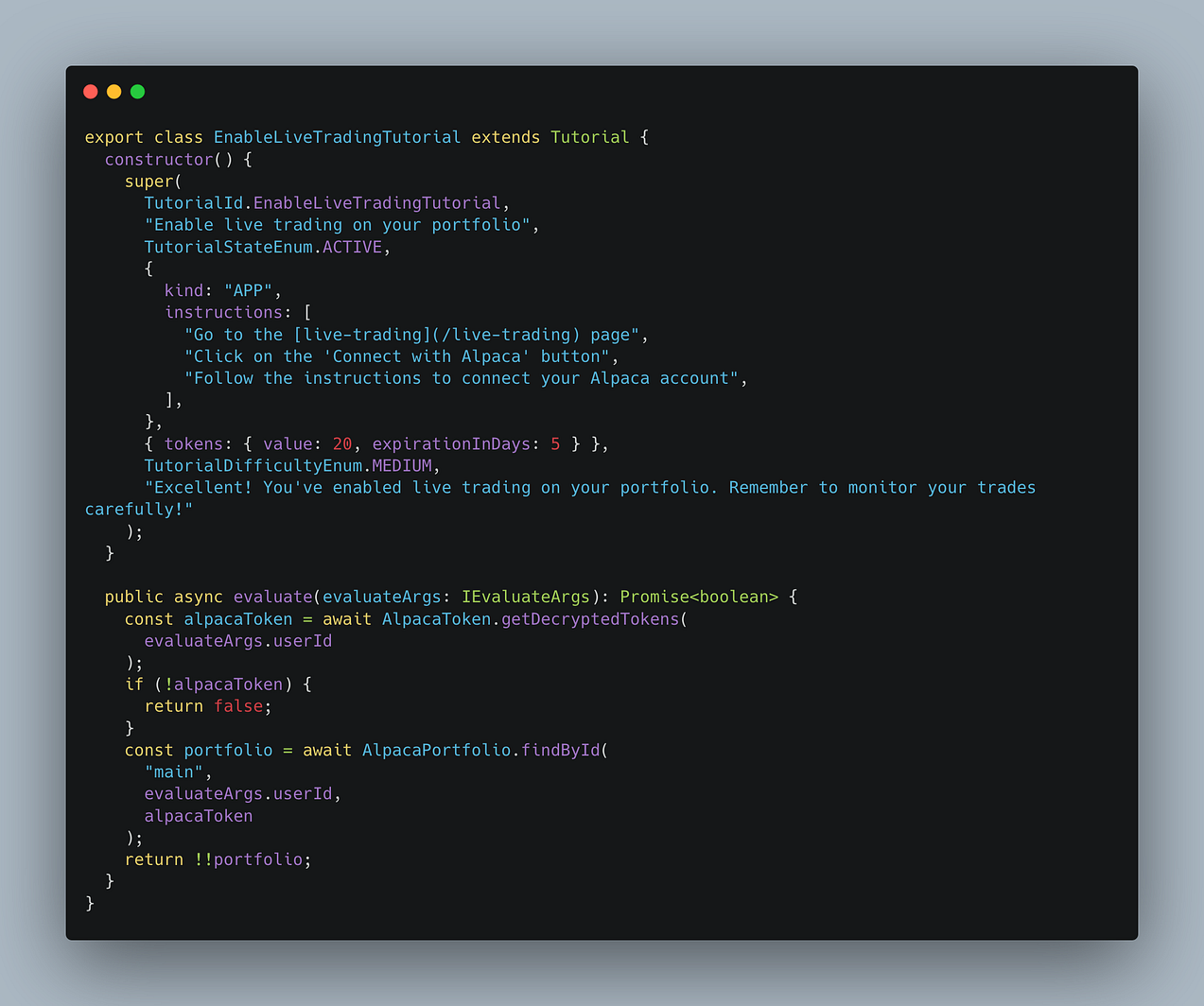
App-based tutorials have “instructions” in their data. They tell the user exactly how to complete the tutorial.
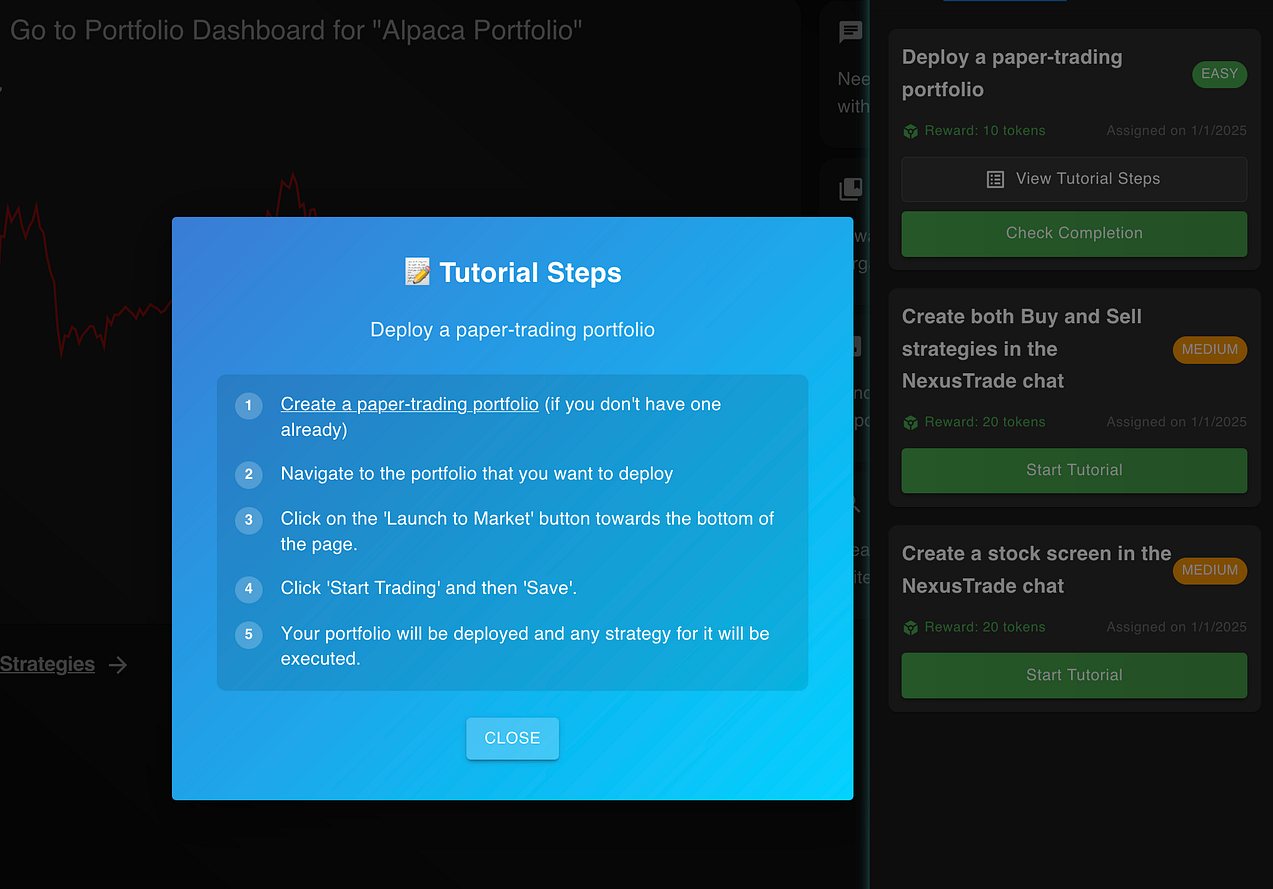
These steps are viewable easily within a modal, and includes hyperlinks to help the user out.
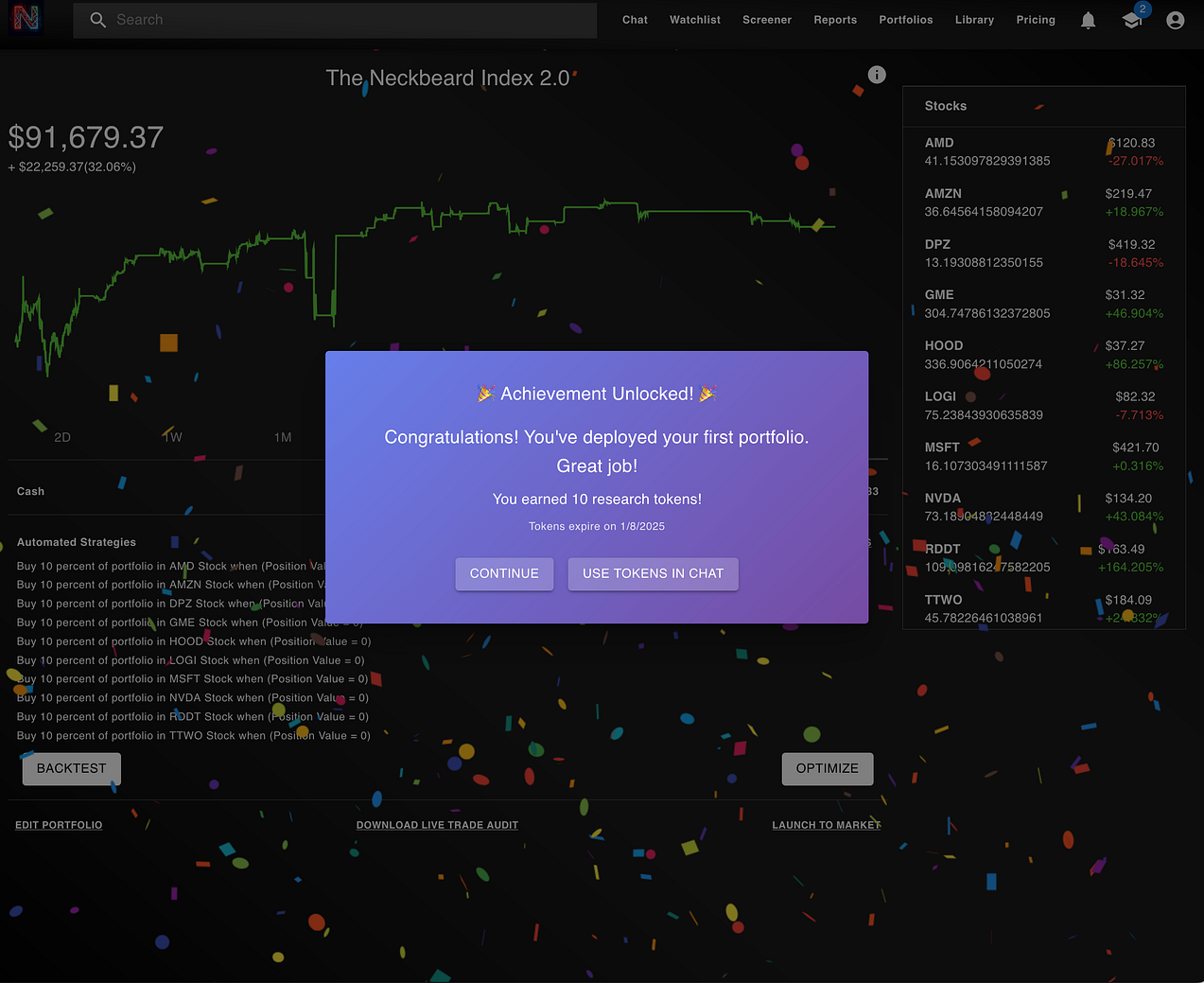
Once the user finishes a tutorial, they can click “Check Completion” to determine if the tutorial is complete. If it is, the user will be greeted with confetti, and a message will appear congratulating them for completing the tutorial.
If the user fails to complete the tutorial, they will be shown the steps again.
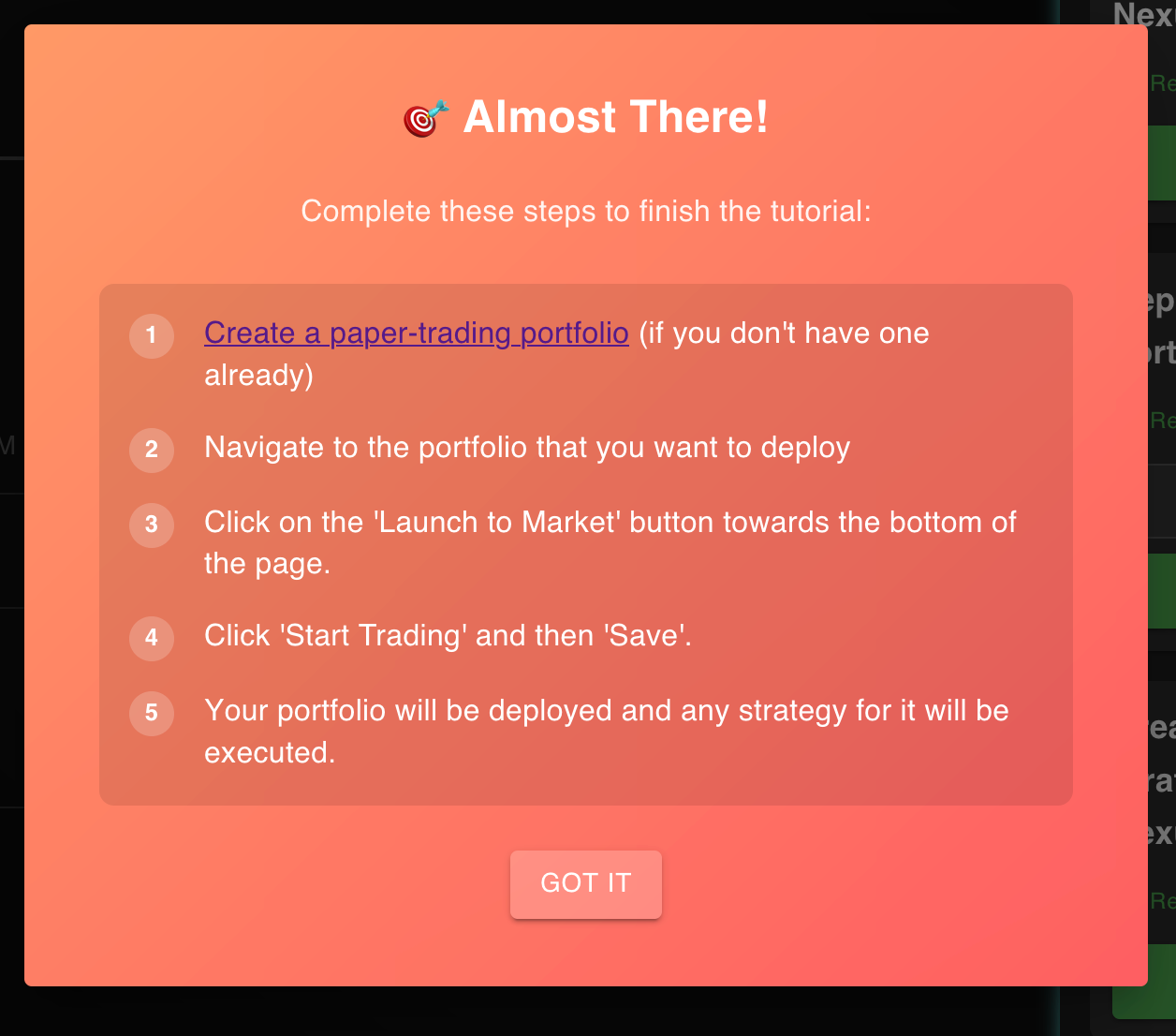
These tutorials are useful for driving the user towards taking specific actions within the app.
However, a major component of my app is the chat-based UI. For chat tutorials, I wanted them to be tightly coupled to the chat interface.
Here’s how I accomplished this.
The AI Chat Assistant in NexusTrade
Before I talk about the chat tutorials, I need to give a brief overview of all of Aurora’s capabilities.
Aurora has many features that are useful for performing financial analysis and deploying algorithmic trading strategies. Some of these include:
- Developing and testing algorithmic trading strategies: within the AI chat, Aurora can help a user create their own algorithmic trading strategy. Once created, a user can test it on historical data.
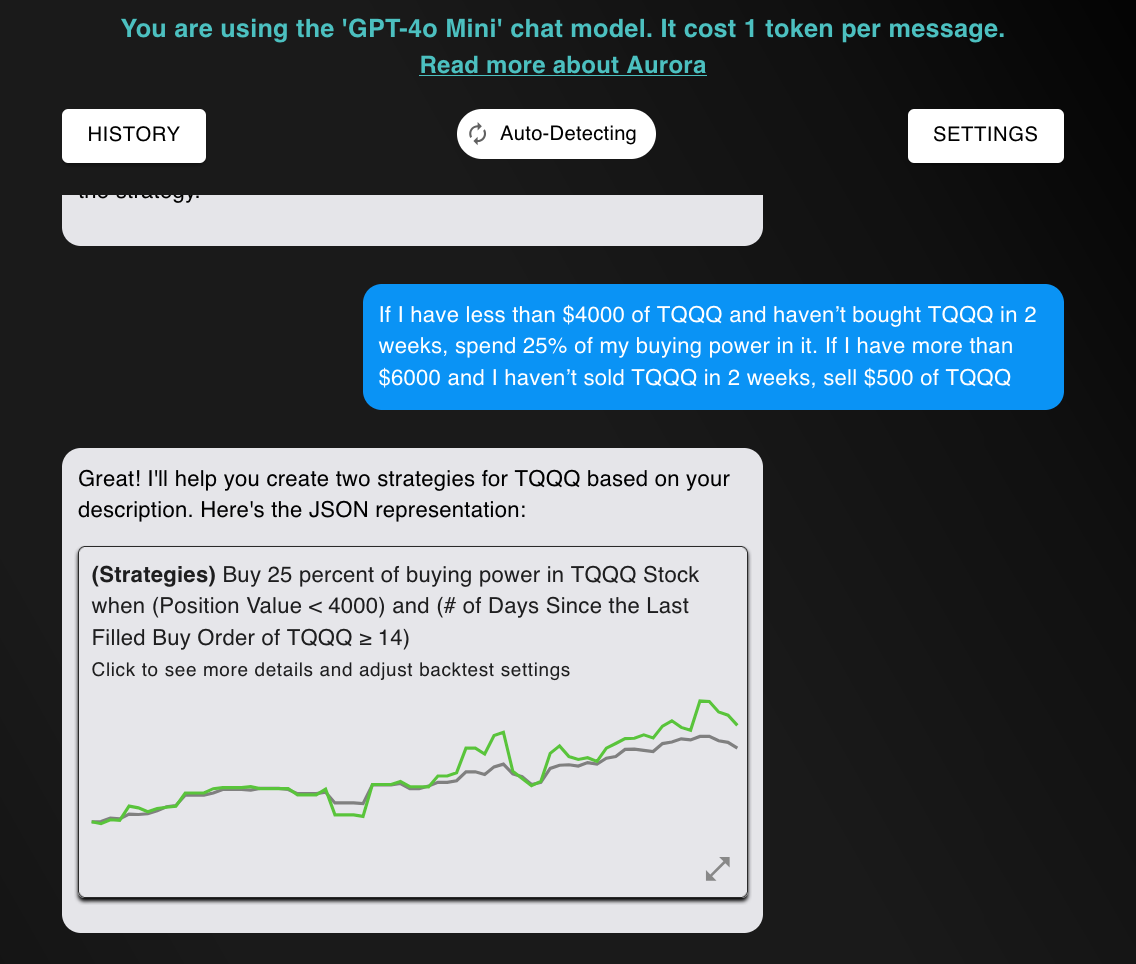
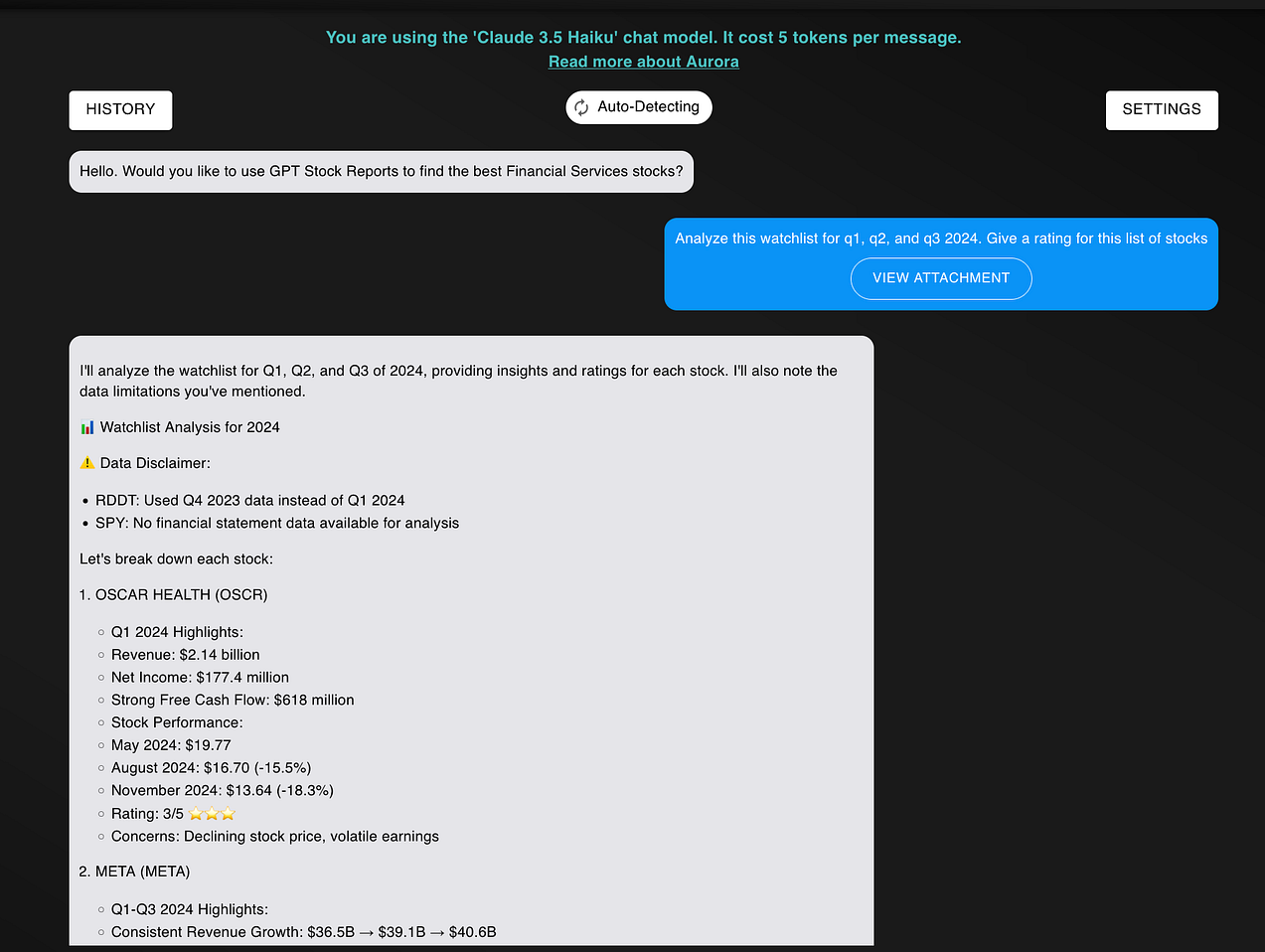
- Analyzing a stock and watchlist: in addition to developing strategies, users can analyze stocks. This is useful for determining how fundamentally strong their portfolio is, what industries stocks are in, and better understand their investments.
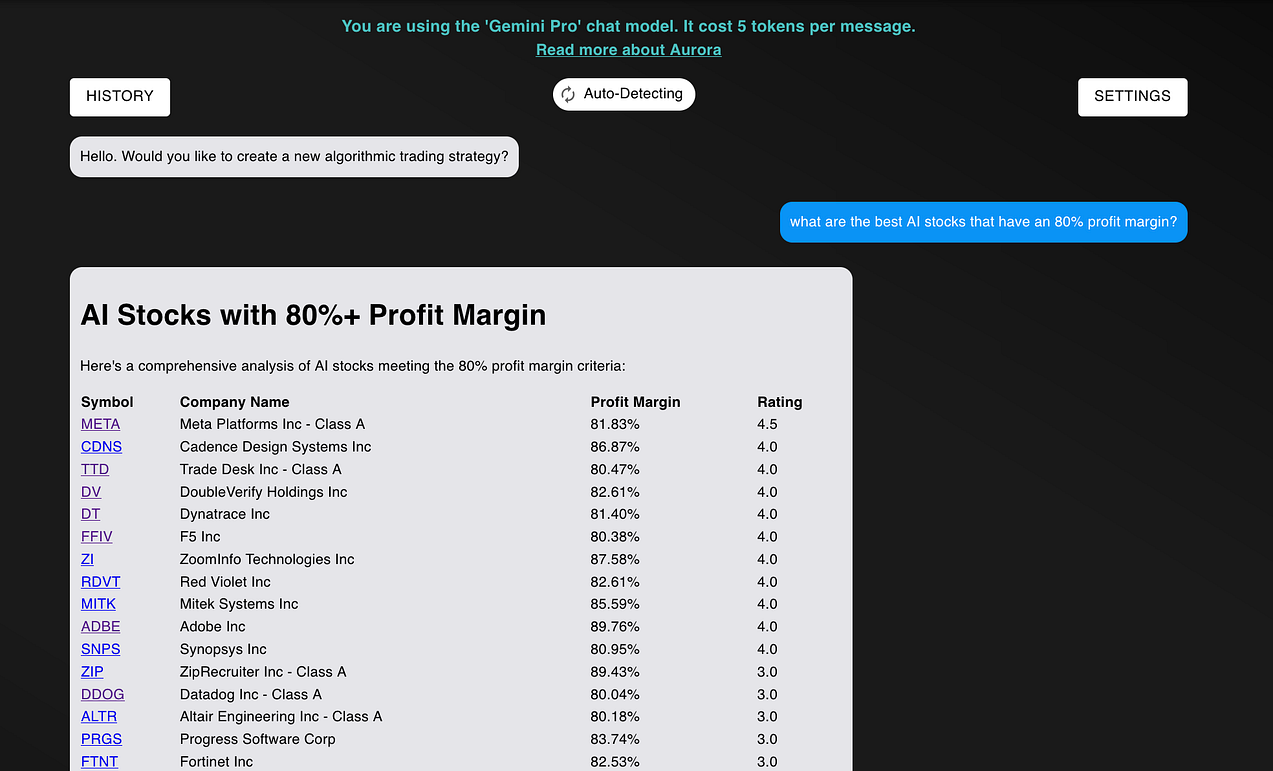
- Finding fundamentally strong stocks: traders can use NexusTrade to find novel investments depending on their industry, stock ratings, and fundamentals.
- Discovering patterns in the market: finally, investors can use NexusTrade to analyze the market and find patterns that they otherwise wouldn’t find. For example, last month, I used NexusTrade to analyze the “Santa Claus rally” phenomenon, and concluded that while stocks tend to go up in December, the difference in price is not statistically significant.
Importantly, using the chat requires “tokens” or a subscription account. Everyday, users have a set limit on the models they can use or how many messages they can send. Thus, the tutorial system, which rewards the user in tokens, serves as a strong incentive for learning how to use the app and getting access to more powerful models.
While I’ve written extensively about this in my blog posts, the reality is that users don’t want to read a 10 minute article to “teach them” how to use the app. Like using Instagram, they want to just naturally understand.
Thus, I created a tutorial system that caters to these user’s needs and helps them use the app.
A Deep-Dive on Chat-Based Tutorials
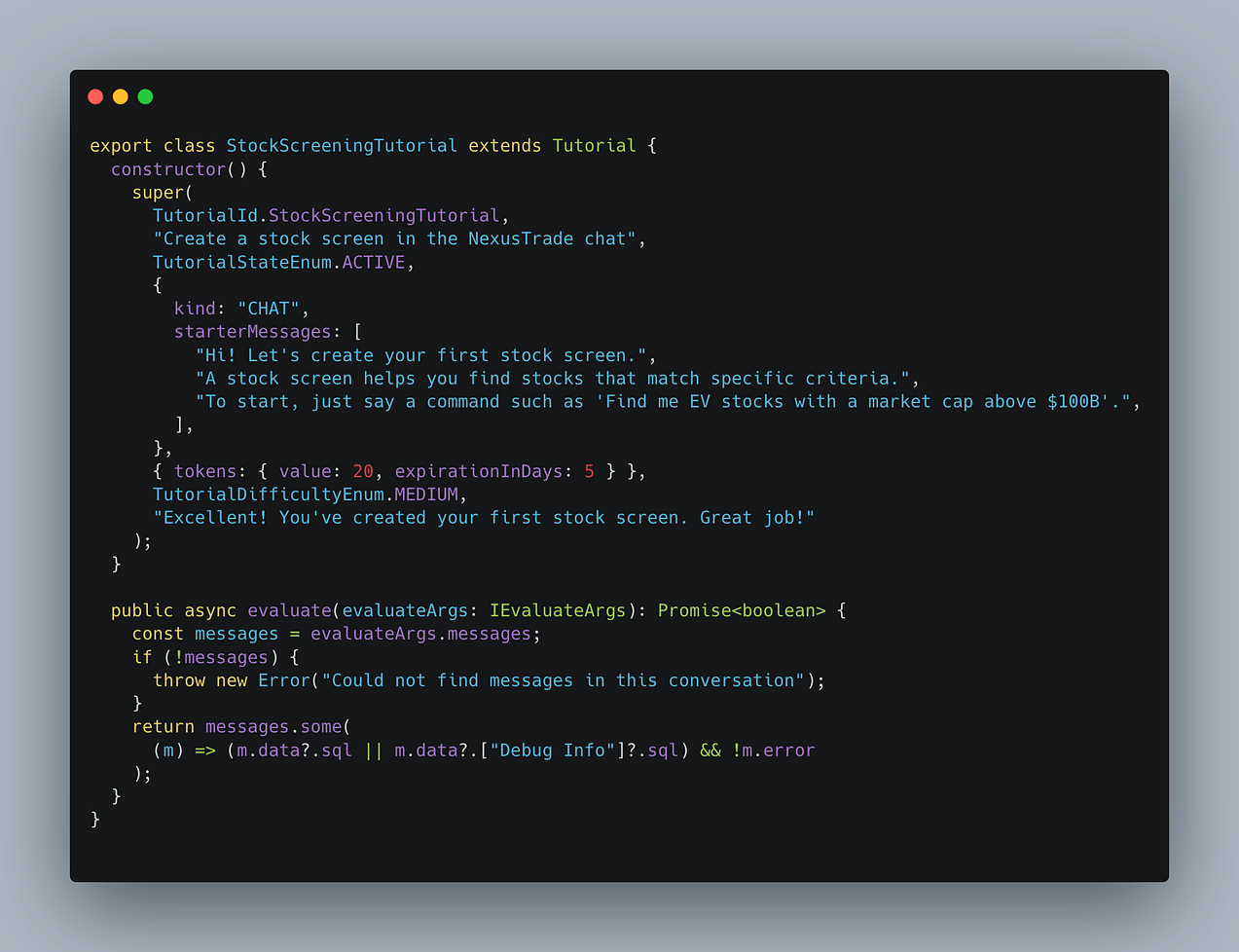
In contrast to app-based tutorials, chat-based tutorials are more closely coupled with Aurora than app-based tutorials. They give users step-by-step instructions for accomplishing a task in natural language.
The biggest difference is that chat-based tutorials use “starter messages” instead of “instructions”. While you can click a button to get hints on how to complete an app-based tutorial, Aurora speaks to the user to help them with app-based tutorials.
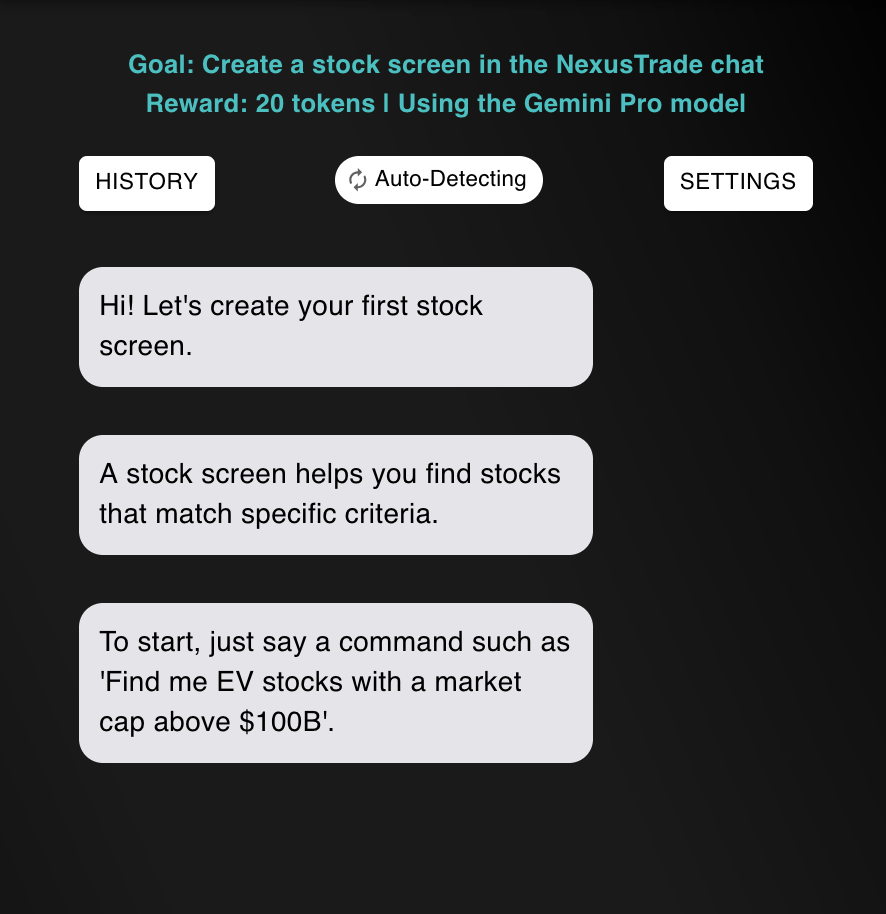
Additionally, chat-based tutorials don’t have a button for checking completing. If a user is doing a tutorial and they succeeded, the app will automatically detect it, and have the same celebratory confetti and modal as the app-based tutorial.
Both app-based and chat-based tutorials have different approaches to educating the user, but ultimately have the same goal: make my trading platform fun and easy to use.
One of the ways I do this is by pseudo-randomly assigning tutorials to users everyday. Here’s how this works.
Associating a Tutorial With a User
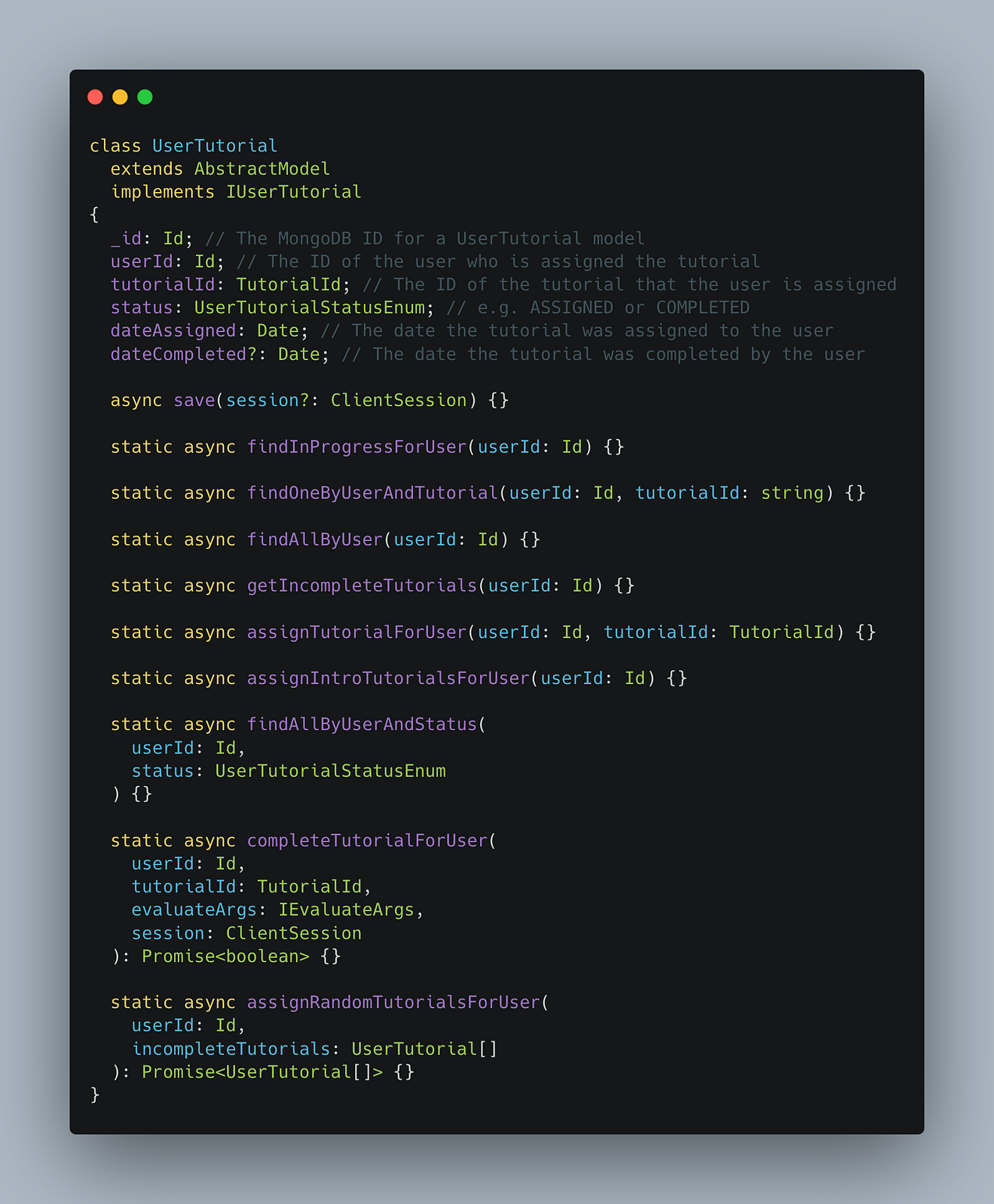
The UserTutorial class is needed to track whether a user is assigned a specific tutorial.
It includes attributes and methods for assigning new tutorials, updating the status of in-progress tutorials, and marking tutorials as complete when the user has successfully finished them.
This class serves as the foundation for tracking a user’s progress and ensuring they are guided through the tutorial system effectively.
To bring the tutorial system to life and seamlessly connect the backend models with the frontend, I implemented a dedicated controller.
An Endpoint for Connecting the Backend Models with the Frontend
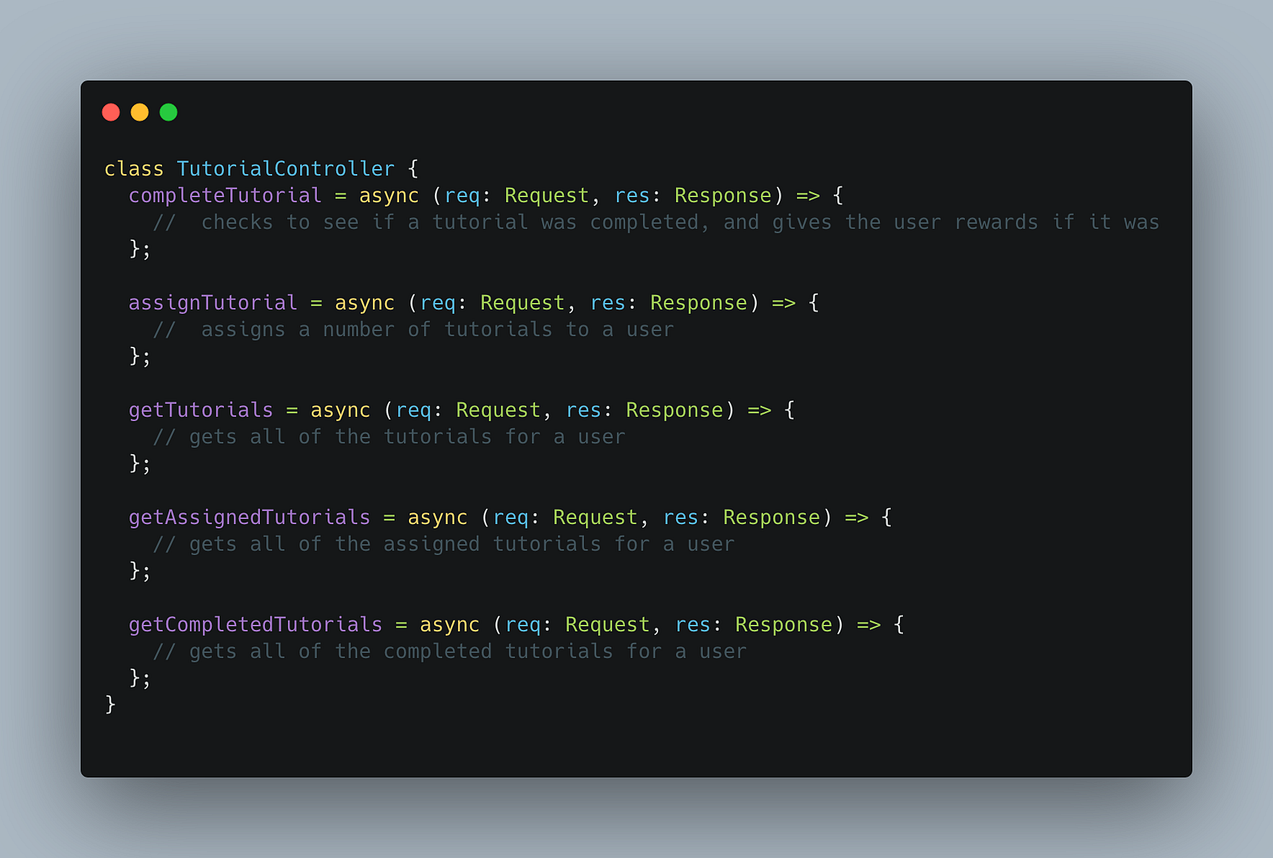
The TutorialController serves as the bridge between the backend and the user's experience, managing tasks like completing tutorials, assigning them, and fetching their progress.
This class makes it possible for a user, using the frontend, interacts with the tutorials in the backend.
But the controller is not enough – it is useful for connecting the users with the tutorials, but it can’t be used for more complex functionality, such as assigning new tutorials everyday or sending users reminder notifications.
For this, another job is needed.
A Job For Assigning Tutorials and Sending Notifications

The TutorialWorker is responsible for giving users new tutorials everyday. It also has functionality for engaging users, such as by nudging inactive users and sending notifications.
It runs on a scheduled interval, and helps maintain user engagement without manual intervention.
Together, the TutorialController and TutorialWorker form the backbone of the in-app tutorial system, seamlessly connecting the backend to the frontend while automating key tasks like assignment and user engagement. The controller provides the endpoints for user interaction, while the worker ensures that tutorials are consistently assigned, tracked, and nudged as needed. This combination creates a scalable, maintainable, and user-friendly system that enhances the onboarding experience and encourages users to explore NexusTrade more naturally.
Concluding Thoughts
Everybody wants their app to be as user-friendly as Facebook, but the reality is that not all apps can be made that simple. A platform like NexusTrade is unique and different than any investing platform a person has ever used before. Even with traditional in-app hints like pop-up modals and links to external resources, people are going to be confused with how to use it.
Thus, I decided to think outside the box, and created a robust and scalable in-app tutorial system that rewards the users to learn. The system makes NexusTrade intuitive, and gives users step-by-step guidance on how to become an algorithmic trader.
The end result is an intuitive onboarding experience. I designed NexusTrade to give retail investors access to Wall Street-grade investing tools with a Robinhood-like user experience. This new features serves as a powerful stepping stone to making NexusTrade the best trading platform the world has ever seen for retail investors.
Do you think these tutorials are helpful? Try it out for yourself, and let me know what you think.
No comments yet.